
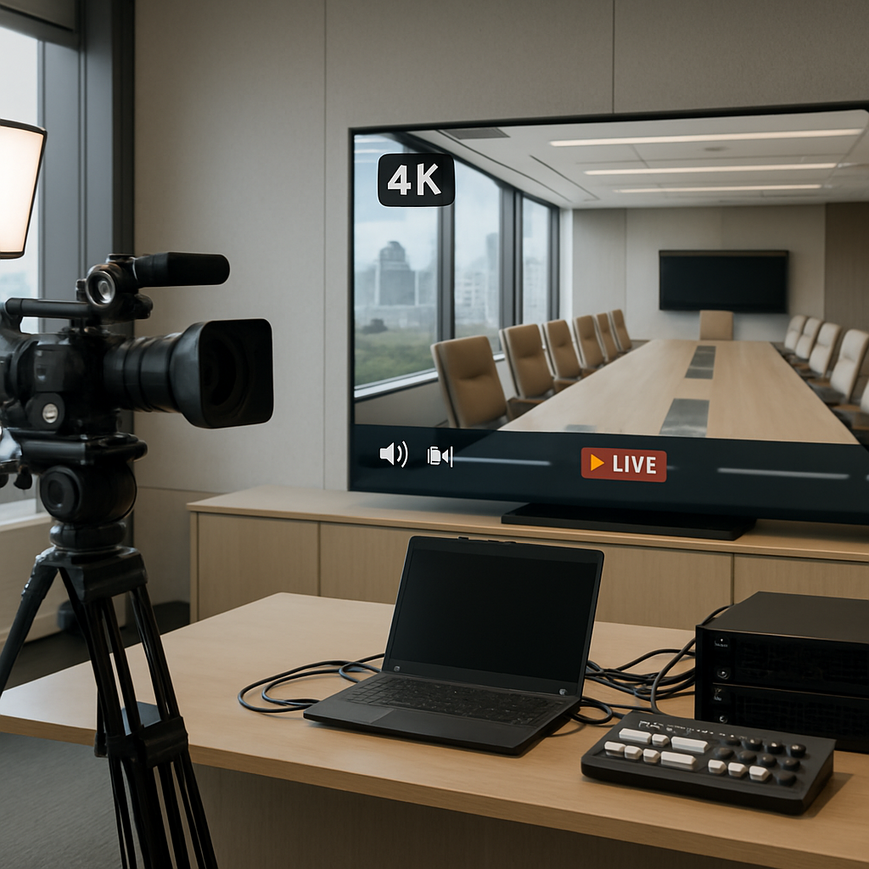
For Singapore businesses, 4K streaming is no longer just a marketing feature reserved for major broadcasters. It is increasingly relevant for conferences, product launches, investor briefings, training sessions, and hybrid events where image clarity, stable delivery, and professional presentation shape how a brand is perceived. When a B2B audience joins a stream, the expectation is not only that the video works, but that it works smoothly across laptops, phones, meeting room displays, and enterprise networks without visible compression artefacts, audio dropouts, or delay that disrupts discussion. That standard is especially important in Singapore, where many viewers connect from office networks, co-working spaces, hotels, and mobile connections that vary in performance throughout the day.
4K streaming sounds straightforward on paper, but the technical requirements are demanding. Ultra high definition video uses significantly more data than standard HD, and that affects camera selection, encoding, upload bandwidth, CDN delivery, playback compatibility, audio capture, lighting, and monitoring. A successful deployment depends on the whole chain, not just the camera. For business users, the practical question is not whether 4K is technically possible, but whether the production environment, venue infrastructure, and audience devices are ready for it. In Singapore, where event venues range from hotel ballrooms and convention centres to office boardrooms and rented studio spaces, planning around those technical variables is essential if the objective is a credible, professional viewing experience.
What 4K Streaming Means for B2B Use
4K streaming usually refers to delivering video at a resolution of 3840 by 2160 pixels, also called Ultra High Definition or UHD. This is four times the number of pixels in 1080p Full HD. More pixels can produce sharper text, cleaner product detail, more precise stage visuals, and better results when the stream is viewed on large monitors or projected for in-room audiences. For B2B events, that matters when the content includes slide decks, software demonstrations, engineering diagrams, manufacturing products, or executive presenters who need to appear polished on screen.
However, 4K resolution alone does not guarantee better communication. If the audience watches on smaller screens, if the network cannot sustain the bitrate, or if the scene is poorly lit, the extra resolution may offer little benefit. In fact, many business streams still use a mixed delivery approach, where the master signal is captured at a higher resolution but viewers receive adaptive streams at multiple quality levels. This lets the platform adjust quality according to device capability and internet speed. The goal is to preserve readability and brand quality while avoiding buffering.
Resolution, frame rate, and bitrate are not the same thing
Resolution describes image size. Frame rate describes how many frames are shown each second, such as 25, 30, or 50 frames per second. Bitrate describes how much data is used to encode and transmit the stream. These three settings are linked, but they solve different problems. A 4K stream at an insufficient bitrate may look blocky, especially during movement or when text and fine lines are on screen. A high bitrate without adequate upstream capacity can cause instability. For business events, these parameters must be balanced based on the content type, audience platform, and available network conditions.
Capture and Production Hardware Requirements
4K streaming begins with the camera chain. The camera needs to support true 4K capture at the desired frame rate, not just upscale lower-resolution footage. For corporate work, camera choice depends on the event format. A boardroom webcast may use one or two fixed cameras, while a panel discussion or conference may require multiple cameras, switching, and presentation integration. The operator should also consider lens quality, sensor performance in low light, auto-focus reliability, and clean HDMI or SDI output where needed.
Encoders, switchers, and recorders must also support 4K workflows. A production switcher that only handles HD cannot preserve an end-to-end 4K signal. If the system downscales at any point, the output will no longer be true 4K. That may still be acceptable if the delivery goal is adaptive HD, but the technical plan should be explicit. For B2B productions, it is common to separate programme output from archive recording, allowing a high-quality recording to be kept for post-event use while the live stream is delivered in the most stable format for the audience.
Lighting matters more in 4K than many teams expect
Higher resolution reveals detail, including poor lighting, uneven skin tones, noisy shadows, and background clutter. Singapore venues often combine glass walls, strong ambient lighting, and reflective surfaces, which can be visually attractive but technically challenging. Good lighting does not mean overexposing the scene. It means shaping the light so faces are evenly illuminated, the background is controlled, and the camera can operate at a lower gain setting to reduce noise. In practical terms, a well-lit 1080p stream often looks more professional than a poorly lit 4K stream.
Colour temperature consistency is also important. If stage lighting, practical room lighting, and camera white balance are not aligned, the image can look inconsistent across shots. That becomes more noticeable in 4K. For business presentations, especially those involving product demonstrations or branded sets, test lighting before the event day and verify that the venue’s existing lights do not create flicker, colour casts, or unwanted reflections.
Network, Encoding, and Delivery Infrastructure
The biggest technical challenge in 4K streaming is often not the camera, but the network. Live video must be uploaded from the venue to the platform through a stable upstream connection. A 4K stream typically requires significantly more upload capacity than a standard HD stream, depending on codec, frame rate, and desired quality. Because live events are sensitive to packet loss and jitter, a connection that is merely “fast” on a speed test is not enough. Stability, dedicated bandwidth, and backup connectivity matter just as much.
In Singapore, many venues offer fibre connectivity, but shared venue networks can still be affected by concurrent users, firewall rules, or wireless congestion. A production team should verify whether the event line is dedicated, whether upstream bandwidth is guaranteed, and whether there is a secondary connection available, such as bonded 4G or 5G, a separate fixed line, or a preconfigured failover route. For mission-critical events, redundancy is a basic requirement, not an optional extra.
Adaptive bitrate streaming supports mixed audience conditions
B2B audiences rarely watch under identical conditions. One viewer may be in an office with a wired desktop connection, another may be on a mobile device while travelling, and a third may be joining from a hotel network overseas. Adaptive bitrate streaming allows the platform to offer multiple quality levels so the stream can adjust to the viewer’s connection and device. This is one of the most important technical features for a business event because it protects reach and usability.
For 4K delivery, adaptive streaming does not mean every viewer must receive 4K. Instead, it means the platform can start with a 4K source or higher-quality master feed and then distribute the most appropriate stream profile to each viewer. This helps balance visual quality against reliability. If the event includes fine text, spreadsheets, or engineering visuals, a high-quality source feed is still valuable even if some viewers receive a lower delivery profile.
Codec choice affects quality, device support, and bandwidth efficiency
Encoding converts the camera signal into a compressed digital stream. Common codecs include H.264, which is widely supported, and H.265, also called HEVC, which can deliver better compression efficiency at the cost of higher device and workflow complexity. The right choice depends on the platform and audience. H.264 remains widely used because it is compatible with most enterprise devices and web players. H.265 may be attractive for more efficient 4K delivery, but compatibility must be checked across browsers, devices, and any downstream workflows such as recording, clipping, or archiving.
For Singapore B2B use, compatibility often matters more than chasing the most advanced compression standard. An event streamed to internal stakeholders, clients, or government-related audiences should prioritise stable playback. If the platform, decoder support, and playback environment are not fully verified, the theoretical efficiency of a codec is less important than predictable delivery.
Platform, Playback, and User Experience Requirements
Choosing a B2B streaming platform is about more than publishing a video link. The platform must support the expected bitrate, resolution profiles, live latency requirements, security settings, and analytics needs. For internal communications, access control may include password protection, domain restrictions, single sign-on, or authenticated viewing. For external events, the platform should support stable playback in common browsers and across mobile devices without requiring unusual plugins or custom software.
Latency is another important consideration. Low latency is useful for live Q and A, executive announcements, and interactive panel sessions. But lower latency can increase sensitivity to network problems. Some corporate events accept a slightly higher delay in exchange for greater stability. The right setting depends on whether the event needs real-time interaction or can tolerate a modest delay. Teams should align the technical choice with the event objective rather than assuming the lowest delay is always best.
Audio quality is part of the technical requirement, not a separate concern
Even a visually excellent 4K stream will fail if the audio is unclear. In many corporate settings, the audience is more forgiving of minor image imperfections than of muffled speech, echo, clipping, or background noise. The audio chain should include suitable microphones for the speaker format, proper mixing, and monitoring throughout the event. For panel discussions, lapel microphones, boundary microphones, or hand microphones may be appropriate depending on the room layout and movement. Room acoustics matter too, especially in large hotel spaces or glass-walled boardrooms common in Singapore’s business districts.
Audio should be checked separately from camera quality. A clean programme feed with stable levels, minimal noise, and proper speech intelligibility helps viewers stay engaged and reduces the need for support follow-up after the event. For a business audience, clarity is a basic expectation.
Pre-Event Testing, Redundancy, and On-Site Operations
A reliable 4K deployment depends on testing under real conditions. This includes checking the full signal path from camera to encoder to platform to playback devices. Test the event on the same network that will be used on the day, ideally at the same venue, with the same equipment and similar lighting. If the event includes slides, embedded video, remote speakers, or live switching, each element should be rehearsed. Failure often happens at the interface between systems, not within a single device.
Operational readiness also includes backup planning. A well-managed event should have spare cables, backup microphones, alternative power options, and a contingency plan if the primary internet connection fails. Uninterruptible power supplies can help protect essential equipment from brief power interruptions, which is especially important for encoders, switches, and networking gear. In Singapore, where venues are generally reliable but event complexity can still create risk, on-site discipline is essential.
Monitoring during the live event prevents small faults from becoming major issues
Real-time monitoring allows the production team to see whether audio levels, video integrity, encoding health, and network stability remain within expected ranges. Monitoring should not rely only on the platform preview. It should include local confidence monitoring and, where possible, a separate external viewer experience. If the stream begins to degrade, the operator can make adjustments before viewers notice a serious issue. That may involve lowering the bitrate, simplifying graphics, changing camera angles, or switching to a backup connection.
For B2B events, live support matters because executive presentations and client-facing sessions often have no margin for public technical failure. Having a clear escalation plan, named personnel, and a communication channel among production staff, venue representatives, and platform support can reduce response time and prevent confusion.
Practical Planning for Singapore-Based Businesses
Singapore-based organisations should plan 4K streaming around the realities of local venues, office infrastructure, and audience behaviour. A conference in Marina Bay may have excellent venue infrastructure but strict access rules or shared connectivity. A townhall in a company office may have simpler logistics but less robust network capacity. A streamed product demo may need close-up detail, while a leadership message may benefit more from stable framing and strong audio than from maximum resolution. The technical plan should match the content.
Working with experienced production teams can reduce avoidable risk because they can assess bandwidth, camera placement, lighting constraints, and backup design before event day. They can also help decide whether the live stream should be true 4K end to end, a 4K capture with HD delivery, or a more conservative HD workflow that better suits the audience and venue. In business settings, the right answer is the one that delivers a dependable viewer experience and supports the communication objective.
For Singapore readers, the practical takeaway is simple. 4K streaming is valuable when the content genuinely benefits from higher detail and when the production environment is built for it. If any part of the chain is weak, the stream may not feel better than a carefully executed HD production. For most B2B events, the best results come from balancing resolution, bitrate, audio quality, lighting, network resilience, and platform compatibility, rather than focusing on one spec alone. If your event carries strategic importance, it is wise to review the technical setup early, test thoroughly, and treat live streaming as a full production workflow rather than a single piece of equipment.
General information only. This article is intended to support planning and awareness for business streaming projects. Specific technical requirements should be confirmed with your production team, venue provider, and platform vendor before the event.

Jeremy Lee is a seasoned digital marketing director and strategist with over two decades of experience in the industry. As the founder of Sotavento Medios, I manage a diverse portfolio of over 50 businesses, helping brands grow through advanced search strategies and digital innovation. My work focuses on bridging the gap between traditional search engine optimisation and the evolving world of AI-driven answer engines.
get in touch