
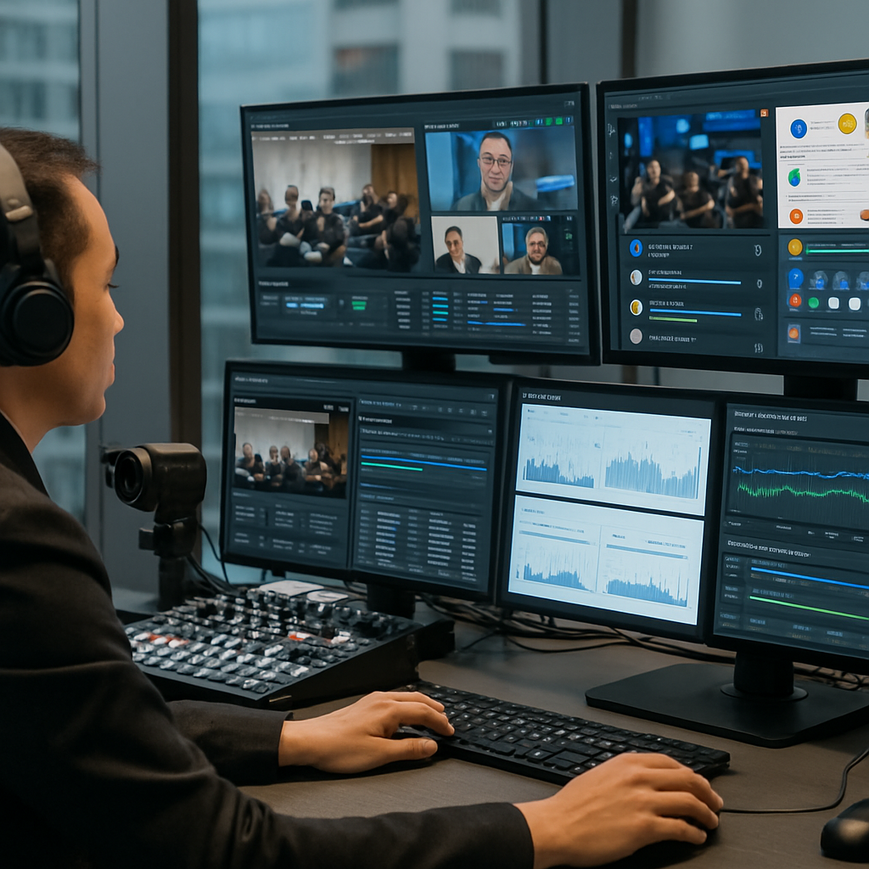
For business webcasts, latency is more than a technical detail. It affects how naturally a presenter and audience can interact, how quickly questions are answered, and whether a live product launch, town hall, or investor briefing feels genuinely live. In Singapore, where companies often run regional events across offices, home setups, and overseas viewers, even a few seconds of delay can disrupt Q&A, polling, chat moderation, and panel discussions. If the audience cannot hear the response while the question is still fresh, engagement drops and the webcast starts to feel disconnected.
Latency refers to the time it takes for audio or video to travel from the source to the viewer. In interactive webcasts, the goal is not only to stream reliably, but to keep delay low enough that conversation feels responsive. The challenge is that latency is influenced by many stages, including camera encoding, internet uplink quality, ingest servers, content delivery networks, player buffering, and the viewer’s own device and connection. Reducing delay therefore requires planning across the entire workflow, not just turning a setting down on the platform.
For Singapore-based businesses, this matters in practical ways. A regional sales kick-off may include presenters in Singapore, staff in Malaysia, and stakeholders joining from offices in Europe. A hybrid annual general meeting may need a more controlled level of interaction. A customer webinar may include live demonstrations that depend on timely questions from the audience. In all these cases, the right latency target depends on the use case, but the technical approach should always prioritize stability, predictable monitoring, and clear communication with participants.
Understand Where Latency Comes From in a Webcast Workflow
The first step in reducing latency is identifying where delay enters the chain. Latency is cumulative. It is not created by one single problem, but by small delays at several points between the camera and the viewer. Once teams understand those stages, they can decide which ones to optimize and which ones to accept for the sake of reliability.
Capture and encoding delay
When a camera captures video, the signal usually passes into an encoder. Encoding compresses the audio and video so they can be sent over the internet efficiently. This compression takes time, especially if the encoder is configured for high quality, complex overlays, or multi-bitrate outputs. Hardware encoders generally provide more stable performance than overworked laptops, but even hardware units need the right settings. Excessive scene complexity, high frame rates, or very high resolutions can increase the processing time before the stream even leaves the venue.
Network uplink and transport delay
After encoding, the stream must travel from the venue to the platform. Upload speed, packet loss, jitter, and congestion all affect how quickly and smoothly the signal arrives. Packet loss means data fails to reach its destination and has to be resent, which increases delay. Jitter means packets arrive at uneven intervals, which can force the player to buffer more data to maintain smooth playback. This is why a webcast can be technically online yet still feel sluggish or unstable. The uplink connection at the venue is often one of the most important control points.
Platform and playback delay
Once the stream reaches the hosting platform, the content may be processed, distributed through a content delivery network, and buffered by the viewer’s player before it plays. This buffering creates a safety margin so the video does not stutter, but it also adds delay. Traditional live streams often use a larger buffer to prioritize smooth delivery. Low-latency and ultra-low-latency modes reduce that buffer, but they demand better upstream quality and may be less forgiving of unstable networks. This trade-off is central to webcast design.
Choose the Right Latency Target for the Event Type
Not every business webcast needs the lowest possible delay. In some events, a small amount of latency is acceptable because the main priority is reach, stability, or recording quality. In others, low delay is essential because the event depends on live conversation. Choosing the right target helps teams avoid unnecessary complexity and unrealistic expectations.
When sub-second interaction matters
Events that involve live moderation, rapid audience polling, back-and-forth interviews, product demos, and executive Q&A benefit most from low latency. If presenters need to respond to questions while the audience is still watching the same moment, a shorter delay makes the exchange feel immediate. This is especially useful for sales enablement sessions, live training, and leadership broadcasts where speaker timing matters. The lower the latency, the easier it is to maintain a natural rhythm.
When a moderate delay is acceptable
Some events can function well with moderate latency, especially if they are primarily one-way broadcasts with limited audience interaction. Examples include formal announcements, internal updates, or externally streamed presentations where the chat is secondary. In these cases, teams may accept a slightly higher delay in exchange for stronger resilience and simpler production workflows. For many business events, a stable, predictable stream is more valuable than chasing the absolute minimum delay.
Match the delivery mode to the goal
In practice, business webcast teams should align the streaming mode with the interaction model. A true real-time conversation needs a lower-latency configuration. A broadcast-style event with light interaction can use standard live delivery. Hybrid events with local in-room screens and remote participants may need careful synchronization so the audience in the room and the remote viewers do not feel disconnected. The right choice depends on production goals, audience size, and the platform’s technical capabilities.
Reduce Latency at the Source with Better Production Choices
Latency reduction starts at the venue. Many problems seen in the viewer experience originate from avoidable production decisions. By tightening the capture and encoding workflow, teams can make a real difference without sacrificing professionalism.
Use a stable wired connection whenever possible
For Singapore webcast venues, a wired Ethernet connection is usually preferable to Wi-Fi for the primary uplink. Wired networks offer more predictable performance, lower jitter, and fewer interference issues. Wi-Fi may be useful as a backup or for secondary devices, but it should not be the main route for a critical live stream unless there is no practical alternative. If the venue must rely on a shared corporate network, confirm bandwidth availability well in advance and test during the same hours the event will run.
Keep the encoding workflow lean
Encoding settings have a direct effect on latency. Higher bitrates, multiple output renditions, heavy overlays, and unnecessary scene switching can increase processing time. A leaner workflow usually performs better. Use only the video resolution and frame rate needed for the event, and avoid adding features that increase complexity without improving the viewer’s experience. For many business webcasts, a clean, well-lit 1080p feed is sufficient, but the exact setup should match the platform and audience requirements.
Use professional audio and simple switching
Audio matters as much as video in interactive events. A clean microphone feed reduces the need for corrective processing, which can add delay. Complex audio chains with aggressive noise reduction, echo cancellation, or multiple live sources can introduce latency and create timing problems between lips and sound. Likewise, multi-camera switching should be rehearsed so transitions are smooth and operators do not have to improvise under pressure. Simplicity often produces the most reliable low-latency result.
Test encoder settings before event day
Every platform behaves differently. What looks stable in a test environment may become unreliable when the audience grows or the content becomes more complex. Teams should run a full rehearsal, check end-to-end delay, verify audio sync, and observe how quickly questions appear in the moderation dashboard. If the webcast uses a staging environment, that environment should mirror the live setup as closely as possible. This reduces surprises during the actual event.
Optimize the Platform, CDN, and Viewer Experience
Even a well-run production can feel delayed if the distribution layer is not configured properly. The platform and content delivery setup determine how quickly the stream reaches viewers in Singapore and across the region. These choices are especially important for public-facing events and large internal broadcasts with many simultaneous viewers.
Understand the trade-off between latency and resilience
Low-latency delivery often reduces buffer size, which means the stream has less protection against network variation. That can improve responsiveness, but it can also make the stream more sensitive to instability. If the audience is spread across different countries or devices, a slightly higher latency setting may provide a better overall experience. A business webcast team should not treat low latency as an absolute goal. It is one variable among many, including watchability, reliability, and interaction quality.
Choose streaming technologies that support real-time interaction
Some platforms are designed for traditional live delivery, while others support lower-latency modes such as Low-Latency HLS, WebRTC-based workflows, or other optimized protocols. Each method has strengths and constraints. WebRTC can deliver very low delay, but it is usually used in narrower interactive scenarios and may involve different scaling characteristics than standard broadcasting workflows. Low-Latency HLS can improve responsiveness while still preserving compatibility with many devices, but the real-world delay still depends on the overall implementation. The platform should be selected based on the event format, expected audience size, and production expertise.
Consider the viewer’s environment
Latency is not only a broadcaster problem. The viewer’s device, browser, operating system, and home internet connection can all affect playback delay. In Singapore, audience members may join from office networks, home broadband, or mobile data. Teams should provide simple viewing instructions, encourage updated browsers, and advise participants not to run unnecessary downloads during the event. If the webcast uses chat or polling, keeping those functions within the same platform can help create a more unified and responsive experience.
Monitor real-world delay during the stream
During live events, operators should monitor both technical metrics and audience-facing behaviour. A stream may appear healthy in the control room while viewers experience delay or buffering. Use a second device on a separate network to watch the public experience. Measure the gap between a live action and when it appears on the viewing screen. This helps the team identify whether delay is coming from capture, transport, or playback. Real-time monitoring is especially useful for events with speakers who rely on audience feedback.
Manage Interaction Design so the Event Feels Responsive
Latency is not only a technical issue, it also affects how the event is designed. A webcast can still feel interactive even if the delay is not minimal, as long as the communication style accounts for the actual timing of the stream. Good moderation and presenter discipline can hide some of the natural delay that exists in live delivery.
Build pauses into the speaking rhythm
Presenters should wait briefly after asking a question before moving on. This gives remote participants time to process the prompt and allows the moderator to capture questions without speaking over the audience. A short pause is useful even in low-latency events because it makes the conversation feel intentional instead of rushed. In Singapore business settings, where meetings are often efficient and tightly timed, this small adjustment can improve clarity without slowing the event noticeably.
Use dedicated moderation
For interactive webcasts, a dedicated moderator can bridge the timing gap between the live presenter and the online audience. The moderator can watch incoming questions, filter duplicates, and relay them in a structured way. This is especially valuable when the stream has a few seconds of unavoidable delay. A good moderator keeps the conversation flowing and prevents awkward dead time.
Set expectations early
Before the webcast begins, tell participants how to ask questions and when they can expect responses. If there is a short lag, say so clearly. This reduces confusion when questions do not appear immediately on screen or when the speaker responds a few moments after the audience submits a comment. Clear instructions are part of good webcast design, and they are particularly important in large corporate events where many stakeholders are involved.
Plan for Singapore Conditions and Business Requirements
Singapore has excellent digital infrastructure, but no webcast should assume that every participant will have the same network quality. Events may involve staff in office towers, home-based employees, regional colleagues, or external partners using different providers and devices. A low-latency webcast strategy should reflect this diversity.
Account for regional audiences and time zones
Many Singapore companies serve Southeast Asian or global audiences. That means some viewers may be watching from locations with different network conditions or stricter firewall environments. If the webcast includes live Q&A across borders, give the production team enough time to test firewall rules, streaming access, and browser compatibility. Regional distribution also increases the value of stable platform selection and careful rehearsal, because the viewer experience can vary across countries even when the source stream is strong.
Use a backup path for mission-critical events
For high-stakes events such as shareholder communications, product launches, or executive announcements, a backup internet path and backup power arrangement should be part of the plan. A second bonded connection, mobile failover, or an alternate venue network can protect against a local outage. Backup planning does not necessarily reduce latency directly, but it prevents emergency switching from causing a much worse delay or a complete interruption. Reliability and latency are closely linked in practice.
Work with experienced live production teams
Interactive webcast latency is often best managed by specialists who understand both broadcasting and IT constraints. They can advise on encoder settings, platform selection, network tests, and on-site signal flow. For businesses in Singapore, working with a production partner that understands corporate event standards, local venue conditions, and hybrid formats can save time and reduce risk. The most effective teams treat latency as one part of a broader live experience strategy, not an isolated setting.
Reducing latency in interactive business webcasts is about making careful choices at every stage, from venue networking to platform selection and audience moderation. There is no single switch that solves the problem. Instead, the best results come from combining a stable wired uplink, efficient encoding, an appropriate low-latency delivery mode, and interaction design that fits the real timing of the stream. When these elements work together, the webcast feels more natural, responses come faster, and the audience stays engaged.
For Singapore businesses, the most practical approach is to match the latency target to the purpose of the event. If the session depends on live discussion, prioritize a low-latency workflow and test it thoroughly. If the event is primarily a broadcast, choose stability and reach over chasing the lowest possible delay. In both cases, rehearsal, monitoring, and clear communication remain essential. A well-planned webcast does not just stream content, it supports real interaction, which is what makes an online business event feel truly live.
General information only, not a substitute for professional technical advice or event-specific planning.

Jeremy Lee is a seasoned digital marketing director and strategist with over two decades of experience in the industry. As the founder of Sotavento Medios, I manage a diverse portfolio of over 50 businesses, helping brands grow through advanced search strategies and digital innovation. My work focuses on bridging the gap between traditional search engine optimisation and the evolving world of AI-driven answer engines.
get in touch