
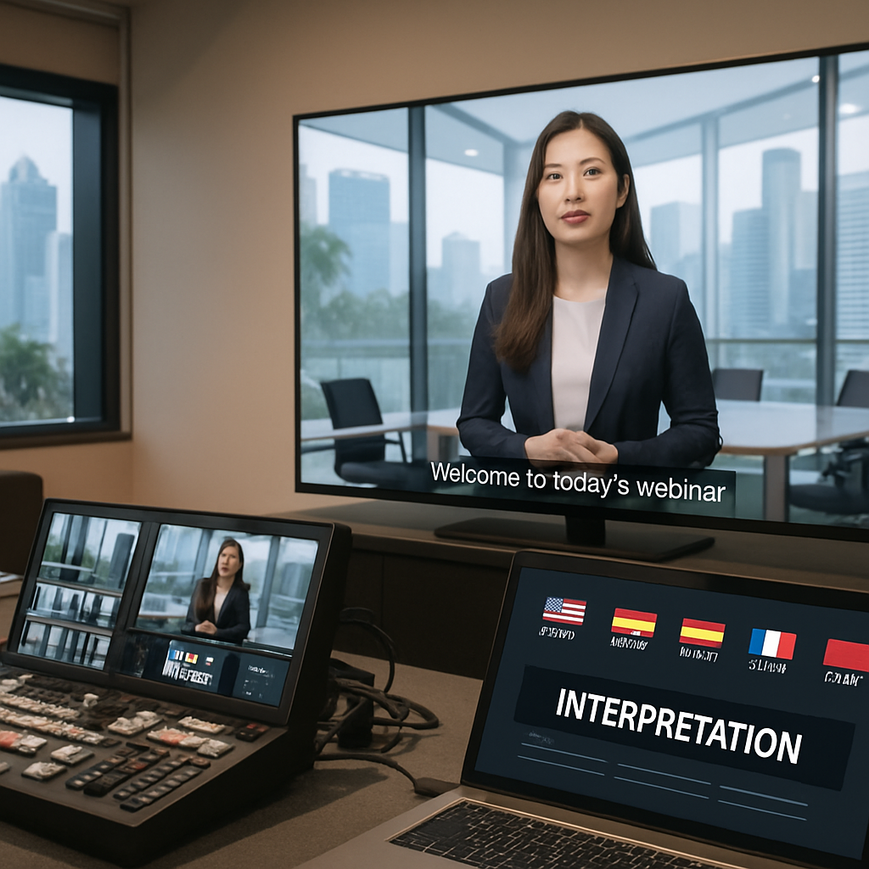
Webinars in Singapore often bring together participants who speak different first languages, and that reality affects how clearly your message lands. In a business environment where English is widely used but Mandarin, Malay, Tamil, and many other languages are also part of daily life, live language translation can make a webinar more inclusive, more usable, and more effective. For organisations running training sessions, investor briefings, healthcare education, public outreach, or cross-border business events, translation is not just a courtesy. It can be a practical way to reduce misunderstanding, improve engagement, and support better decision making.
Integrating live language translation into a webinar takes more planning than simply turning on captions or adding a second speaker. You need to choose the right translation method, prepare scripts and terminology in advance, test the workflow with your platform, and make sure attendees know how to access the language support you provide. In Singapore, where events often involve regional stakeholders from Malaysia, Indonesia, China, India, and beyond, this planning becomes even more important. The best approach depends on the webinar format, your budget, the number of languages needed, the sensitivity of the topic, and the level of accuracy required.
This guide explains the main methods used for live translation in webinars, how to set them up, what to watch out for, and how to choose a solution that fits a Singapore audience. It also clarifies the difference between live interpretation, translated captions, and automated speech translation, because those terms are often used interchangeably even though they are not the same thing.
Understand the translation options before you choose a setup
The term live language translation can refer to several different services, and each one works differently. If you choose the wrong type for your content, participants may struggle to follow the webinar or misunderstand important information. For example, a compliance briefing with legal implications needs a much higher level of accuracy than a general marketing webinar. A product launch for regional distributors may tolerate minor imperfections in captions, but a medical education session or public sector announcement usually requires stronger quality control.
Live human interpretation
Live interpretation means a trained interpreter listens to the source language and renders it into another language in real time. In webinars, this is often delivered through simultaneous interpretation, where the interpreter speaks almost at the same time as the presenter, or consecutive interpretation, where the presenter pauses and the interpreter translates in segments. Simultaneous interpretation is usually better for webinars because it preserves flow and keeps the audience engaged, but it requires skilled professionals and careful coordination. Consecutive interpretation is simpler to manage, but it lengthens the session and may not suit large or highly scripted events.
Human interpretation is generally the most accurate option for nuanced content, technical terminology, and situations where tone matters. It is especially useful when your webinar includes sensitive topics, such as healthcare, financial services, legal updates, or executive communications. In Singapore, where many professional audiences expect clarity and efficiency, a good interpreter can help preserve the speaker’s intent while keeping the session polished.
Automated speech translation and captions
Automated speech translation uses speech recognition, machine translation, and sometimes text-to-speech tools to convert spoken language into another language. This can be faster to set up and more cost-effective than human interpretation, especially for short sessions or internal meetings. However, accuracy can vary significantly depending on audio quality, accents, background noise, domain-specific vocabulary, and how clearly the presenter speaks.
Live captions, also called real-time subtitles, display the spoken words as text. Captions may appear in the original language or be machine-translated into another language. They are useful for accessibility as well as comprehension, especially for attendees joining from noisy environments or from mobile devices. However, captions should not be treated as a substitute for interpretation when precise meaning is essential. They can support understanding, but they may not fully capture idioms, technical nuance, or rapid exchanges during Q and A sessions.
Hybrid workflows
Many organisations use a hybrid model. For example, a webinar may use a human interpreter for the main presentation and automated captions as a backup or support layer. Some events provide interpretation into one priority language while using captions for others. This approach can be practical when your audience is multilingual but concentrated around one or two main language needs. In Singapore, this model often makes sense for regional business webinars, internal corporate training, and public information sessions where you want to balance cost, scale, and accuracy.
Match the translation method to your webinar goals
The right setup starts with your objective. If the event is a product demonstration for a Southeast Asian sales team, your priority may be speed, clarity, and audience participation. If the webinar is a policy update, medical education programme, or investor call, then terminological accuracy and consistency matter more. Ask yourself who needs translation, what language pairs are involved, how complex the content is, and whether the webinar must be interactive.
For presentations with limited audience interaction
If the webinar is mostly one-way communication, such as a keynote, briefing, or educational talk, simultaneous interpretation or translated captions may be sufficient. This type of event is easier to prepare because the speaker can work from a script or slide deck. The interpreter or captioning system can be primed with the agenda, slide text, acronyms, and speaker notes. For Singapore-based organisations, this is especially helpful when presenting topics that include local regulatory terms, government programme names, or industry abbreviations that are not well handled by generic translation systems.
For panel discussions and live Q and A
Panel sessions are harder to translate because multiple speakers may interrupt, answer briefly, or shift between languages. If your webinar includes Q and A, you need a workflow that lets interpreters or captioning systems keep up with rapid changes in speaker turns. It is usually better to appoint a moderator who controls speaking order and gives interpreters time to process each response. If audience questions come in writing, they should be screened and, if necessary, rewritten for clarity before being read aloud. This is a common event-production practice that helps avoid confusion in multilingual settings.
For highly technical or regulated topics
Topics such as healthcare, law, finance, engineering, and public policy require extra care. Terms may have exact meanings, and an inaccurate translation can change the message significantly. For these webinars, you should prepare a glossary of approved terms in advance and share it with the interpreter or language vendor. If the content has clinical relevance, for example, the webinar discusses symptoms, medication use, or medical procedures, the translation should preserve meaning exactly and avoid casual paraphrasing. General language support can help attendance and access, but it does not replace professional judgement or personalised advice from qualified practitioners.
When a webinar touches on health topics, it is also important to separate public education from medical advice. Translation helps attendees understand information, but it cannot determine whether a recommendation is appropriate for an individual’s condition. If participants have specific symptoms, concerns, or treatment questions, they should be encouraged to consult a doctor or other licensed healthcare professional.
Prepare the content before the webinar starts
Good translation quality begins long before the live session. Even the best interpreter or translation software performs better when the material is prepared well. In practical terms, the preparation stage is where many webinar teams either save the event or set it up for failure. This is especially true when working across languages, because a small term mismatch can cause confusion for dozens or hundreds of attendees at once.
Build a terminology list and speaker brief
Start by collecting the terms that are likely to appear during the webinar. This should include product names, brand names, industry acronyms, names of laws or programmes, and any key phrases that should remain in English or be translated in a specific way. Share this list with your interpreter, captioning provider, and moderator. If your event is for a Singapore audience, include local references carefully, because names of institutions, schemes, and agencies should be rendered consistently and accurately.
The speaker brief should explain the webinar’s purpose, target audience, and expected tone. If the presenter tends to speak quickly or use idioms, ask them to slow down slightly and avoid speaking over slides. Clear enunciation is one of the simplest ways to improve live translation accuracy. It also helps if presenters release their slide deck early so the translation team can review key terms and anticipate transitions.
Rehearse the workflow end to end
Do not assume the translation layer will work just because the webinar platform supports it. Run a full rehearsal with presenters, moderators, interpreters, captioning staff, and technical support. Test audio quality from the presenter side, because translation quality depends heavily on clean input. Check whether the audience can easily switch audio channels, access translated captions, or find the correct interpretation link. If you use multiple platforms, such as a webinar system plus a separate language channel, make sure the handoff is intuitive.
Rehearsal is also the right time to test fallback plans. If the interpreter disconnects, does another interpreter take over? If captions lag, do attendees know where to report the issue? If the audio feed is poor, can the speaker pause and repeat key points? A reliable webinar does not depend on one piece of technology working perfectly at all times. It depends on clear contingency planning.
Choose the right platform and technical setup
Different webinar platforms support language features in different ways. Some platforms offer built-in interpretation channels, while others rely on third-party integrations or external services. Before you commit, check whether the platform supports your chosen workflow, the number of languages you need, and whether attendees can access the language option easily from desktop and mobile devices. In Singapore, mobile access matters because many participants join webinars from phones during commutes, at work, or while traveling between appointments.
Audio quality matters more than many teams expect
Translation systems depend on clear audio. A poor microphone, unstable internet connection, or echo-filled room can reduce accuracy for both interpreters and machine systems. Use a dedicated microphone for each speaker if possible, and avoid background music or side conversations during the main session. If the presenter is joining remotely, ask them to use wired headphones or a quality microphone and to test their setup in advance. These measures are simple, but they can make a major difference to clarity.
Set up audience instructions clearly
Attendees should know exactly how to use the translation feature before the webinar begins. If they need to switch audio channels, click a subtitle button, or open a separate language window, explain that process in registration emails and again at the start of the session. Keep the instructions short and visual if possible. For multilingual events, consider sending instructions in the relevant languages so attendees can self-select their preferred mode with confidence.
It also helps to appoint a host or moderator who can welcome participants, explain the available language options, and remind everyone that translated captions or live interpretation are there to support comprehension. This reduces confusion in the first few minutes, which is often when audience members decide whether the experience feels smooth or difficult.
Manage quality, accuracy, and audience experience during the live session
Once the webinar is live, your focus should shift to keeping the flow steady and the translation accurate. The moderator plays a central role here. They should control pacing, introduce speakers clearly, and avoid overlapping speech whenever possible. If presenters speak too fast, they should be encouraged to slow down. If a question is unclear, it should be repeated or rephrased before being answered. These small adjustments help interpreters and captioning systems keep pace.
Monitor for meaning, not just literal words
Good translation conveys meaning, not just word-for-word equivalents. This matters because literal translations can sound awkward or distort the intended message, especially when the speaker uses humour, idioms, or culturally specific expressions. The moderation team should watch for signs that the translation channel is falling behind or missing key terms. If that happens, pause briefly and clarify the phrase. In a webinar setting, a short pause is usually better than allowing a significant misunderstanding to continue.
Handle sensitive and medical content carefully
If your webinar includes health-related material, do not use translation as a shortcut for clinical accuracy. Medical terms should be translated conservatively and consistently. Avoid informal paraphrasing, especially when discussing diagnosis, treatment effects, contraindications, or emergencies. In general health webinars, remind audiences that the information is educational and should not replace individual medical assessment. This is important for Singapore audiences who may use the webinar as a starting point for health decisions, but still need professional consultation for personal medical issues.
For content involving symptoms or urgent warning signs, encourage viewers to seek timely medical attention when appropriate. Translation should help people understand the message, not dilute it. Where there is any risk of misunderstanding, a qualified human interpreter and careful review of terminology remain the safest approach.
Measure what worked and improve the next webinar
After the webinar, review both the technical performance and the audience response. Ask whether the translation was easy to access, whether the terminology was accurate, and whether the pace suited the audience. If you offered interpretation, gather feedback from attendees who used it. If you used captions, check whether common terms were mistranslated or delayed. This review will help you refine future events and build a more reliable process over time.
For Singapore organisations that run frequent webinars, it is useful to maintain a reusable language asset kit. This can include approved glossaries, speaker guidance, slide templates, and platform settings that worked well. Over time, this saves preparation time and improves consistency. It also helps internal teams work more confidently with bilingual or multilingual audiences without reinventing the process for each event.
Integration of live language translation is not only a technical feature, it is part of overall webinar design. The most effective events treat language access as a core planning issue from the start, rather than an add-on at the end. When you align the translation method with your audience, prepare terminology carefully, test the platform, and support the live session with strong moderation, you create a webinar that feels clearer and more inclusive. For Singapore-based businesses and organisations, that can be the difference between a session that simply goes out live and one that actually reaches the people it is meant to serve.
If you are planning a webinar with multilingual attendees, begin with your content sensitivity, audience language profile, and technical setup. Then choose the combination of human interpretation, captions, and workflow support that best fits those needs. That practical sequence gives you the best chance of delivering a smooth event that people can understand, follow, and act on with confidence.

Jeremy Lee is a seasoned digital marketing director and strategist with over two decades of experience in the industry. As the founder of Sotavento Medios, I manage a diverse portfolio of over 50 businesses, helping brands grow through advanced search strategies and digital innovation. My work focuses on bridging the gap between traditional search engine optimisation and the evolving world of AI-driven answer engines.
get in touch