
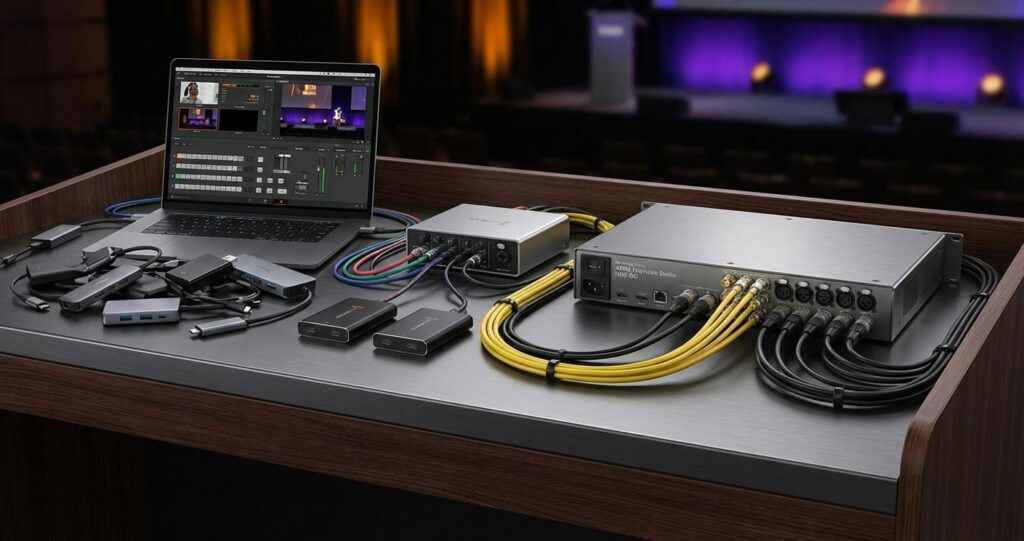
For mission-critical B2B events, where brand reputation and executive messaging are on the line, the choice of streaming technology is not merely a logistical detail; it is a foundational pillar of success. While modern laptops possess impressive computational power, relying on them for the core encoding and transmission of a professional live stream introduces significant risks that are often unacceptable in an enterprise context. The debate between using a general-purpose laptop versus dedicated streaming hardware is a discussion about system architecture, signal integrity, and operational resilience. For corporate event planners, AV professionals, and IT directors, understanding the deep technical distinctions is paramount to guaranteeing a flawless execution for every virtual and hybrid event.
This analysis moves beyond surface-level comparisons to examine the core engineering principles that differentiate these two approaches. We will dissect the architectural trade-offs, from processing resource allocation and thermal management to the physical I/O and protocol-level implementations that define a truly professional production workflow. The objective is to provide enterprise decision-makers with the technical rationale required to invest in robust, scalable, and reliable streaming infrastructure built on dedicated hardware solutions.
Processing Architecture and System Stability
The fundamental difference between a laptop and dedicated hardware lies in their design philosophy. A laptop is a multi-purpose device running a non-deterministic operating system, while a hardware encoder is a purpose-built appliance engineered for one specific, time-sensitive task: processing live video. This distinction has profound implications for stability and performance under the sustained pressure of a live event.
CPU and GPU Resource Contention
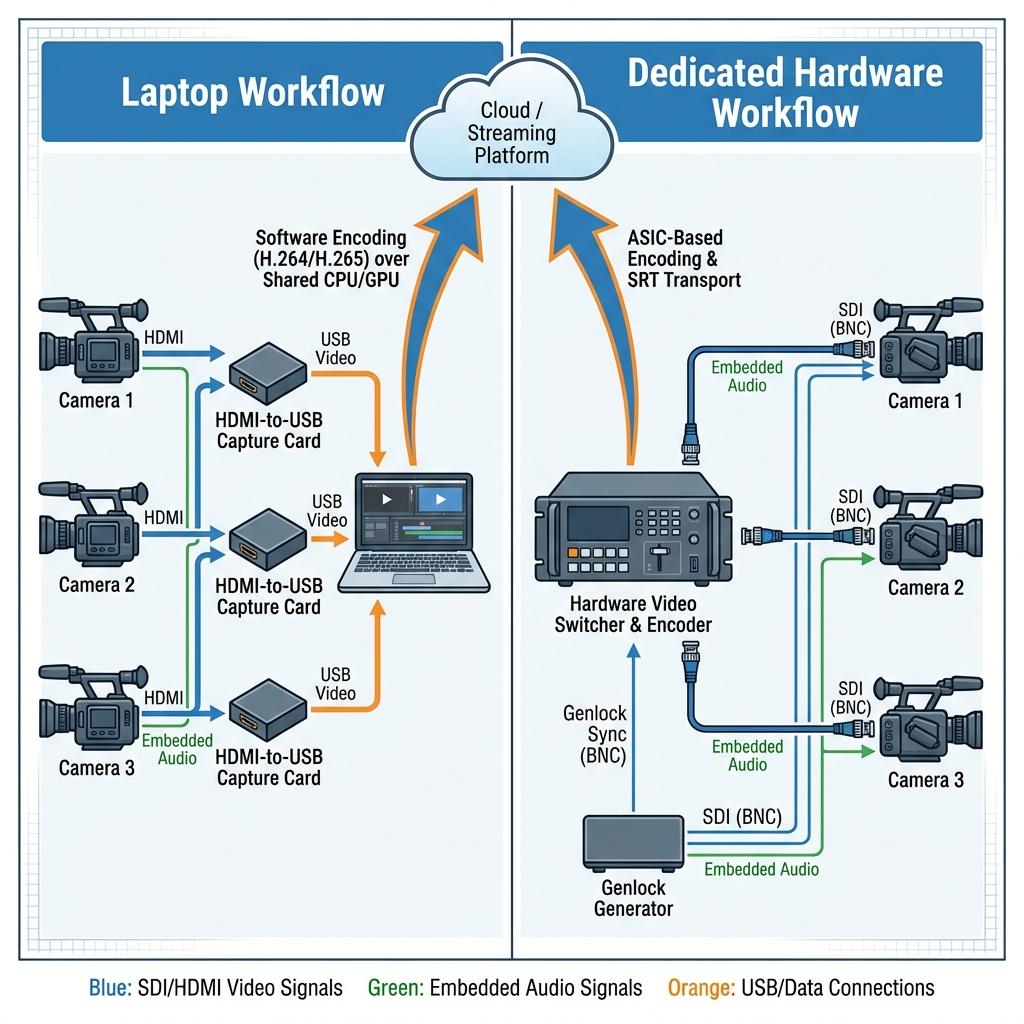
A laptop’s operating system, whether Windows or macOS, manages a complex ecosystem of processes. Background services, antivirus scans, software updates, and user-interface elements all compete for the same CPU cycles and GPU resources as the streaming software. In a live production environment, this resource contention can manifest as dropped frames, audio desynchronization, or catastrophic application failure. An unscheduled system notification or a background process demanding priority can momentarily starve the encoder of the resources it needs, creating visible artifacts in the final output. Dedicated hardware eliminates this risk entirely by using an embedded, lightweight operating system or a Real-Time Operating System (RTOS) where video processing is the highest, and often only, priority. The processing resources, including specialized ASICs (Application-Specific Integrated Circuits) or FPGAs (Field-Programmable Gate Arrays), are exclusively allocated to video ingest, encoding, and transmission, ensuring deterministic performance.
Thermal Management and Performance Throttling
Sustained, high-bitrate encoding is one of the most computationally intensive tasks a processor can perform. A laptop, designed for intermittent bursts of high performance within a compact chassis, will inevitably suffer from thermal throttling during a long corporate town hall or multi-day conference. As internal temperatures rise, the CPU and GPU will automatically reduce their clock speeds to prevent damage. This throttling directly translates to a reduction in encoding performance, leading to a degraded stream quality or complete failure. Dedicated hardware, whether a portable appliance or a rack-mounted unit, is engineered with robust thermal management. Passive heatsinks, larger fans, and chassis designed for optimal airflow ensure that the processors can operate at 100% capacity indefinitely without performance degradation, a non-negotiable requirement for professional event production.
System Uptime and Reliability
The general-purpose nature of a laptop’s OS introduces a level of unpredictability that is unacceptable for high-stakes events. Driver conflicts, automatic updates, and software instability can force a system reboot at the worst possible moment. Hardware encoders are appliances with a singular function. Their firmware is extensively tested for stability and long-duration uptime. They are designed to be powered on and run for thousands of hours without intervention, providing a level of reliability analogous to traditional broadcast equipment.
Signal Integrity and Professional I/O
The physical connections used to move video and audio into and out of the processing system are a critical point of potential failure. Professional production environments demand robust, standardized, and reliable interconnects that consumer-grade laptops simply do not provide natively.
SDI vs. HDMI and USB Capture
The standard for professional video transport is SDI (Serial Digital Interface). It uses a locking BNC connector, is capable of long cable runs (over 100 meters), and carries uncompressed video, embedded multi-channel audio, and ancillary data like timecode. A laptop-based workflow typically relies on external capture devices that convert SDI or HDMI to USB or Thunderbolt. This introduces multiple points of failure: the fragility of consumer-grade HDMI and USB-C connectors, limitations on cable length, and potential driver conflicts with the capture device. HDMI is also susceptible to EDID (Extended Display Identification Data) handshake issues, where the source and capture device fail to negotiate a compatible signal. SDI, a broadcast-industry standard for decades, eliminates these variables, providing a dependable, high-integrity signal path from camera to encoder.
Genlock, Timecode, and Multi-Camera Synchronization
In any production involving more than one camera, synchronization is critical. All video sources must be locked to a common reference signal, a process known as genlocking. This ensures that the video switcher can cut between cameras cleanly without frame tearing or timing jumps. Laptops have no provision for a genlock input (typically a black burst or tri-level sync signal). Dedicated video switchers and production systems are built around this principle. Furthermore, they manage SMPTE (Society of Motion Picture and Television Engineers) timecode, embedding it within the SDI signal to ensure all recordings are frame-accurate, a vital requirement for post-production and multi-camera ISO (isolated) recording workflows. A laptop-based setup cannot achieve this level of frame-accurate synchronization across multiple independent capture devices.
Professional Audio I/O
Reliable audio is just as important as video. A professional production relies on balanced audio signals transported over XLR connectors, which are robust and highly resistant to electrical interference. Integrating these signals into a laptop requires an external audio interface, adding another layer of complexity, another driver to manage, and another potential point of failure. Dedicated streaming hardware and video switchers feature built-in professional audio inputs, including balanced XLR and ¼-inch TRS jacks, often with high-quality preamps and integrated audio mixing capabilities. This ensures a clean, high-integrity audio signal path from the mixing console directly into the program feed.
Encoding, Transport, and Network Resilience
The core function of a streaming system is to encode the video signal efficiently and transport it reliably over public or private networks. This is where the specialized processing of dedicated hardware provides a significant technical advantage over software-based solutions running on a laptop.
Hardware-Accelerated Encoding vs. Software Encoding
Live video encoding is a real-time process of compressing the video signal using a codec like H.264 (AVC) or H.265 (HEVC). Dedicated hardware encoders utilize ASICs, which are custom chips designed to perform this one task with maximum efficiency and quality. This results in a superior quality-to-bitrate ratio and extremely low latency. While modern laptops use their GPUs for hardware-accelerated encoding (e.g., NVIDIA’s NVENC, Intel’s Quick Sync), these are general-purpose accelerators and must balance encoding tasks with other graphics operations. The output quality, while good, often cannot match the consistency and efficiency of a dedicated ASIC. The alternative, pure software encoding (like x264), can provide excellent quality but is incredibly CPU-intensive, making it impractical for a laptop to handle a high-resolution, multi-bitrate stream while also managing other production tasks.
Robust Protocol Implementation and Redundancy
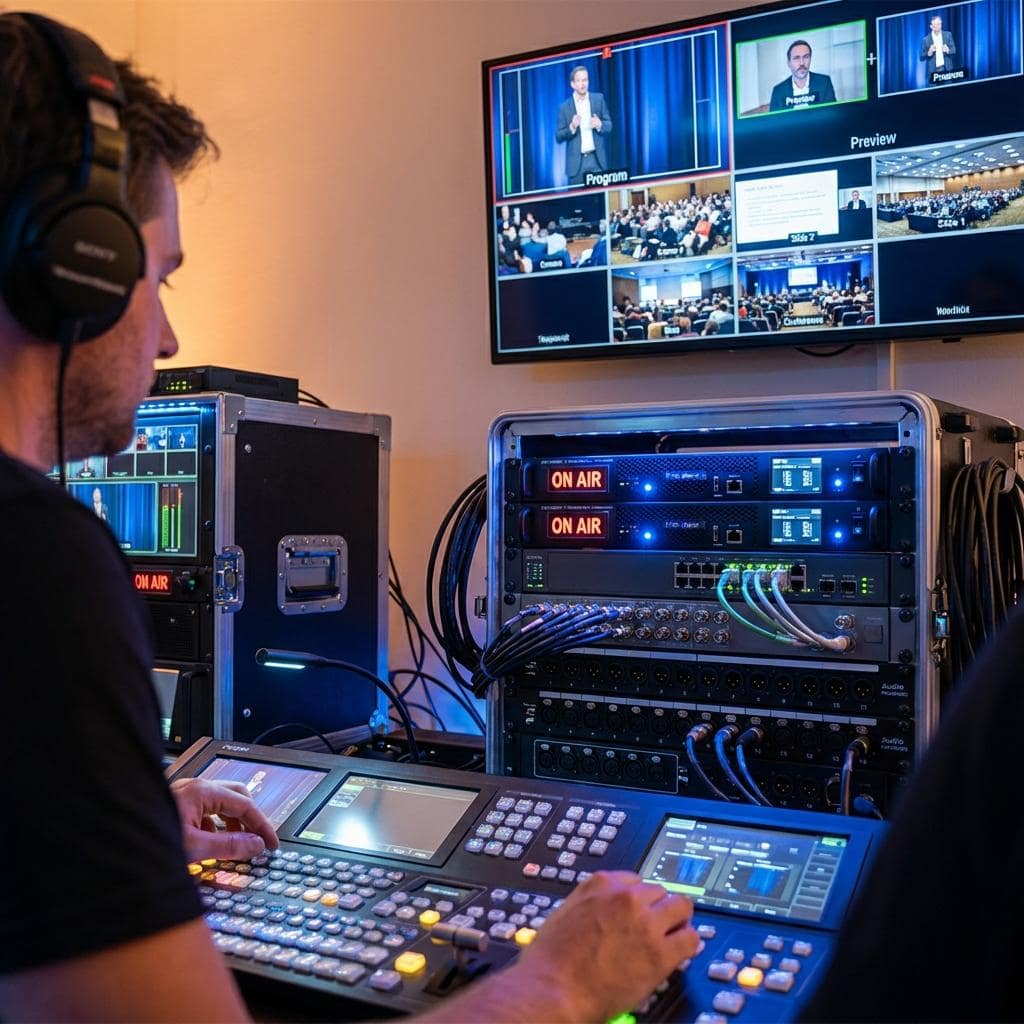
Modern streaming workflows have moved beyond the legacy RTMP (Real-Time Messaging Protocol) to more advanced transport protocols like SRT (Secure Reliable Transport). SRT provides error correction and security for streaming over unpredictable networks. While a laptop can run software that supports SRT, dedicated hardware encoders often feature more robust implementations and, crucially, advanced networking capabilities. This includes network bonding, where multiple internet connections (e.g., two wired LANs and a 4G/5G cellular modem) are combined into a single, highly resilient data pipe. If one connection degrades, the protocol seamlessly rebalances the data packets across the remaining connections with no interruption to the stream. Some enterprise-grade systems also support seamless failover, where a secondary, redundant encoder can take over instantly if the primary unit fails. These levels of redundancy are practically impossible to achieve with a single-laptop setup.
Adaptive Bitrate Ladder Generation
To provide a high-quality experience for all viewers regardless of their network conditions, a professional stream must be delivered at multiple bitrates and resolutions simultaneously. This is known as an adaptive bitrate (ABR) ladder. Generating this ladder, which might include 1080p, 720p, 540p, and 360p versions of the stream, all in real-time, requires significant processing power. A dedicated hardware encoder is purpose-built to handle this task without compromising the quality of the primary encode. A laptop, already under heavy load from the main encode, can struggle to generate a full ABR ladder, potentially leading to buffering and a poor viewing experience for a segment of the audience.
Conclusion: Investing in Professional Reliability
While a high-performance laptop is an indispensable tool in a modern production workflow for tasks like graphics generation, remote guest management, and system control, it is not a suitable replacement for dedicated hardware when it comes to the critical-path functions of video switching, encoding, and transmission. The architectural compromises inherent in a general-purpose computing device, from resource contention and thermal throttling to the lack of professional I/O and network redundancy, introduce an unacceptable level of risk for high-value B2B events.
Dedicated streaming hardware represents a direct investment in reliability. By utilizing purpose-built processors, stable embedded operating systems, professional-grade connectors, and advanced network transport features, these systems provide the deterministic performance and resilience required for mission-critical corporate communications. For organizations where the message must be delivered flawlessly every time, the technical merit of dedicated hardware is not a matter of preference; it is an essential component of a professional streaming strategy. At Spring Forest Studio, our technical solutions are built upon this principle, architecting enterprise-grade streaming and hybrid event systems that prioritize stability, scalability, and impeccable quality of service.

Jeremy Lee is a seasoned digital marketing director and strategist with over two decades of experience in the industry. As the founder of Sotavento Medios, I manage a diverse portfolio of over 50 businesses, helping brands grow through advanced search strategies and digital innovation. My work focuses on bridging the gap between traditional search engine optimisation and the evolving world of AI-driven answer engines.
get in touch