
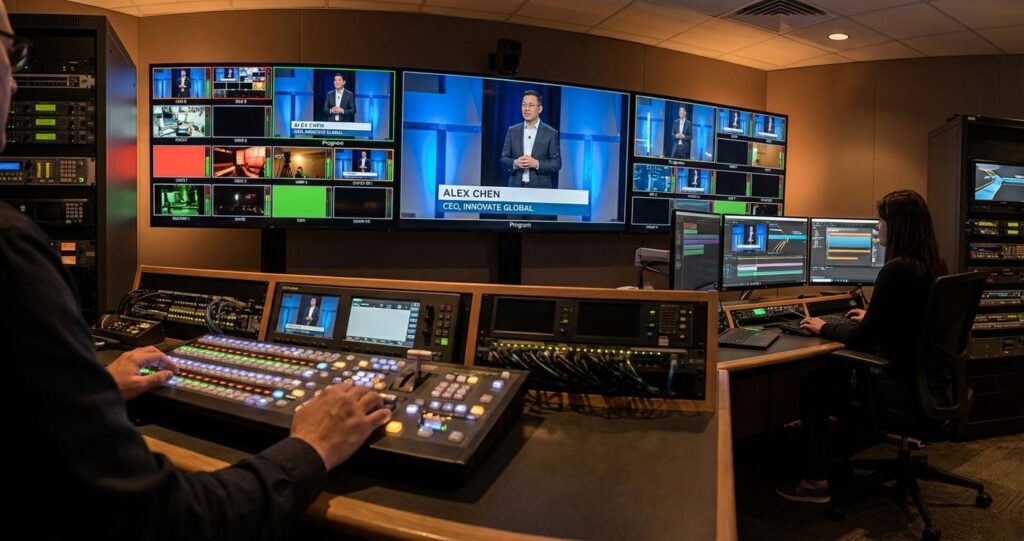
The Engineering Behind the Overlay: A Technical Framework for Corporate Video Graphics
In the domain of professional B2B event streaming, graphical overlays are not merely aesthetic additions; they are integral components of the technical signal chain that directly impact information delivery, brand consistency, and audience engagement. For corporate event planners and IT directors, understanding the engineering behind lower thirds, full-screen graphics, and data-driven visuals is critical for executing flawless hybrid and virtual productions. A poorly integrated graphics workflow can introduce unacceptable latency, degrade video quality through inefficient encoding, and create single points of failure in an otherwise resilient system. This article provides a deep technical analysis of the infrastructure, protocols, and workflows required to strategically deploy graphics in enterprise-grade streaming environments. We will move beyond the creative aspects of design and focus on the technical implementation, from signal generation and keying to multi-protocol distribution for hybrid audiences.
Graphics Integration: From Signal Generation to the Production Switcher
The foundation of any professional graphics deployment is its integration into the core production workflow. This involves generating the graphic element and cleanly compositing it over a live video source. The method of integration has significant implications for latency, flexibility, and the required hardware and network infrastructure. The choice between on-premise hardware-based systems and cloud-native platforms is a primary architectural decision that dictates the subsequent signal flow.
Upstream vs. Downstream Keying with Fill and Key Signals
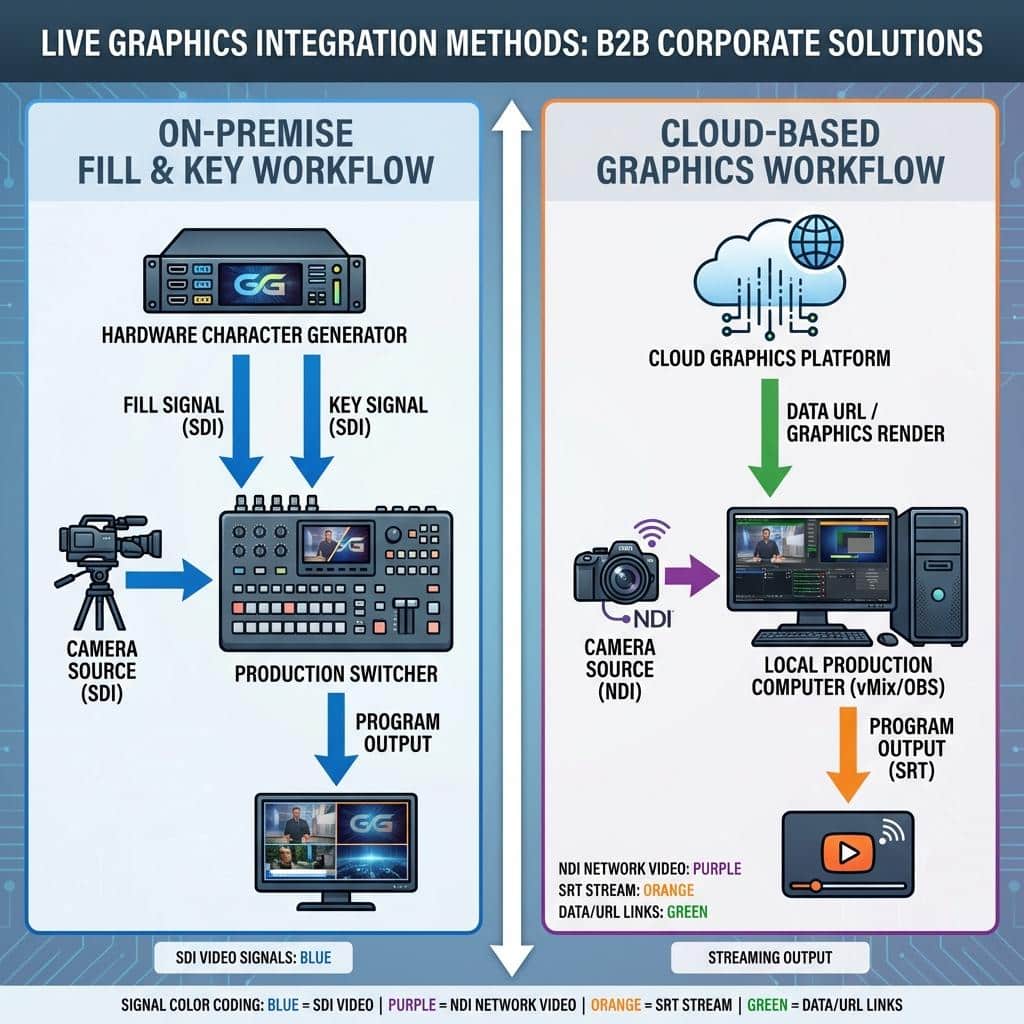
In a broadcast production environment, graphics are typically composited using a keyer on a video switcher. A keyer uses a grayscale signal, known as the Key or Alpha channel, to determine which parts of a color video signal, the Fill, should be transparent. For crisp, anti-aliased edges on text and logos, two synchronized signals are required: a Fill signal containing the full-color graphic and a Key signal defining its transparency. This Fill/Key pair is managed by a keyer, which can operate in two primary modes. A Downstream Keyer (DSK) applies the graphic to the final program output, making it the last element in the switcher’s internal chain. An Upstream Keyer (USK) is used to composite graphics onto a specific video source *before* it is mixed with other sources, allowing for more complex layering, such as placing a graphic over one camera feed but not another in a multi-box effect. Professional switchers like the Blackmagic ATEM Constellation or Ross Carbonite feature multiple keyers of both types. The physical connection for Fill/Key is traditionally two independent SDI (Serial Digital Interface) cables, often in a 3G or 12G-SDI format for HD and UHD resolutions respectively. Increasingly, this workflow is being replicated over IP networks using the NDI protocol, which can carry the Fill and Key information within a single network stream.
On-Premise vs. Cloud-Based Graphics Generation Architectures
The source of the Fill/Key signals defines the production architecture. On-premise solutions involve a dedicated Character Generator (CG) machine located in the control room. This hardware, running software like Ross XPression or Chyron, is a purpose-built computer with specialized video I/O cards to output baseband video signals (SDI) for Fill and Key. The primary advantage is minimal latency; the time from an operator triggering a graphic to it appearing on the program feed is measured in milliseconds. This is essential for reactive live events. In contrast, cloud-based graphics platforms like Singular.live or Flowics render graphics on remote servers. A producer controls these graphics via a standard web browser. The output is then delivered to the production switcher, typically as a web source URL that is ingested by production software like vMix or OBS. While this approach offers incredible flexibility and remote operation capabilities, it introduces network-dependent latency. The round-trip time for data to the cloud server and back, plus rendering and transport, must be carefully managed to prevent noticeable delays. For many corporate webinars this latency is acceptable, but for fast-paced, broadcast-style events, an on-premise solution remains the preferred technical choice for core graphics.
API Integration for Dynamic, Data-Driven Graphics
A key differentiator for enterprise-level productions is the use of data-driven graphics. This involves pulling real-time information from external sources via an Application Programming Interface (API) and dynamically populating graphic templates. For example, during a financial results presentation, lower thirds can be automatically updated with live market data from a financial API. At a sales conference, leaderboards can be populated directly from a corporate CRM database. This workflow requires a graphics system with a robust data integration module. The system sends API calls over the network, parses the returned data (typically in JSON format), and maps it to specific fields in a pre-designed template. This automates information display, reduces the chance of human error during manual data entry, and ensures information is timely and accurate. It also necessitates closer collaboration between the production team and the client’s IT department to ensure secure network access and proper API endpoint configuration.
Optimizing Graphics for Encoding and Multi-Protocol Transport
Once a graphic is composited into the program feed, its journey is only partially complete. The final video, with graphics embedded, must be encoded and transported to various endpoints, including in-venue displays, remote audience platforms, and recording archives. The technical characteristics of the graphics themselves can significantly influence the efficiency of this process.
Impact of Graphics on H.264/H.265 Video Encoding
Video codecs like H.264 (AVC) and H.265 (HEVC) achieve compression by identifying and reducing temporal and spatial redundancies in the video signal. Complex, high-motion graphics with sharp edges, intricate details, and frequent animations disrupt these efficiencies. They introduce high-frequency detail that requires a greater allocation of bits in the video stream to represent accurately. If the configured bitrate is insufficient, the encoder is forced to discard information, resulting in visible compression artifacts like macroblocking and edge ringing, which are most noticeable on and around crisp text and logos. To mitigate this, graphics for streaming should be designed with compression in mind. Simple, fluid animations are preferable to rapid, jarring movements. Gradients should be smooth to avoid banding. Most importantly, the target bitrate for the stream must account for the graphical complexity. A stream with static lower thirds requires a lower bitrate for high quality than one with constant full-screen motion graphics and video roll-ins. A common practice is to allocate an additional 1-2 Mbps to the target bitrate for graphically intense segments of a production.
Leveraging NDI for Efficient IP-Based Graphics Workflows
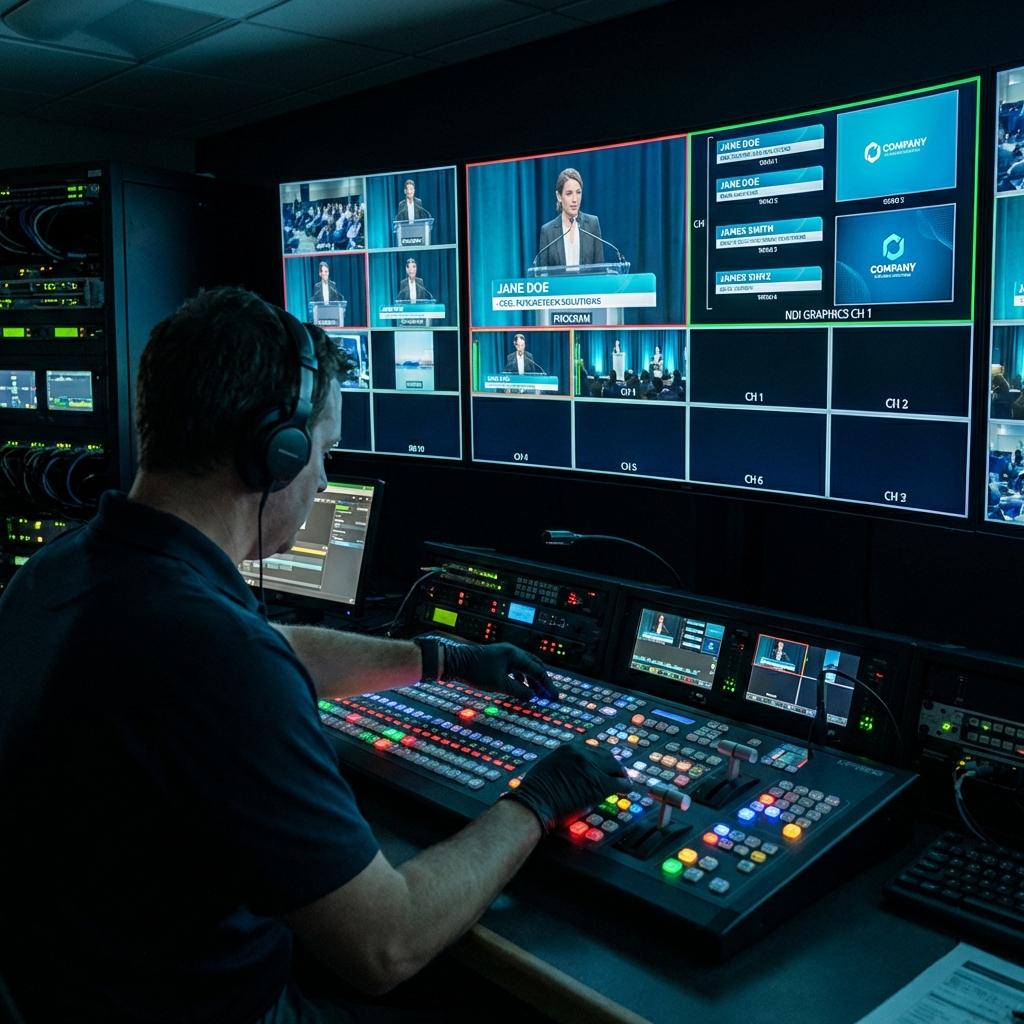
The Network Device Interface (NDI) protocol has fundamentally changed on-premise graphics workflows. Instead of running multiple SDI cables from a graphics station to the production switcher, NDI allows the Fill and Key signals to be sent as a single data stream over a standard Ethernet network. A graphics operator using a capable laptop with Adobe Creative Cloud or a dedicated graphics application can send a high-quality, low-latency video stream with an embedded alpha channel directly to an NDI-enabled switcher (like a NewTek TriCaster) or a software production suite (like vMix). This requires a well-managed network, typically a dedicated VLAN with QoS (Quality of Service) policies to prioritize NDI traffic. For a 1080p60 stream, full-bandwidth NDI requires approximately 125 Mbps, while NDI|HX variants use less bandwidth at the cost of slightly higher latency. A 10GbE network backbone is recommended for any serious multi-source NDI production to prevent packet loss and ensure frame-accurate synchronization.
Embedding Graphics for Resilient SRT and RTMP Distribution
For remote contribution and public distribution, protocols like Secure Reliable Transport (SRT) and Real-Time Messaging Protocol (RTMP/RTMPS) are used. Graphics are “burned in” to the video feed before it reaches the SRT encoder or streaming appliance. The encoder then packetizes this final program video for transport. SRT’s error-correction mechanism, which uses ARQ (Automatic Repeat reQuest) to recover lost packets, is particularly effective at preserving the integrity of sharp graphical elements that would otherwise be severely damaged by packet loss over the public internet. When streaming to a Content Delivery Network (CDN) via RTMPS, the entire composited frame is sent. It’s crucial that the graphics are correctly color-matched and adhere to broadcast-safe luminance and chrominance levels (e.g., as defined by SMPTE standards) before encoding to ensure they are displayed accurately across all viewer devices without color clipping or distortion.
Advanced Workflows for Hybrid and Multi-Platform Events
Hybrid events, catering to both a physical and a virtual audience, introduce another layer of complexity to graphics management. The information needs of the two audiences can differ, necessitating customized program feeds and sophisticated routing architectures.
Differentiated Graphic Feeds for In-Venue and Streaming Audiences
An in-person attendee can see the speaker on stage and does not need a lower third identifying them for the entire session. The remote audience, however, relies on this information. Therefore, a best-practice hybrid workflow involves creating at least two distinct program outputs. The “in-venue” feed, sent to projection screens and IMAG (Image Magnification) displays, might have minimal graphics. The “streaming” feed, sent to the encoder for the virtual audience, will have a full graphics package including lower thirds, session titles, and engagement prompts. This is accomplished using a switcher’s Mix/Effects (M/E) buses. M/E 1 can be the “clean” program feed for the room, while M/E 2 creates the graphically-rich version for the stream. This requires a switcher with sufficient M/E resources and outputs, controlled by a technical director who can manage both feeds simultaneously.
Integrating Professional Graphics into Enterprise Collaboration Platforms
A common challenge for corporate events is piping a high-quality, multi-camera production with professional graphics into platforms like Microsoft Teams, Zoom, or Webex. These platforms are not designed for broadcast-quality ingest. The most reliable method is to take an SDI or HDMI output from the production switcher and connect it to a dedicated appliance like a Blackmagic Web Presenter or an AJA U-TAP. These devices convert the professional video signal into a standard UVC (USB Video Class) webcam source that the computer and collaboration software can recognize. For higher quality and more flexibility, an NDI-based workflow using NDI Virtual Input can be used to make the program feed available as a video source on the host computer without additional hardware. It is critical to manage audio embedding correctly, ensuring the final program audio from the audio mixer is embedded into the SDI or NDI signal feeding the platform to maintain lip-sync.
Implementing Redundancy and Failover for Mission-Critical Graphics
For any high-stakes corporate event, graphics systems must be redundant. A typical failover strategy involves two identical CG systems, a primary and a backup, running in parallel. Both systems receive the same instructions from the graphics operator, and their Fill/Key outputs are routed into a 2×1 routing switcher or directly into separate inputs on the main production switcher. If the primary CG fails, the technical director can instantaneously cut to the backup system’s inputs with no disruption to the program output. As a final layer of protection, critical static graphics, such as the event title card or a “Technical Difficulties” slate, should be pre-loaded into the production switcher’s internal media pool. This allows for a graceful fallback even if both primary and backup CG systems fail completely. This level of preparation is a hallmark of a professional production service and should be a standard requirement for any enterprise-level event. By engineering the graphics workflow with the same rigor as the core video and audio systems, we ensure that this critical communication layer enhances the production rather than jeopardizing it.

Jeremy Lee is a seasoned digital marketing director and strategist with over two decades of experience in the industry. As the founder of Sotavento Medios, I manage a diverse portfolio of over 50 businesses, helping brands grow through advanced search strategies and digital innovation. My work focuses on bridging the gap between traditional search engine optimisation and the evolving world of AI-driven answer engines.
get in touch