
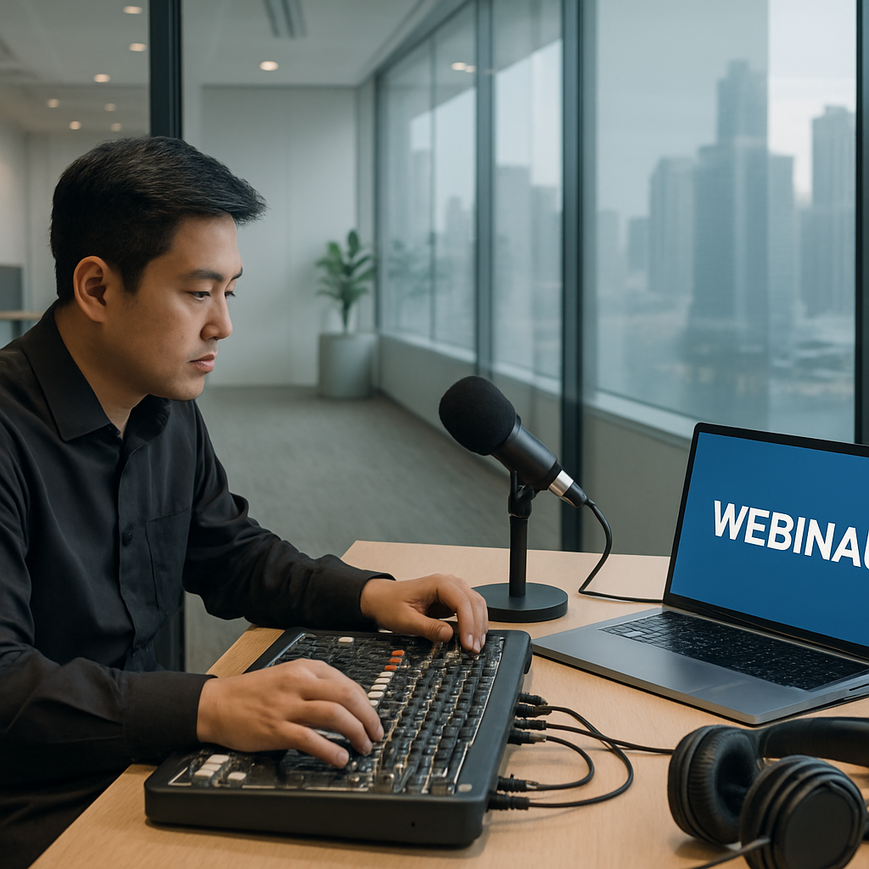
For B2B webinars in Singapore, audio quality often determines whether attendees stay engaged, understand the message, and trust the presenter. A polished visual presentation can still fail if voices sound muffled, inconsistent, or difficult to hear. This matters especially in a business environment where webinars are used for product demonstrations, investor updates, training sessions, client briefings, and cross-border collaboration. In many cases, the audience is listening on laptop speakers, mobile phones, or office headsets, often while multitasking. Clear audio is therefore not a technical luxury, it is a core part of communication quality.
Singapore-based organisations also face a practical reality: webinar participants may join from offices in the central business district, home offices in HDB flats and condominiums, co-working spaces, or while travelling between meetings. These environments produce very different background noise levels and internet conditions. That makes audio strategy just as important as slide design or camera framing. When audio is engineered properly, speakers sound credible, instructions are easier to follow, and viewers are less likely to disconnect. For brands hosting webinars in a competitive market like Singapore, this can shape how professional and reliable the company appears.
Why audio quality matters so much in B2B webinars
Audio carries meaning in a way visuals alone cannot. In webinars, the audience relies on spoken language for nuance, emphasis, and clarity. If the sound is distorted or too quiet, viewers must expend extra effort to interpret the message. That cognitive load quickly reduces attention and retention. In practical terms, a poor audio setup can make even a strong presentation feel less convincing.
Professional clarity means more than simply making the microphone louder. It means delivering speech that is intelligible, consistent, and free from distracting noise. Intelligibility refers to how easily words can be understood. Consistency refers to stable volume, tone, and quality across different speakers and segments. A webinar with good audio allows the audience to focus on the substance of the content, whether that is a financial update, technical training, or a client onboarding session.
For Singapore audiences, this is especially relevant because many business webinars are bilingual or involve speakers with different accents and speaking styles. Clear audio helps reduce misunderstandings and supports inclusion across diverse listener groups. It also improves accessibility for participants who may be listening in less-than-ideal environments, such as open-plan offices or public transport transitions. In business communication, the goal is not artistic sound design. The goal is dependable speech delivery that supports comprehension.
Common ways poor audio affects webinar performance
Poor audio can cause audience fatigue very quickly. When speech is too soft, clipped, or over-processed, participants may stop paying attention. If the sound contains echo, reverberation, or background chatter, listeners may miss key points and ask for repeated explanations later. In sales or client-facing webinars, that can weaken confidence in the presenter and the brand.
Another common issue is inconsistent volume between speakers. A host may sound clear, while a guest speaker appears distant or too loud. This creates an uneven experience and disrupts the flow of the webinar. Technical problems such as audio dropouts, microphone handling noise, or room reflections are often more noticeable than minor visual imperfections, because the brain is highly sensitive to speech irregularities.
Core audio principles every webinar team should understand
Good webinar audio starts with a basic understanding of how sound behaves. Speech is captured by microphones, converted into digital signals, transmitted over the internet, and then reconstructed for the listener. Any weak point in that chain can reduce clarity. That is why professional webinar production treats audio as a complete system, not just a microphone choice.
Three concepts matter most. First, signal-to-noise ratio, which is the balance between the desired voice signal and unwanted background sound. Second, gain staging, which is the process of setting levels so the audio is strong without distorting. Third, acoustics, which refers to how a room affects sound through reflection, absorption, and echo. These concepts are simple in theory, but they have major practical consequences.
For a Singapore office webinar, even small room features matter. Glass walls, hard flooring, and bare ceilings can create reflections that make speech sound hollow. Air-conditioning can add a low noise floor. Nearby roads, renovation work, or office conversations can interfere with clean recording. Good audio planning addresses these issues before the webinar begins, rather than trying to repair them afterwards.
Microphone choice and placement
Microphone selection is one of the most important decisions in webinar setup. A headset microphone often provides excellent speech clarity because the capsule stays close to the mouth, reducing room noise pickup. Lavalier microphones, also called lapel microphones, are useful when the speaker needs freedom of movement, but they must be positioned carefully to avoid clothing rustle. Desktop condenser microphones can sound excellent in controlled environments, but they pick up more room ambience if the space is untreated.
Placement matters as much as the microphone type. The speaker should maintain a consistent distance from the microphone and avoid turning away while speaking. Even small changes in head position can alter volume and tone. If a microphone is too far away, the speaker may sound distant and the room sound may become more prominent. If it is too close, the voice may become boomy or distorted due to proximity effect, which is an increase in low-frequency response when speaking very near certain microphones.
Gain, compression, and limiting
Gain is the input level applied to the microphone signal. If gain is too low, the voice will be quiet and may be raised later in a way that also increases noise. If gain is too high, the signal can clip, which means the audio becomes distorted because it exceeds the system’s maximum level. Clipping is usually irreversible and sounds harsh or crackly, so it should be avoided from the start.
Compression is a process that reduces the difference between loud and soft parts of speech. Used appropriately, it helps keep the presenter’s voice more even and easier to hear. Limiting is a stronger form of level control that prevents sudden peaks from exceeding a set threshold. In webinar production, moderate compression and sensible limiting can improve consistency, but over-processing can make speech sound unnatural. The aim is clarity, not broadcast-style intensity.
Designing a better audio environment in Singapore workplaces
Room setup is often the most overlooked part of webinar preparation. Even a good microphone can sound disappointing in a bad acoustic space. The easiest improvement is to reduce hard reflective surfaces where possible. Curtains, carpets, soft furnishings, and acoustic panels help absorb sound and reduce echo. For companies hosting regular webinars in Singapore, a dedicated room with sensible acoustic treatment can save time and improve consistency across sessions.
Singapore offices and meeting rooms often have practical constraints. Many are shared spaces, so the webinar team may not be able to make major structural changes. That does not mean the environment cannot be improved. Small adjustments, such as closing doors, turning off unnecessary devices, moving away from air vents, and positioning speakers away from reflective walls, can make a meaningful difference. When the room is quiet and controlled, microphones work more effectively, and speech becomes easier to follow.
Home-based presenters face similar issues. In dense residential settings, sounds from traffic, renovations, and household activities may enter the recording. A simple setup near soft furnishings, with the microphone placed close to the mouth and the computer fan kept to a minimum, can noticeably improve results. The key is to reduce uncontrolled noise before it enters the signal chain. Once noise is captured, it is harder to remove cleanly without affecting voice quality.
Managing background noise without over-processing
Noise suppression tools can help, but they should not be treated as a substitute for good setup. Modern platforms and audio software often include noise reduction, echo cancellation, or automatic gain control. These can be useful in moderate amounts, yet aggressive settings may create robotic artefacts or make the voice sound thin. Automatic gain control, for example, raises and lowers volume automatically, but it can also make speech sound unstable if the speaker pauses or moves around.
A better approach is to control the environment first. Mute unused devices, silence notifications, and avoid open microphones from multiple participants when they are not speaking. If several speakers are joining remotely, each person should ideally use a headset or a stable directional microphone. Directional microphones capture more sound from the front and less from the sides and rear, which helps reduce ambient noise. For panel webinars, this is particularly valuable because the audience must hear each speaker clearly without distraction.
Workflow practices that improve webinar audio consistency
Strong webinar audio is not only about hardware. It also depends on workflow. A structured pre-event process ensures that the same quality is repeated every time, even when different speakers or locations are involved. The most reliable teams use a checklist that covers microphone testing, room checks, level balancing, backup recording, and speaker briefings. This reduces last-minute problems and helps presenters feel more confident.
One practical step is to run a full sound check with every speaker in the actual webinar platform, not only in a separate test call. Different platforms handle audio processing differently, so a microphone that sounds fine in one app may behave differently in another. Teams should listen for volume balance, echo, clipping, and latency, which is the delay between speaking and hearing the sound. Latency does not always affect clarity, but it can disrupt natural conversation if the panel is interactive.
Speaker briefing also matters. Presenters should know how close to stay to the microphone, how loudly to speak, and whether they should mute themselves when not speaking. If the webinar includes a moderator, the moderator can help manage transitions and reduce overlap between voices. Overlapping speech is a common cause of confusion in online events because it is harder for listeners to separate voices than it is in a physical room.
Testing for mobile and laptop listeners
Many attendees will not be using high-end speakers. They will be listening on everyday office equipment, laptop speakers, or earbuds. That means webinar teams should test audio on ordinary devices, not only on studio monitors or headphones. A voice that sounds acceptable in a quiet production room may be hard to understand on a small laptop speaker if the lower midrange is muddy or the volume is inconsistent.
Testing on common devices also helps identify whether speech remains clear after platform compression. Many conferencing platforms compress audio to save bandwidth, which can slightly reduce fidelity. If the original microphone signal is already weak, that extra compression can worsen intelligibility. Therefore, the best approach is to start with a clean, strong source and let the platform handle transmission rather than correction.
Building a reliable audio standard for recurring B2B webinars
Organisations that run webinars regularly should consider audio standardisation. This means setting repeatable technical guidelines for speakers, hosts, and production staff. A standard can include recommended microphone models, room setup requirements, input level targets, and backup procedures. Over time, this reduces variability and speeds up preparation. It also helps larger teams maintain a consistent brand experience across departments and events.
For Singapore companies with regional or international audiences, standardisation supports scalability. A team in one office can follow the same audio expectations as a team in another location. If presenters are joining from different cities or time zones, the same principles still apply: close microphone placement, controlled room noise, careful gain setting, and platform testing before the live session. This is especially useful for B2B webinars that involve leadership teams, technical experts, or external partners.
It is also wise to document a simple escalation plan. If audio fails during the live event, the team should know who can switch inputs, who can communicate with speakers, and how to move to a backup device if needed. A backup microphone, spare headset, and recorded local audio feed can help protect against single-point failure. These measures do not eliminate all risk, but they can significantly improve resilience.
For professional webinar production in Singapore, the most dependable audio systems are often the simplest ones. A well-positioned microphone in a controlled room, combined with thoughtful testing and clear operating procedures, usually delivers better results than a complicated setup that has not been properly tuned. Clear speech builds trust. Stable volume supports attention. Clean audio makes the webinar feel organised and credible.
For businesses planning recurring webinars, the actionable priority is straightforward. Start by controlling the room, then choose the right microphone for the speaker, then set levels carefully, and finally test the full chain on real devices before going live. If the event involves high-stakes communication, such as executive briefings, product launches, or client education, working with an experienced production partner can add another layer of assurance. Good audio does not happen by accident. It is the result of deliberate design, practical discipline, and an understanding of how people actually listen.
General information only: This article provides educational guidance on webinar audio practices and does not replace professional technical consultation for complex production environments.

Jeremy Lee is a seasoned digital marketing director and strategist with over two decades of experience in the industry. As the founder of Sotavento Medios, I manage a diverse portfolio of over 50 businesses, helping brands grow through advanced search strategies and digital innovation. My work focuses on bridging the gap between traditional search engine optimisation and the evolving world of AI-driven answer engines.
get in touch