
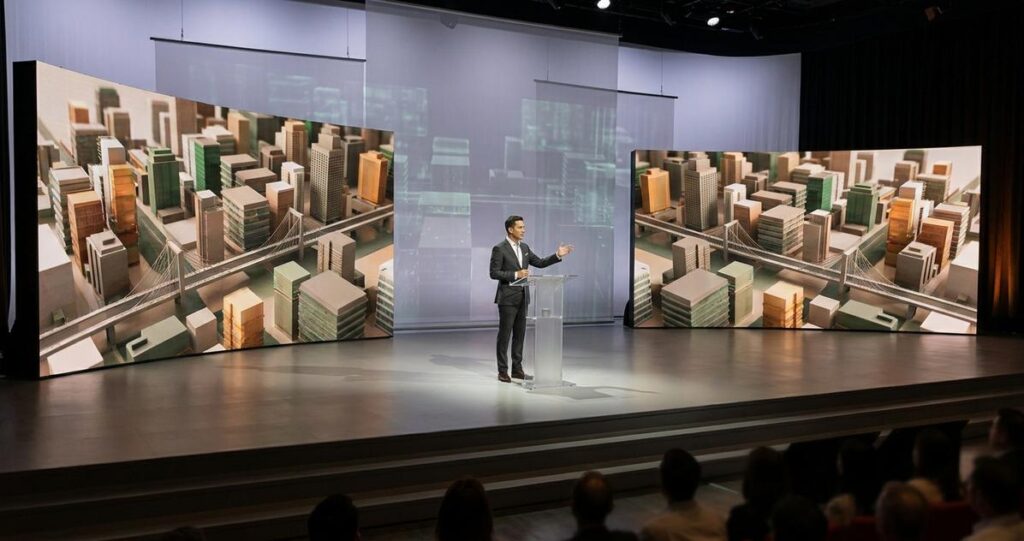
Viewer attention is now one of the hardest things to earn and one of the easiest things to lose. In corporate events, product launches, webinars, and hybrid conferences, audiences are constantly exposed to competing screens, notifications, and multitasking. For organisers in Singapore, where business events often bring together local and regional participants across physical and virtual settings, the challenge is not only to keep people watching, but to keep them mentally present. Dynamic 3D environment changes can help, when they are used with purpose, moderation, and a clear understanding of how people process visual information.
3D environment changes refer to deliberate shifts in the digital scene around a speaker, presenter, product, or virtual set. These changes may include lighting transitions, camera perspective shifts, spatial motion, background scene changes, layered graphics, or animated virtual stages. The goal is not to overwhelm the viewer. The goal is to guide attention, reinforce meaning, and create visual rhythm that supports comprehension. When done well, these techniques can improve focus during long presentations, make key messages more memorable, and help audiences distinguish important moments from background content.
In Singapore, where event standards are often high and expectations for professionalism are strong, dynamic visual design must also support clarity and accessibility. A polished 3D environment is not just about visual flair. It can help speakers appear more credible, product demonstrations feel more immersive, and hybrid audiences feel more connected. The key is to use motion and spatial changes as communication tools, not decoration.
Why dynamic 3D environments hold attention
Human attention is selective. People naturally respond to novelty, contrast, movement, and changes in spatial layout. These cues signal that something may be important, so the brain prioritises them. In a presentation setting, a static background can feel flat after several minutes, especially when the content is dense. By contrast, a carefully designed 3D environment can introduce variation that refreshes attention without distracting from the message.
This works because attention is not maintained by stimulation alone. It is maintained by relevance. A transition in the environment becomes useful when it corresponds to a shift in topic, a product reveal, a data point, or a call to action. If visual movement is random, audiences may enjoy it briefly but lose track of the point. If the movement is intentional, viewers are more likely to stay oriented and remember the structure of the presentation.
How the brain responds to visual change
Visual change captures attention because the brain is wired to detect differences in the environment. This is one reason motion graphics, animated stage sets, and camera movement are widely used in broadcast and live production. However, too much movement can increase cognitive load, which is the mental effort needed to process information. When cognitive load becomes excessive, viewers may miss spoken details, especially in technical presentations or multilingual settings.
For that reason, a strong 3D environment strategy should balance stimulation with stability. Stable anchor points, such as a consistent presenter position, clear branding zones, and readable text placement, help audiences stay grounded while the surrounding environment evolves. The most effective designs use change to highlight meaning, not to compete with it.
Design principles that make 3D changes effective
Dynamic environments work best when they follow a clear visual logic. In practice, that means every change should support a communication objective. A launch keynote may use gradual brightness shifts to create anticipation before a reveal. A training session may switch between different virtual zones to signal chapter changes. A financial presentation may use restrained motion and colour transitions to maintain seriousness while still avoiding visual fatigue.
Singapore audiences are generally accustomed to high production standards in conferences, exhibitions, and corporate broadcasts. That expectation makes consistency especially important. If the scene changes feel disconnected or overly theatrical, the audience may lose trust in the content. If the motion appears polished and coherent, it reinforces professionalism.
Use contrast deliberately
Contrast is one of the most effective tools for guiding attention. A presenter can stand out from the background through lighting, depth, and colour separation. Important products or text can be isolated against a cleaner visual field. When a key point is about to be introduced, the scene can simplify slightly, allowing the message to take centre stage. This principle is especially useful in hybrid events, where remote attendees rely entirely on the screen to understand what matters.
Control pacing and timing
Pacing refers to how quickly and how often the environment changes. Fast pacing may suit entertainment-led events or product reveals, but it can become tiring in longer B2B sessions. Slower pacing is usually more appropriate for board presentations, thought leadership talks, and policy discussions. A good rule is to align visual transitions with natural changes in speech, such as new sections, key figures, demonstrations, or audience questions. When movement is timed well, it feels supportive rather than intrusive.
Maintain visual hierarchy
Visual hierarchy means arranging elements so that the audience knows where to look first, second, and third. In a 3D environment, this includes the presenter, the main screen or screen share, supporting graphics, and background elements. The presenter should usually remain the focal point unless a product or data visual is intentionally taking priority. Clear hierarchy helps prevent attention from scattering across the frame, which is a common problem in poorly planned virtual sets.
Practical production strategies for Singapore events
Singapore’s event ecosystem includes executive conferences, trade shows, government briefings, education seminars, and regional hybrid productions. Each setting has different needs, but they share one requirement, the audience must be able to follow the message quickly and comfortably. Dynamic 3D environments can support that goal when the production team plans for the venue, the audience mix, and the technical constraints early.
For in-person events, LED walls, projection mapping, and stage lighting can be coordinated to create depth and motion. For hybrid events, virtual production tools can extend the stage into a digital environment that changes in sync with the content. In both cases, the production team should test the visuals from multiple viewing distances and screen sizes. What looks impressive on a director monitor may be difficult to read from the back of a ballroom or from a mobile phone.
Design for both physical and remote viewers
Hybrid audiences in Singapore may include executives in the room and colleagues joining from offices, homes, or overseas branches. The visual design must work for both. That means avoiding overly subtle details that disappear on smaller screens, and avoiding excessive motion that becomes disorienting on laptops or tablets. Text should remain legible, colours should be contrast-rich without being harsh, and scene transitions should be smooth enough to avoid visual clutter.
A useful production habit is to build the environment around the least forgiving viewing condition. If a slide, label, or product detail is readable on a mobile screen, it will usually perform well in a larger venue too. This practical approach is especially important in Singapore, where many attendees travel between office, transport, and event spaces, and may join from different devices depending on schedule.
Match the environment to the message
Different content types call for different levels of motion. A brand launch may benefit from dramatic spatial changes that build excitement. A medical conference or policy forum usually needs calmer transitions, because the audience must absorb complex information accurately. A training webinar may use subtle environment shifts to separate modules and maintain focus across a long session. The best productions adapt the environment to the communication purpose instead of forcing a single visual style onto every event.
This matching process also supports trust. When the visual tone fits the subject matter, the audience is more likely to perceive the presentation as thoughtful and credible. In Singapore’s professional market, where audiences are often well informed and time conscious, that credibility matters.
Common mistakes that reduce viewer attention
Dynamic 3D environments can backfire if they are treated as a visual novelty rather than a communication system. One of the most common mistakes is using too many effects at once. Multiple moving layers, bright animations, changing camera angles, and dense graphics can overload the viewer. Instead of focusing attention, the environment fragments it.
Another common issue is inconsistency. If the scene changes without explanation or follows no clear pattern, the audience must spend mental effort figuring out what the changes mean. That effort competes with the speaker’s message. A third mistake is poor coordination between content teams and technical teams. If slides, speaker cues, and environment transitions are not rehearsed together, even a well-designed set can appear awkward in delivery.
Avoid visual noise
Visual noise is any unnecessary element that competes with the main message. It may include excessive texture, irrelevant motion, cluttered layouts, or poorly timed animations. In a corporate environment, visual noise can reduce perceived professionalism. Clean design, restrained motion, and clear focal points usually perform better than complex visual displays that do not serve a direct purpose.
Do not sacrifice accessibility
Accessibility matters in every event format. Motion should not be so intense that it becomes uncomfortable for viewers. Text should be readable, and colour choices should support clarity for people with different visual needs. Where possible, keep key information available in multiple forms, such as spoken explanation, on-screen text, and clearly labelled visual elements. Good accessibility often improves attention for everyone, not just for those with specific needs.
Measuring whether the environment is actually working
Attention is not something organisers should assume. It should be observed through audience behaviour and event outcomes. In a live setting, signs of strong engagement may include sustained eye contact with the stage, timely response to cues, smooth transitions between segments, and low levels of visible distraction. In hybrid settings, useful indicators include session retention, interaction during Q and A, and whether viewers stay through key presentation segments.
Post-event feedback can also reveal whether the visual environment helped or hindered understanding. Ask whether the stage design made the event feel more engaging, whether any elements were distracting, and whether the message felt easy to follow. For Singapore-based events, where many attendees are familiar with polished production, feedback can be especially useful in distinguishing genuine engagement from simple visual appreciation.
Production teams can also evaluate whether the environment served the event objectives. Did the transitions help mark important sections. Did the audience understand when a new topic started. Did product demonstrations receive stronger focus. These questions keep the team centred on communication outcomes rather than production spectacle.
What organisers in Singapore should prioritise
For organisers working in Singapore, the best approach is to treat dynamic 3D environments as part of the event strategy, not as an add-on. Start with the message, the audience, and the setting. Then build the visual language around those priorities. If the audience is senior management, the design should feel refined and controlled. If the event is a product showcase, the environment can be more dynamic, provided the product remains the hero. If the event is hybrid and technical, clarity should outweigh showmanship.
It also helps to collaborate early with experienced production teams who understand live event workflows, broadcast logic, and audience behaviour. Rehearsals matter. So do technical checks for lighting, framing, graphics playback, and sound synchronisation. A well-planned 3D environment should feel effortless to the audience because the planning behind it is rigorous.
For viewers, the takeaway is simple, attention is earned through relevance, clarity, and rhythm. For organisers, the practical lesson is equally clear, dynamic environments should direct attention, not demand it. When a 3D stage or virtual scene changes with purpose, it can help people stay focused, understand the message faster, and remember the key points more clearly. That is what makes visual motion valuable in modern event production, especially in Singapore’s fast-paced, quality-conscious business environment.
General information only: This article is intended to support event planning and production decisions. For event-specific strategy, technical implementation, accessibility planning, or venue compliance requirements, consult qualified production professionals and relevant local service providers.

Jeremy Lee is a seasoned digital marketing director and strategist with over two decades of experience in the industry. As the founder of Sotavento Medios, I manage a diverse portfolio of over 50 businesses, helping brands grow through advanced search strategies and digital innovation. My work focuses on bridging the gap between traditional search engine optimisation and the evolving world of AI-driven answer engines.
get in touch