
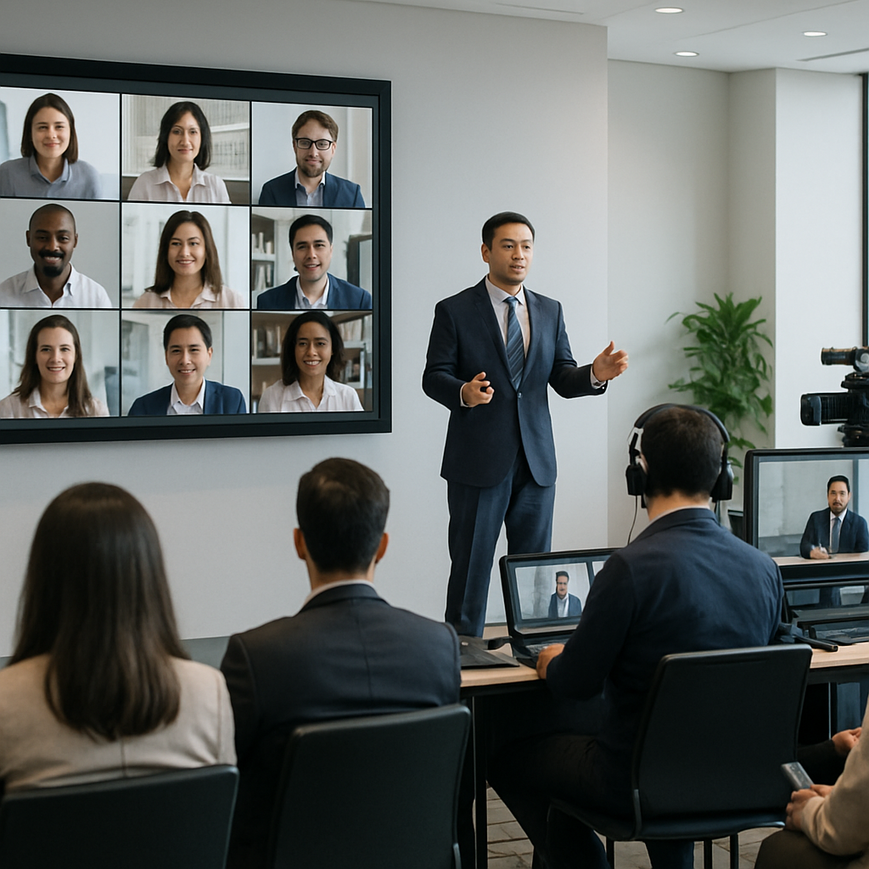
For many Singapore-based businesses, B2B live streams are no longer a novelty. They are part of how teams launch products, train partners, brief investors, and run regional events across Asia, Europe, and North America. Once a stream reaches a global audience, the challenge changes. It is no longer only about transmitting video, it is about delivering a clear, reliable, and inclusive experience for participants in different time zones, device types, bandwidth conditions, and language settings. That user experience matters because a technically “working” stream can still fail if viewers cannot hear clearly, join easily, follow the agenda, or interact in a way that feels useful.
For Singapore audiences, this topic is especially relevant. Singapore companies often operate across multiple markets, and many teams need to host events for clients, distributors, and internal stakeholders in different countries. The same expectations that shape Singapore’s professional culture, punctuality, clarity, efficiency, and high service standards, also shape what participants expect from a B2B stream. A smooth experience signals professionalism. A confusing one can weaken engagement, reduce trust, and affect how the brand is perceived long after the event ends.
Managing user experience for global participants is therefore a planning discipline, not just a production task. It combines event design, accessibility, platform selection, technical quality control, and support before, during, and after the stream. The goal is simple: make it easy for every participant to join, understand, and act on the content, regardless of where they are located.
Why user experience is central to global B2B streaming
In B2B communication, the stream is often part of a broader business process. A participant may be joining to evaluate a supplier, learn a product workflow, review compliance updates, or approve a project direction. That means friction in the experience creates business friction. If a viewer cannot access the session quickly, misses key information because of poor audio, or cannot ask questions effectively, the event loses value.
User experience also shapes engagement. Global participants usually have less patience for unnecessary complexity because they are balancing different work hours and local responsibilities. If the registration process is too long, the event reminder is unclear, or the live interface is difficult to use, some viewers will simply leave. In B2B settings, that can mean lower attendance from decision-makers, weaker post-event follow-through, and less return on the investment made in content and production.
Singapore businesses often serve regional stakeholders who are used to efficient digital services. That includes simple login flows, clear instructions, mobile-friendly access, and fast support. A well-designed stream should reflect that expectation. The most successful global events remove uncertainty at every stage and help the audience focus on the message, not the mechanics.
Start with audience mapping, not just technical planning
Before selecting a platform or rehearsing camera angles, map out who is attending and what they need from the session. Consider the countries represented, the likely devices they will use, the business roles they hold, and whether the content needs translation, captioning, or localised examples. A procurement team in Singapore may need different information from a distributor in Indonesia or a regional manager in Germany.
This step matters because audience diversity affects design choices. For example, a product demo may need on-screen labels that are visible on mobile devices, while a financial briefing may need a downloadable deck for later review. If the audience spans multiple regions, consider whether the agenda should include shorter blocks, built-in breaks, or replay access for those who cannot attend live because of time zone differences.
Designing a frictionless journey before the stream begins
The participant experience starts long before the live broadcast. Registration, reminders, calendar invites, pre-event testing, and access instructions all influence whether people arrive prepared and ready to engage. In global B2B events, this pre-stream journey is often the difference between smooth attendance and avoidable technical problems.
Keep registration simple and ask only for the information that is genuinely necessary. Long forms can discourage attendance and create unnecessary barriers for busy professionals. After registration, send a confirmation email that includes the stream link, the start time in the attendee’s local time zone if possible, device guidance, and a short checklist for audio or browser readiness. For Singapore-based organisers working across Asia-Pacific and beyond, this clarity reduces confusion caused by time differences and daylight saving changes in other markets.
It is also useful to provide a short “what to expect” message before the event. This can explain whether the session includes live Q&A, polls, downloadable documents, or breakout interactions. Participants who know the format in advance are more likely to stay engaged and use the features correctly.
Use time zone clarity as a service feature
One of the most common global event errors is assuming attendees can easily convert time zones on their own. That assumption often leads to missed sessions, late arrivals, and avoidable support queries. Instead, state the event time clearly in the relevant time zone, and where possible show multiple time zones in the invitation. This is especially useful for Singapore companies working with regional hubs, remote teams, or overseas clients.
Be mindful of daylight saving time in countries that observe it. A time that is accurate when the invitation is sent may become confusing later if the event date crosses a daylight saving change. Use calendar invitations that automatically adjust where possible, and include the intended local time in the event description for extra clarity.
Optimising the live experience for clarity, accessibility, and engagement
Once the stream is live, user experience depends on how well the platform, audio, visuals, and interaction tools work together. Viewers should be able to hear clearly, see content without strain, and participate without confusion. For B2B streams, the professional standard is not theatrical polish alone. It is functional clarity.
Audio quality should be treated as a priority because poor sound is one of the fastest ways to lose attention. Clear speech, balanced levels, and minimal background noise matter more than high-end visual effects. If speakers are presenting from different locations, ensure that their microphones are tested individually and that the production team can control volume differences between segments. Subtitles or live captions are also valuable, especially for international participants, non-native English speakers, and viewers in noisy environments.
Visual design should support comprehension. Slides need readable fonts, sufficient contrast, and uncluttered layouts. If a presenter is demoing software or processes, the screen share should be large enough to follow on smaller devices. Avoid filling the screen with dense text or overly complex graphics. A global participant may be watching from a laptop during a workday, not from a large conference monitor.
Build accessibility into the stream rather than adding it later
Accessibility means designing the experience so that more people can use it effectively, including those with hearing, vision, or mobility limitations. In practice, that includes clear audio, captions, legible slides, predictable navigation, and alternative ways to access information. Accessibility is not only for a small subset of users. It benefits a much wider audience, including people watching in a second language, participants in shared office spaces, and viewers on mobile devices.
Good accessibility practice also improves overall usability. For example, descriptive agenda titles help viewers know what is happening next. Visible speaker names reduce confusion during panel sessions. A simple interface with clearly labelled buttons makes it easier to join Q&A or download resources. These are user experience improvements that serve everyone.
Where possible, include live captions or post-event subtitles. Captioning is especially useful when participants are joining from different environments or need to review content later. If the event covers technical or regulatory topics, consider providing a written version of key terms so that non-specialists can follow along.
Keep interaction structured and predictable
Global audiences are more likely to participate when the interaction model is clear. If the event includes chat, Q&A, polling, or reactions, explain how and when each feature will be used. Some participants prefer to type questions rather than speak on camera, especially across cultures or when they are joining from a formal work setting. Make space for different participation styles.
In a B2B context, moderation is important. Unstructured chat can become distracting, while overly restricted interaction can feel distant. A well-managed session uses chat to support the event rather than overwhelm it. The moderator should guide questions, summarise themes, and ensure that responses stay relevant to the agenda.
Supporting global participation with localisation and technical resilience
Global participant experience is not only about communication style. It also depends on whether the stream behaves reliably across different networks, devices, and regional settings. A polished event can still fail if participants in some locations experience buffering, login issues, or unstable playback. The production plan should therefore account for variation in internet conditions and access patterns.
Use a delivery setup that is appropriate for the audience size and geography. Stable encoding, adequate bandwidth, redundancy in critical equipment, and pre-event testing are fundamental. For Singapore organisers, this is particularly important when reaching participants across Southeast Asia, where connection quality can vary by location and by device. A robust stream should continue to perform well even if some viewers are joining from mobile networks or shared office environments.
Localisation is also important. This does not always mean full translation. It may involve adapting examples, currency references, dates, and terminology so that they make sense to different regional audiences. If the stream is aimed at multiple markets, avoid assumptions that one location’s business norms will automatically apply to all others.
Prepare for low-bandwidth conditions and mobile viewing
Many participants will not watch from a dedicated desktop setup. They may join from phones, tablets, or laptops on variable connections. Because of this, the event should remain usable under less-than-ideal conditions. Keep graphics readable at smaller sizes. Avoid rapid transitions that make content harder to follow. Ensure that speakers are well framed and that key information is not hidden behind overlays or small interface elements.
Offering a lower-bandwidth viewing option, if the platform supports it, can improve access for users with weaker connections. Recording the event for later viewing is also helpful, especially for participants in other time zones. However, replay should not be treated as an excuse to make the live experience worse. Live attendees still need a clean, reliable session in real time.
Test the full journey in real conditions
Testing should go beyond checking whether the stream can go live. The team should rehearse the full user journey, from registration and login to audio, captions, poll launches, file downloads, and exit experience. If possible, test from different devices and network conditions. This helps identify issues that are easy to miss in a production control room.
For Singapore-based events with international attendance, it is useful to test from multiple regions or with support from local participants if available. Even minor issues, such as a button placed poorly on mobile screens or an email link that opens incorrectly in certain browsers, can affect the perceived quality of the whole event.
Post-event experience matters just as much as the live session
User experience does not end when the stream stops. For many B2B events, the post-event phase is where participants decide whether the content was worth their time. If follow-up is slow or incomplete, the event’s impact fades quickly. A strong post-event workflow supports retention, action, and trust.
Send a follow-up message with the recording, key resources, contact details, and any promised documents. If questions were left unanswered during the live session, include a way to submit them after the event. This is especially useful for global audiences that could not speak during the original time slot. Where appropriate, share a concise recap of the main points so that busy stakeholders can review the essentials without watching the full recording immediately.
It is also useful to review engagement data carefully. Look at attendance drop-off points, replay usage, question themes, and technical support requests. These insights help refine future events. For Singapore businesses serving multiple countries, this feedback loop can reveal differences in audience preferences, content priorities, and interaction styles across markets.
Use feedback to improve future regional events
Ask participants what worked and what did not. Keep surveys short so that people are more likely to respond. Focus on practical questions about audio, clarity, pacing, accessibility, and relevance. Open-ended comments can be especially valuable because they often reveal issues that are not visible in the production dashboard.
Over time, this feedback helps teams build a repeatable playbook. That playbook can cover time zone handling, moderator scripts, captioning standards, file naming, backup procedures, and audience communication templates. For organisations in Singapore that host frequent B2B streams, this systematic approach saves time and improves consistency.
Managing user experience for global participants in B2B streams is ultimately about respect. It shows respect for the participant’s time, working environment, language needs, and business context. In a market like Singapore, where regional reach and service quality are both highly valued, that respect is not just good etiquette. It is a competitive advantage. When a stream is easy to join, easy to follow, and easy to act on, the event becomes more than a broadcast. It becomes a credible business touchpoint that supports trust across borders.
For organisations planning their next global stream, the practical takeaway is clear. Design for the participant first, not the platform first. Start with time zones, access, clarity, and accessibility. Test the journey end to end. Keep the live session focused and reliable. Then close the loop with useful follow-up. Those steps do not just improve user experience, they improve the business value of the event itself.

Jeremy Lee is a seasoned digital marketing director and strategist with over two decades of experience in the industry. As the founder of Sotavento Medios, I manage a diverse portfolio of over 50 businesses, helping brands grow through advanced search strategies and digital innovation. My work focuses on bridging the gap between traditional search engine optimisation and the evolving world of AI-driven answer engines.
get in touch