
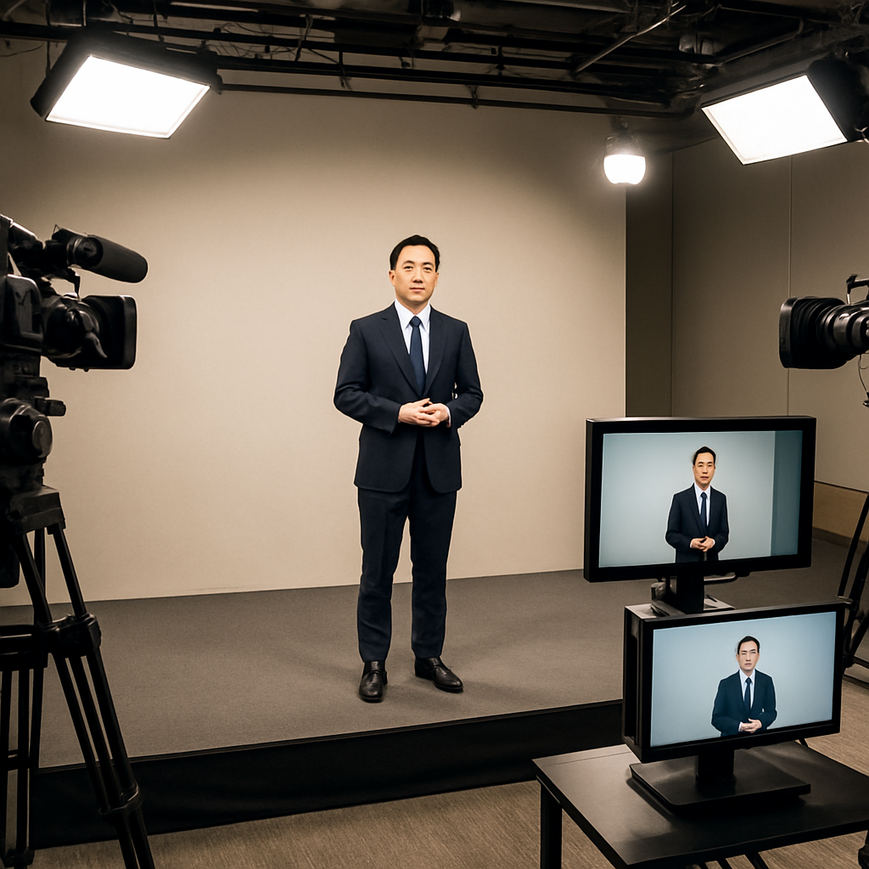
When people in Singapore spend long hours watching livestreams, joining hybrid meetings, attending virtual conferences, or following event broadcasts on a laptop or mobile phone, eye strain can become more than a minor annoyance. Viewer fatigue is the broad term many people use for the tired, uncomfortable feeling that can build up during prolonged screen viewing. It may include dry eyes, blurred vision, headaches, reduced concentration, and a general sense of mental drain. While screen settings on a personal device matter, the lighting used at the source, especially in professional event production, plays a major role in how comfortable the viewing experience feels.
For businesses, institutions, and event organisers in Singapore, professional lighting is not only about making presenters look polished. It also affects contrast, image clarity, facial visibility, colour accuracy, and how hard the viewer’s visual system must work to process the image. When lighting is designed well, the audience can focus on the message instead of struggling with glare, shadows, flicker, or inconsistent brightness. This is especially important in Singapore, where hybrid work, online education, corporate webinars, government briefings, and live event streaming have become part of everyday communication.
Good lighting does not eliminate all causes of screen fatigue, but it can reduce unnecessary visual stress. That makes it a practical, evidence-based part of healthier digital viewing. For viewers, the benefits are comfort and sustained attention. For organisers and production teams, the result is a more credible, professional presentation that respects the audience’s visual wellbeing.
Why lighting affects viewer fatigue more than many people realise
Viewer fatigue occurs when the visual system is asked to process a screen image that is difficult to interpret or physically uncomfortable to watch for long periods. The eyes and brain work together to maintain focus, detect edges, adjust to brightness, and interpret facial expressions or slides. If the video feed is poorly lit, the viewer may compensate by staring harder, squinting, or trying to make sense of low-contrast visuals. Over time, that increases strain.
Professional lighting helps by creating a cleaner, more stable image. Faces are easier to recognise, text overlays are easier to read when presenters are clearly separated from the background, and the camera does not need to constantly compensate for dimness. In practical terms, better lighting often means less visual effort for the audience. This is particularly relevant for Singapore viewers who may attend back-to-back virtual meetings during the workday and then continue using devices for commute updates, family calls, or online learning in the evening.
How the visual system responds to poor lighting
When lighting is uneven, the viewer’s eyes must constantly adjust between bright and dark areas. This can happen when the subject is underlit, when the background is much brighter than the face, or when there are harsh hotspots from overhead lights. The result is not always immediate pain. More often, people experience cumulative discomfort, such as dry eyes from reduced blinking, difficulty maintaining focus, and headaches after extended viewing.
Flicker is another concern. Some lighting systems, especially low-quality LEDs or poorly configured dimmers, can produce perceptible or non-perceptible flicker. Even when viewers do not consciously notice it, flicker can contribute to visual discomfort for sensitive individuals. Professional lighting design seeks to reduce this risk by using equipment and control settings that provide stable output suitable for camera capture.
What professional lighting does differently in live and hybrid production
Professional lighting is not just about brightness. It is a deliberate system that shapes how the camera captures a scene and how the audience experiences it on screen. In a live or hybrid production, lighting is planned around the camera sensor, the room layout, the presenter’s movements, and the final viewing platform. This is very different from relying on office ceiling lights or a single desk lamp.
Well-designed lighting creates even illumination on the face, gentle separation from the background, and natural-looking skin tone. It also supports stable exposure, meaning the camera does not constantly brighten or darken the image as the presenter moves. For viewers, that stability matters because sudden changes in brightness can be tiring and distracting.
Three-point lighting and visual comfort
One common professional approach is three-point lighting, which typically uses a key light, fill light, and back light. The key light is the main source, the fill light softens shadows, and the back light helps separate the subject from the background. This arrangement creates depth and clarity without forcing the viewer to interpret a flat or muddy image. It is especially useful for speaker panels, executive addresses, town halls, and online product launches.
In a Singapore context, many hybrid events are held in meeting rooms, hotel ballrooms, office studios, or temporary broadcast spaces. These environments often have mixed ambient lighting, reflective surfaces, and strong daylight from windows. A professional lighting setup accounts for these conditions instead of reacting to them. That planning reduces visual inconsistency, which in turn lowers the amount of effort required from the viewer’s eyes.
Colour temperature and how it changes comfort
Colour temperature describes how warm or cool a light appears, usually measured in Kelvin. Warm light appears more yellow or orange, while cool light appears more blue-white. For video production, the goal is not to make everything look dramatic, but to keep the lighting consistent and appropriate for the camera and setting. Mismatched colour temperatures can make skin tones look unnatural and can create an image that feels visually “off,” even if the viewer cannot explain why.
When colour temperature is controlled properly, the image appears calmer and more believable. That lowers the mental load on the audience. In contrast, a mixture of daylight, fluorescent light, and warm table lamps can produce colour casts and distracting contrasts. For Singapore offices and event venues, where daylight can shift quickly because of weather and afternoon glare, this consistency is especially valuable.
The specific lighting problems that increase fatigue during viewing
Several lighting issues commonly appear in livestreams, webinars, and hybrid meetings. Each one can make the viewer work harder than necessary. The most common are glare, shadows, poor contrast, flicker, and overexposure.
Glare and reflection
Glare happens when light hits reflective surfaces and creates bright spots that obscure detail. On screen, this can make glasses reflect strongly, wash out facial features, or create distracting highlights on foreheads and desks. For viewers, glare reduces clarity and can cause the eyes to keep adjusting to bright patches in the image. In a professional production, careful positioning of lights and cameras helps avoid these reflections.
Singapore venues often have polished floors, glass partitions, glossy tables, and reflective presentation surfaces. That means glare control is not a minor technical detail, it is a core part of readable, comfortable viewing.
Shadows that obscure facial cues
Harsh shadows can make presenters look severe, tired, or difficult to read. More importantly, shadowed faces reduce the viewer’s ability to pick up expressions and speech-related visual cues. Since people often rely on facial movement to understand conversation, poor shadow control can make a presentation feel more demanding. Soft lighting, proper placement, and diffusion materials can help create a more even and restful image.
Flicker and unstable output
Flicker refers to rapid light variation. Some forms are visible, while others are too fast to notice directly but can still affect comfort. Video cameras may capture this flicker, producing banding or uneven brightness on screen. In professional settings, using camera-safe lighting and matching the lighting system to the camera frame rate and shutter settings is essential. This is one reason experienced production teams test lighting before the live session starts.
Why Singapore audiences benefit from better lighting design
Singapore’s digital habits make lighting quality more relevant than ever. Many people work in hybrid schedules, attend virtual meetings across time zones, and use multiple screens in compact home and office environments. As a result, they may already be dealing with eye fatigue from long screen exposure before they even join an event. When the event itself is poorly lit, the strain can feel noticeably worse.
There is also a local environmental factor. Singapore’s bright daylight, tropical weather, and frequent transitions between indoor air-conditioned spaces and outdoor light can influence how rooms are lit and perceived. A meeting room that looks fine during a cloudy morning may become overly bright at noon. A livestream setup near windows may work one hour and become glare-heavy the next. Professional lighting helps standardise the image so the audience receives a consistent viewing experience regardless of changing ambient conditions.
For organisations serving Singapore audiences, this matters for credibility as well as comfort. Government agencies, healthcare institutions, educational providers, and corporates all benefit from presentations that are easy to watch. When viewers are comfortable, they are more likely to stay engaged, absorb information, and respond positively to the event.
Practical examples for local settings
In a corporate webinar held from a Central Business District office, lighting should be adjusted so presenters do not disappear into a dark background while daylight floods the room behind them. In a hotel ballroom used for a product launch, stage lighting should be even enough that speakers appear consistent on camera from different angles. In a training session streamed from a classroom, the lighting should support both the trainer and any visible materials, such as whiteboards or demonstration tables.
These are not luxury upgrades. They are practical measures that improve how information is received. For a Singapore audience that values clarity, efficiency, and professionalism, that can make a meaningful difference.
How to reduce viewer fatigue through lighting planning
Reducing viewer fatigue requires more than buying brighter lights. It starts with understanding the camera, the room, and the viewing context. A thoughtful lighting plan focuses on consistency, softness, and control.
Use even key illumination on the speaker
The presenter’s face should be lit clearly without harsh shadows under the eyes or nose. Even illumination helps viewers recognise expressions easily and prevents the image from feeling visually strained. Softboxes, diffused LED panels, and properly angled sources are commonly used to achieve this effect.
Balance foreground and background brightness
When the background is too bright, the presenter can look silhouetted. When the background is too dark, the image can feel flat or overly contrasty. A balanced scene helps the camera reproduce the space naturally and makes it easier for viewers to keep their eyes relaxed.
Avoid mixed and uncontrolled lighting
Mixed colour sources often create discomfort. A room that combines daylight, fluorescent ceiling lights, and warm decorative lamps may look inconsistent on camera. Professional teams usually control or reduce unwanted light sources to keep the image coherent. In many Singapore offices, switching off conflicting ceiling lights or using window treatments is enough to improve the result significantly.
Test for flicker, glare, and camera compatibility
Before going live, production teams should test the scene on the actual camera and display environment. A light that looks acceptable to the naked eye may still flicker on camera or cause reflections in glasses or on presentation screens. Testing allows adjustments before the audience is exposed to discomfort.
Design for the audience’s viewing duration
A five-minute announcement and a two-hour hybrid conference place different demands on viewers. The longer the session, the more important comfort becomes. For longer viewing times, softer lighting, stable exposure, and reduced contrast are usually more comfortable than dramatic stage-style setups. This is especially important for training, education, and executive communication, where the audience needs to stay focused for extended periods.
For Singapore organisations, working with a professional event streaming and hybrid production team can help align lighting with both technical and audience needs. The goal is not to make the scene look artificial. The goal is to make it easy to watch.
Good lighting supports attention, reduces avoidable visual strain, and helps viewers stay engaged longer. It also improves the quality of communication by making faces, gestures, and visual materials easier to understand. For a Singapore audience that relies heavily on digital communication, that is a practical advantage with real value.
If you are planning a livestream, webinar, hybrid event, or corporate broadcast, treat lighting as part of audience care, not just production styling. Start with even illumination, minimise glare and flicker, control colour temperature, and test the setup under real conditions. These steps do not replace healthy screen habits such as taking breaks, blinking regularly, and adjusting personal device settings, but they do reduce one of the most overlooked sources of viewer fatigue. For organisers in Singapore, that means clearer communication, a more comfortable audience experience, and a more professional result overall.

Jeremy Lee is a seasoned digital marketing director and strategist with over two decades of experience in the industry. As the founder of Sotavento Medios, I manage a diverse portfolio of over 50 businesses, helping brands grow through advanced search strategies and digital innovation. My work focuses on bridging the gap between traditional search engine optimisation and the evolving world of AI-driven answer engines.
get in touch