
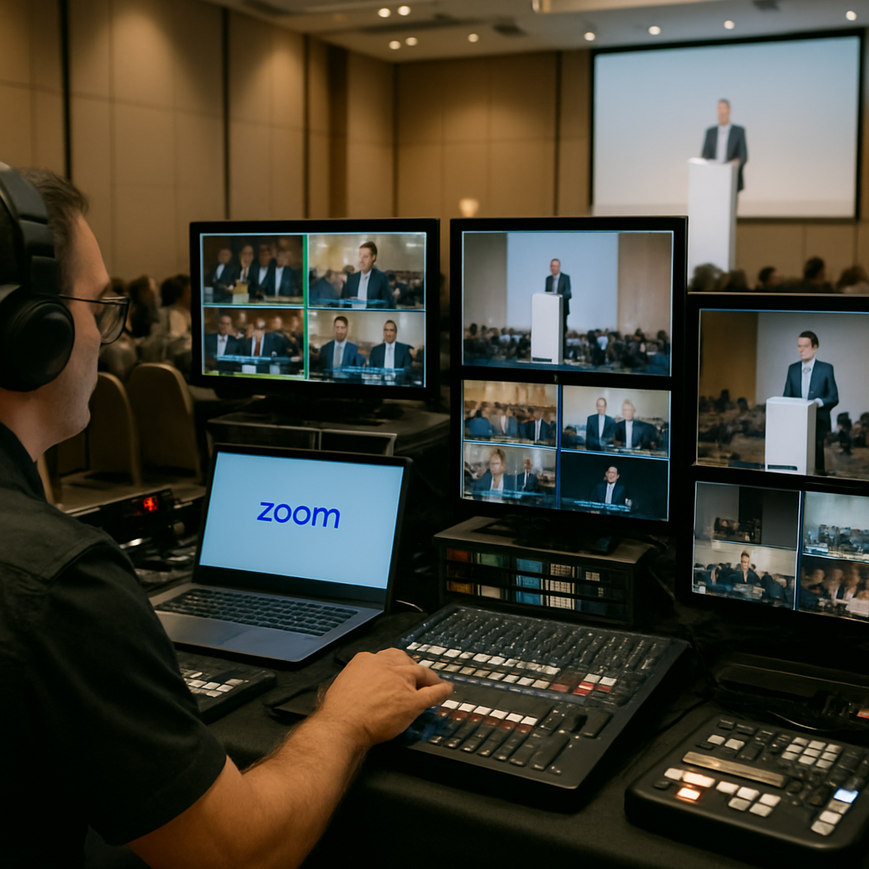
For Singapore-based event teams, corporate communications departments, and production crews, multi-camera streaming has become a practical way to make hybrid events look polished without losing flexibility on the day. When a panel discussion, town hall, product launch, training session, or conference needs several camera angles, Zoom ISO can be a valuable workflow if it is set up correctly. ISO, short for isolated recording, means capturing each participant or source on its own track rather than relying only on a single combined live mix. In a professional multi-camera production, that separation gives editors, producers, and post-production teams more control over the final result, especially when the live programme needs to be repurposed for on-demand viewing, internal archive, or social clips.
For many Singapore organisations, the main concern is not whether Zoom can be used, but whether it can be used in a way that looks credible, sounds clear, and remains manageable for a small to medium production team. The answer is yes, provided the team understands what Zoom ISO can and cannot do, and designs the workflow around the event objective. Zoom is not a substitute for a dedicated broadcast switcher in every situation, but it can fit into a professional production chain when the team needs remote contribution, presenter backup, or flexible post-event editing. The key is to treat Zoom as part of the production system, not as the entire system.
What Zoom ISO means in a professional production workflow
ISO recording in production refers to recording each input separately. In a multi-camera event, that may mean each camera feed is recorded independently, alongside the programme output, so editors can choose the best angle later. In the context of Zoom, the term is often used more broadly to describe separate recordings of participants, camera sources, or audio channels within or alongside the Zoom session. This is especially useful when a hybrid event includes remote speakers, in-room presenters, and a live audience in Singapore or across different locations.
Zoom itself provides recording options that can support production workflows, including local recording and cloud recording, depending on account type and settings. In some setups, users also rely on separate hardware or software capture tools to achieve true isolated camera recording. That distinction matters. Zoom can be part of an ISO workflow, but not every Zoom recording is a true multi-camera ISO recording. A true ISO workflow usually means each camera or source is captured independently, with timecode or synchronisation logic handled outside the video conference application or through the recording platform used by the production team.
Why isolated sources matter
Separate sources give the editor choices. If one speaker looks down while answering a question, another camera angle can hide that moment. If a panel discussion needs tighter pacing for a replay, isolated tracks make it easier to cut between speakers without being locked into the live switching choices. For event organisers in Singapore, this is especially useful for internal town halls, customer-facing webinars, and professional training sessions that will be reused after the live moment has passed.
Isolated recording also helps preserve audio quality. In many productions, audio is more important than the video itself. A clean microphone feed from each speaker, recorded separately, reduces the risk that one problem, such as a cough, a laptop fan, or a temporary connection issue, affects the entire programme.
Planning the Zoom ISO workflow before production day
A professional result starts long before the live session begins. The most common production problems are not caused by the software itself, but by weak planning, mismatched settings, or unclear responsibilities. In Singapore’s event environment, where venues can be compact, turnaround times can be short, and production teams often work across in-house staff, vendors, and remote presenters, clarity is essential.
The first decision is the role Zoom will play. Will it be the main live platform, a contribution path for remote speakers, or only a capture layer for backup and post-production? If the event is a hybrid seminar at a hotel ballroom, a corporate auditorium, or a co-working space, the team should map the signal flow from camera to encoder, from microphone to mixer, and from Zoom to the recording destination before the event day. This should include checking whether the event will use one operator or a dedicated audio engineer, camera operator, and technical director.
Choose the right recording strategy
There are three common approaches. The first is a Zoom-centric workflow, where the session runs through Zoom and the platform’s recording functions are used for capture. The second is a hybrid workflow, where Zoom handles the call or remote contribution while cameras and audio are recorded separately on local devices or a recorder. The third is a broadcast-style workflow, where Zoom only supplies remote speakers and the main production is switched through external hardware or software, with ISO recordings captured by dedicated tools. For professional multi-camera work, the third and second approaches usually offer the greatest flexibility.
For Singapore teams managing corporate communications or live learning programmes, the hybrid and broadcast-style options are often easier to defend in terms of quality and reliability. They allow the production to continue even if one platform experiences a temporary issue, and they make it simpler to deliver a polished edit after the event.
Test connectivity, audio, and backup paths
Reliable internet access remains a foundational requirement. Even when cameras are recorded locally, Zoom still needs stable upstream bandwidth for clean remote participation. Venue internet in Singapore is generally robust in many business settings, but production teams should never assume the venue connection is sufficient for a mission-critical event. Where possible, test both the primary network and a backup path, such as a bonded cellular connection or a secondary internet line.
Audio deserves particular attention. In a Zoom-based production, the microphone feed that reaches the remote participants may not be the same feed that is recorded for post-production. Always monitor what the remote guest hears, and separately check what the local recorder or streaming encoder captures. A short sound check with all microphones live, all cameras active, and the recording system running can prevent many avoidable issues.
Setting up the cameras, audio, and Zoom environment
Once the workflow is defined, the technical setup must support consistency. Professional multi-camera work depends on repeatable framing, predictable lighting, and clean audio pickup. Zoom may be easy to use on a laptop, but a serious event should not rely on the built-in webcam and microphone unless the production is extremely simple. The goal is to create a production environment that makes the Zoom window one part of a larger, controlled setup.
Camera configuration for clean ISO capture
For multiple camera angles, assign each camera a clear purpose. One wide shot can establish the whole stage or panel table. A second camera can cover the main speaker from a tighter angle. A third can provide a cutaway or audience reaction angle. If the session includes remote speakers, local cameras should complement, not compete with, the on-screen contributor layout. Fixed framing is usually preferable to excessive movement unless the event format justifies a more dynamic style.
When recording individual sources, make sure each camera feed is properly labelled. In post-production, label discipline saves time and reduces errors. A production assistant should know which source is Camera 1 wide, which is Camera 2 tight, and which audio input belongs to which podium or lavalier microphone. This is a basic but important part of professional workflow management.
Audio management is the real quality marker
Zoom can display video, but people judge quality mainly through sound. Use dedicated microphones where possible, such as wireless lavalier microphones, handheld microphones, or boundary microphones depending on the event format. A lavalier is a small clip-on microphone, often used for presenters who need freedom of movement. A boundary microphone sits on a table and can work well for panel discussions when individual mics are not practical. In all cases, the production team should aim for consistent levels and minimal room echo.
If remote speakers are joining via Zoom, instruct them to use headphones and a quiet room. This reduces echo and feedback. For Singapore audiences, where many events are conducted in office meeting rooms, co-working spaces, or hotel function rooms, acoustic control can be more challenging than expected. Soft furnishings help, but they are not a replacement for proper mic placement and level management.
Control the Zoom environment
Use a dedicated meeting host or co-host who understands the event run sheet. Limit unnecessary notifications, enforce the correct admission settings, and make sure screen sharing is restricted to authorised presenters when needed. Virtual backgrounds can be useful, but they should never distract from the purpose of the event. A clean branded background is usually more professional than a busy animated one.
For production teams handling confidential corporate content in Singapore, security settings matter. Meeting passwords, waiting rooms, authenticated access, and host controls should be reviewed before each session. These are standard operational safeguards, not optional extras. They help protect the event from disruption and preserve the integrity of the recording.
Running the live production smoothly
During the live event, the ISO workflow must be supported by disciplined operations. The technical director or production lead should communicate clearly with camera operators, audio personnel, and the Zoom host. A concise cueing system, whether by intercom, headset, or agreed hand signals, reduces confusion and keeps transitions professional. If the event includes a moderator, that person should know when to pause, when to hand over, and how to account for remote latency.
Latency, the delay between sending and receiving an audio or video signal, is normal in online platforms. In Zoom-based hybrid events, it may affect timing for Q and A sessions, live announcements, or simultaneous reactions. The production team should build in a slight pause before moving to the next speaker. This creates smoother conversation and helps remote participants avoid talking over one another.
Monitor the right feeds
One of the most common mistakes is monitoring only the live programme feed. In a professional ISO setup, the team should monitor the programme feed, the recording status, the audio meters, and, where possible, individual camera or source feeds. If using separate recording hardware or software, confirm that every source is actually recording. A silent failure on one input can create an expensive post-event disappointment.
It is also wise to record a short slate at the beginning of the session, announcing the event name, date, and key source order. This helps with file organisation later and is especially useful when multiple deliverables are expected from the same recording session.
Keep a recovery plan ready
Even well-run productions need backup options. Have spare batteries, spare cables, a backup microphone, and an alternate recording path. If the event involves important stakeholders, such as board members, senior management, clients, or public sector participants, the tolerance for technical failure is low. A fallback plan can be as simple as a secondary laptop with meeting access, or as sophisticated as a parallel local record running alongside the Zoom workflow. The best recovery plan is one that the team has already tested, not one that exists only on paper.
Editing and delivering the finished content after the event
The real value of ISO recording often appears after the live session ends. Separate sources make editing cleaner, faster, and more flexible. Editors can remove long pauses, replace awkward cuts, and adjust the visual rhythm to match the final audience. For Singapore companies, this matters because the same recording may need to be reworked into an internal recap, a client-facing highlights reel, or a training archive with chapters and subtitles.
Start by backing up the files immediately and verifying that the recordings open correctly. Keep the original sources untouched. Use a clear naming convention that identifies the event, date, camera number, and audio source. Then sync the tracks in your editing software using the clap, slate, timecode, or waveform alignment if available. Waveform alignment means matching the visual shape of the audio tracks so the editor can synchronise them accurately.
Repurposing content for Singapore audiences
Many Singapore organisations now expect content to work across multiple channels. A full webinar replay may live on an internal portal. Short clips may be cut for LinkedIn or an intranet newsletter. A panel discussion may be edited into chaptered segments for easier viewing by staff in different time zones. ISO recording supports this repurposing because it preserves options. It allows the editor to reshape the story without needing to recreate the event.
When adding subtitles or captions, make sure they are accurate and professionally reviewed. This is important for accessibility and clarity, especially in multilingual workplaces. Captioning also helps viewers in noisy environments or those who prefer to watch without sound. For a business audience in Singapore, this is not a luxury feature, it is part of a polished delivery standard.
Common mistakes to avoid when using Zoom ISO
Several problems appear repeatedly in live production. The first is relying on Zoom as if it were a full broadcast system without external capture or backup. The second is using poor audio, which can make even a visually good production feel unprofessional. The third is failing to test the exact configuration that will be used on event day. A rehearsal on a different laptop, with different settings, does not count as a real test.
Another mistake is overcomplicating the visual setup. More cameras do not automatically create a better production. If operators cannot manage the switching, framing, and recording flow cleanly, a simpler two-camera setup may be stronger. Professional quality comes from control, not from quantity alone.
For Singapore event teams, logistics also matter. Venue access windows may be tight, loading bay schedules may be fixed, and power distribution can vary by location. All of these operational details affect production reliability. A strong technical plan includes time for rigging, testing, and contingency adjustments, not just the live run itself.
Zoom ISO works best when it is part of a disciplined production workflow with clear roles, separate recording paths, and careful audio management. Used well, it supports polished multi-camera events that can be repurposed long after the live session ends. Used casually, it can create confusion and limit the value of the content. The practical takeaway for Singapore organisers is simple, define the role of Zoom early, test the complete signal chain, prioritise audio quality, and keep a backup plan in place. That approach gives your production team the best chance of delivering a professional event experience that stands up both live and on replay.
General information only: This article is intended for educational and operational awareness. For event-specific technical design, software configuration, or security requirements, work with a qualified production or AV professional familiar with your venue and use case.

Jeremy Lee is a seasoned digital marketing director and strategist with over two decades of experience in the industry. As the founder of Sotavento Medios, I manage a diverse portfolio of over 50 businesses, helping brands grow through advanced search strategies and digital innovation. My work focuses on bridging the gap between traditional search engine optimisation and the evolving world of AI-driven answer engines.
get in touch