
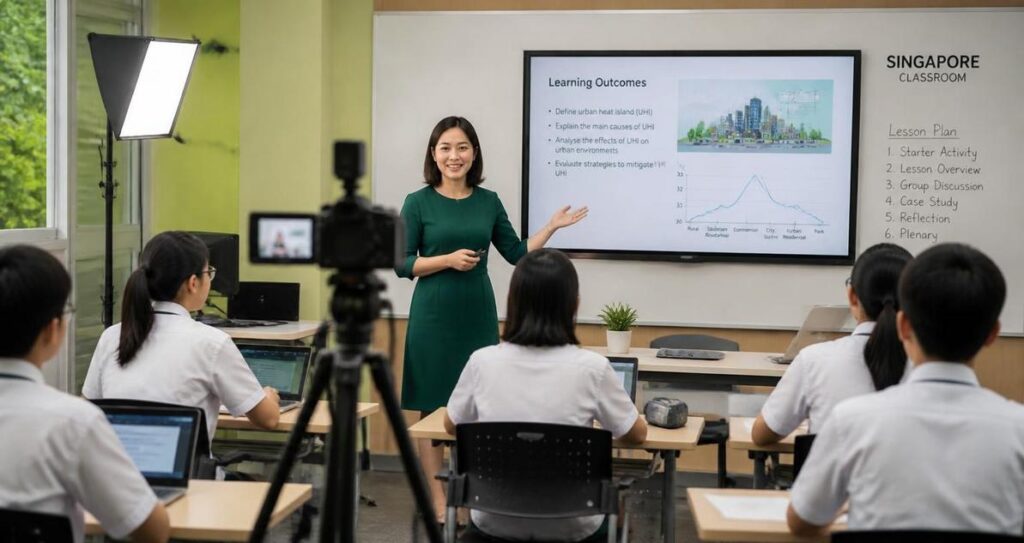
For schools in Singapore, virtual and hybrid learning is no longer a stopgap measure. It is now part of how assemblies, parent engagement sessions, enrichment talks, open houses, cross-campus lessons, and even student performances can be delivered with consistency and clarity. When a stream is professionally produced, it does more than show a speaker on screen. It preserves attention, supports inclusion, reduces technical friction, and helps educators communicate in a format that students, parents, and staff can actually use well.
The challenge is that school streaming has its own demands. Unlike casual video calls, a classroom stream must be dependable, easy to follow, and suitable for a mixed audience that may include young children, teenagers, working parents, and school leaders. Audio clarity matters as much as image quality. Privacy, consent, and safeguarding matter as much as presentation. In Singapore, where schools often serve multilingual communities and operate within a highly organised education environment, the standard for virtual delivery is naturally high. A polished live stream can support that standard when it is planned with care, technical discipline, and an understanding of the school setting.
Professional streaming for schools is not simply about making the picture sharper. It is about creating a learning experience that keeps communication accessible and reliable. That means paying attention to bandwidth, sound capture, camera placement, captions where appropriate, platform choice, moderation, and the way a lesson or event is structured for remote viewers. Schools that invest in these foundations often find that online delivery becomes easier to manage, more inclusive for families who cannot attend in person, and more resilient when schedules change unexpectedly.
Why schools benefit from professional streaming
Schools are unique environments. A classroom is active, dynamic, and often unpredictable, while a live stream depends on stability and control. A professional production approach helps bridge that gap. It allows teachers and school administrators to focus on content and engagement, while the technical side supports the experience in the background. This is especially useful for events where the audience needs to receive information clearly the first time, such as parent briefings, school admissions talks, award ceremonies, and curriculum launches.
One of the main advantages is consistency. A properly managed stream reduces the common problems that disrupt online learning, such as audio dropouts, echo, blurry framing, and unstable connections. In an educational setting, poor audio is more than an inconvenience. If students cannot hear explanations clearly, comprehension drops quickly. Well-placed microphones, a stable internet setup, and a dedicated production workflow can make a major difference to how much information is retained.
Another benefit is accessibility. Some families may need remote participation because of work schedules, caregiving responsibilities, mobility concerns, or illness. A school stream can help ensure that important announcements and learning moments are not limited only to those physically present. Where suitable, captions, clear slides, and clean speaker framing can make the session easier to follow for viewers who process information differently or are watching on smaller devices.
In Singapore, this can be particularly relevant for schools with diverse family needs and busy schedules. Parents often manage tight work commitments, and a reliable live stream can make it easier to stay involved in the school community. For cross-campus programmes or partner schools, streaming also supports collaboration without requiring everyone to travel. The result is not just convenience. It is better continuity in how a school communicates and delivers learning experiences.
Learning and communication are not the same as broadcasting
A school stream must support understanding, not just visibility. Broadcasting a camera at the front of a room is rarely enough. The audience needs to hear the speaker, see the relevant materials, and understand the sequence of the session. For a lesson, that may mean switching between a teacher camera, a whiteboard feed, and presentation slides. For a school event, it may mean moving between a podium, stage performance, and close-up shots of award recipients. Professional streaming makes these transitions smoother and more intelligible.
This distinction matters because schools are not entertainment venues. The goal is not spectacle. The goal is communication that is disciplined, calm, and clear. That is why thoughtful production is valuable even for simple sessions. It protects educational time, reduces confusion, and helps schools maintain a professional presence online.
What professional school streaming should include
Effective school streaming depends on a set of technical and operational choices that work together. The equipment matters, but the process matters just as much. Schools should think in terms of audio, video, connectivity, moderation, privacy, and viewer experience, rather than treating the stream as a single camera feed. When each part is planned properly, the result feels seamless to the audience even though several systems are working behind the scenes.
Audio quality comes first
In most educational streams, sound quality is more important than image resolution. Viewers may tolerate a slightly soft picture, but they struggle when speech is muffled, distant, or full of room echo. Professional setups typically use microphones suited to the setting, such as lapel microphones for individual speakers, handheld microphones for Q and A sessions, or boundary microphones for classroom discussion. The aim is to capture speech clearly and evenly, even when the speaker moves naturally.
Schools should also account for the acoustic environment. Hard surfaces, large halls, and reverberant classrooms can distort sound. Simple adjustments such as speaker positioning, microphone gain control, and careful placement away from loud ventilation can improve intelligibility substantially. For students, especially younger ones, clear audio supports attention and reduces the need for repeated instructions.
Video framing should support attention
A well-framed stream helps the audience know where to focus. The camera should show the relevant person or activity without unnecessary movement or visual clutter. In a classroom, that may mean centring the teacher at eye level, using a stable tripod, and avoiding abrupt zooming. In a school event, it may mean planning camera positions in advance so performances, speeches, or demonstrations are captured cleanly.
Good framing also supports professionalism. When the background is tidy and the subject is well lit, viewers can concentrate on the message. Lighting does not need to be elaborate, but it should be even enough that faces, slides, and key materials are visible. Harsh backlighting or dim interiors can make a stream difficult to watch, especially on mobile phones, which many parents and students use.
Connectivity must be treated as critical infrastructure
A school stream depends on stable internet access. Even strong content can fail if the connection drops or fluctuates. A professional production plan should include bandwidth checks, wired connections where possible, backup connectivity options, and a test run before the live session. Schools should not assume that the existing wireless network will be sufficient simply because it works for everyday use. Streaming adds a continuous data load and is more sensitive to instability.
In practical terms, this means assigning a technical lead to monitor signal strength, stream health, and audio levels throughout the session. For larger events, a backup device and contingency plan are essential. This is not about complexity for its own sake. It is about protecting the school’s time, reputation, and communication goals.
How schools in Singapore can plan a better virtual classroom
Singapore schools operate in a high-standard environment where reliability, safety, and clear communication are expected. That makes planning especially important. A strong streaming workflow starts long before the camera turns on. It includes scheduling, content design, platform selection, rehearsal, consent management, and post-event follow-up. The more clearly these elements are defined, the smoother the session will be for teachers and viewers alike.
For classrooms, planning should begin with the lesson objective. If the aim is discussion, the stream format should allow for interaction. If the lesson is demonstration-based, the camera and microphone setup should support close observation. If the class uses slides, shared screens, or visual aids, those elements should be tested in advance to make sure they appear correctly online. Teachers should not have to improvise technical fixes while teaching. Their focus should remain on instruction.
For school-wide events, a run sheet is essential. This should include speaker order, camera cues, audio checks, slide transitions, and any moments that require audience participation. A rehearsal can reveal problems that are easy to miss on paper, such as awkward camera angles, unclear sound from a podium, or delays between speakers and slide changes. In many cases, a short rehearsal saves far more time than it takes.
Privacy, consent, and safeguarding cannot be overlooked
Schools also need to manage privacy carefully. Students are minors, and their images and voices should not be streamed casually without proper planning and approval. Schools should follow their own policies and established consent processes, and they should limit access where appropriate. This may include using private links, attendance controls, or recordings only for authorised audiences. The technical setup should reflect the school’s safeguarding obligations, not override them.
It is also wise to consider what appears in the frame. Background whiteboards, notices, name tags, and student work can contain information that should not be public. A pre-stream check helps reduce accidental disclosure. This is a practical step, not a bureaucratic one. It protects students, staff, and families while supporting trust in the school’s digital communication practices.
Accessibility should be part of the design
Accessible design benefits everyone. Clear speech, well-structured slides, readable fonts, and visual contrast improve comprehension for a wide range of viewers. Where appropriate, captions can support viewers who are deaf or hard of hearing, as well as those who are watching in noisy environments or are more comfortable reading along. While not every school session requires the same level of accessibility support, the principle should be built into planning from the start.
For multilingual audiences, it may also help to simplify slide text and avoid cluttered visuals. A well-paced speaker, concise on-screen text, and straightforward navigation through the session can make the stream easier to follow. These changes are especially helpful when parents are viewing on mobile devices during commutes or breaks.
Choosing the right production approach for schools
Not every school event needs the same production scale. A small classroom livestream, a staff training session, and a full auditorium event all require different equipment and staffing levels. The key is matching the approach to the purpose of the event. A light setup may be enough for internal teaching support, while a more advanced production is sensible for high-visibility events that involve parents, community partners, or large audiences.
Schools may choose an in-house setup for routine use, especially when they have staff who are comfortable with the technology. This can work well for repeat sessions, provided the equipment is maintained and the workflow is documented. For more complex events, external professional support can be useful because it brings specialised experience in camera switching, live audio control, backup planning, and event coordination. In many cases, a hybrid approach works best, where school staff manage content and student welfare, while a production team handles the technical execution.
When selecting a service provider, schools should look for experience with educational environments, not just general event production. The provider should understand the need for quiet coordination, child-safe practices, flexible scheduling, and low-disruption setup. They should also be able to explain their approach in plain language. A school team should never feel uncertain about how a live session will be managed.
Training and rehearsal improve outcomes
Even the best equipment does not replace preparation. Teachers, emcees, and supporting staff benefit from a short briefing before going live. They should know where to stand, when to speak, how to use microphones, and what to do if a technical issue arises. This reduces anxiety and makes the session feel more natural for both presenters and viewers.
Rehearsal is particularly valuable for schools because educational events often involve people who are not professional presenters. Students, parents, and teachers may all appear on camera. A calm rehearsal helps them become comfortable with the flow of the session and reduces the chance of avoidable mistakes. This is one of the simplest ways to raise the quality of a stream without increasing complexity.
Professional streaming can elevate the virtual classroom when it is treated as part of school communication, not an afterthought. For Singapore schools, the opportunity is clear. A well-produced stream can support learning, strengthen parent engagement, and make school events more inclusive and reliable. The foundation is thoughtful planning, accurate information handling, and technical execution that respects the needs of students and educators.
For schools considering the next step, the most practical approach is to begin with the use case. Define whether the session is for teaching, parent engagement, a formal event, or a hybrid combination. Then assess the audio needs, video setup, connectivity, privacy controls, and accessibility requirements. When these elements are aligned, the virtual classroom becomes not just functional, but genuinely effective. In a busy Singapore school environment, that kind of reliability can make a meaningful difference to how people learn, participate, and stay connected.
General information only: This article is intended for educational awareness and does not replace school-specific policies, legal guidance, or professional advice related to child safeguarding, privacy, or medical concerns.
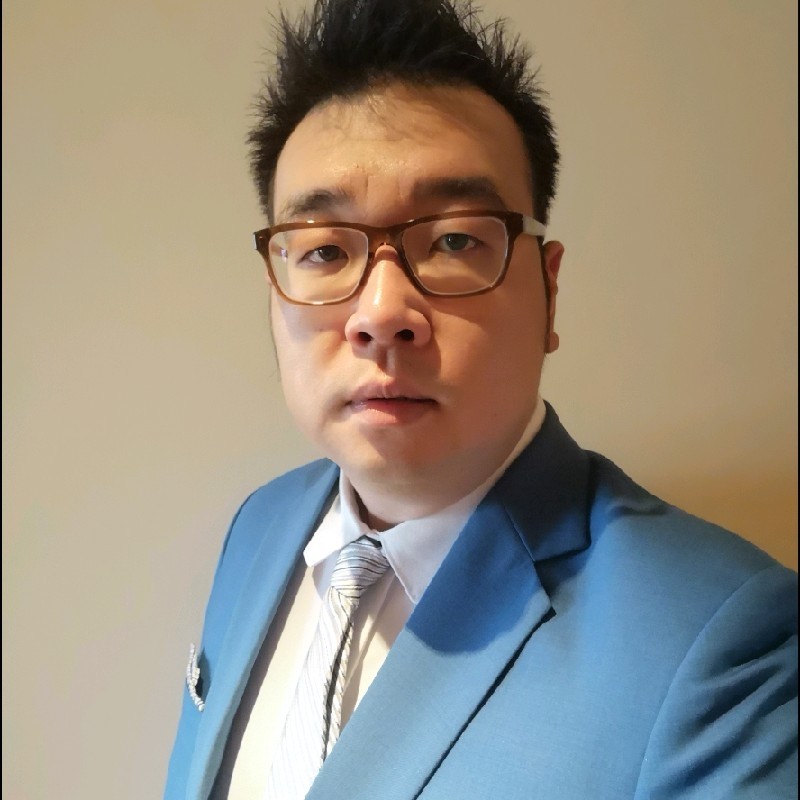
Jeremy Lee is a seasoned digital marketing director and strategist with over two decades of experience in the industry. As the founder of Sotavento Medios, I manage a diverse portfolio of over 50 businesses, helping brands grow through advanced search strategies and digital innovation. My work focuses on bridging the gap between traditional search engine optimisation and the evolving world of AI-driven answer engines.
get in touch