
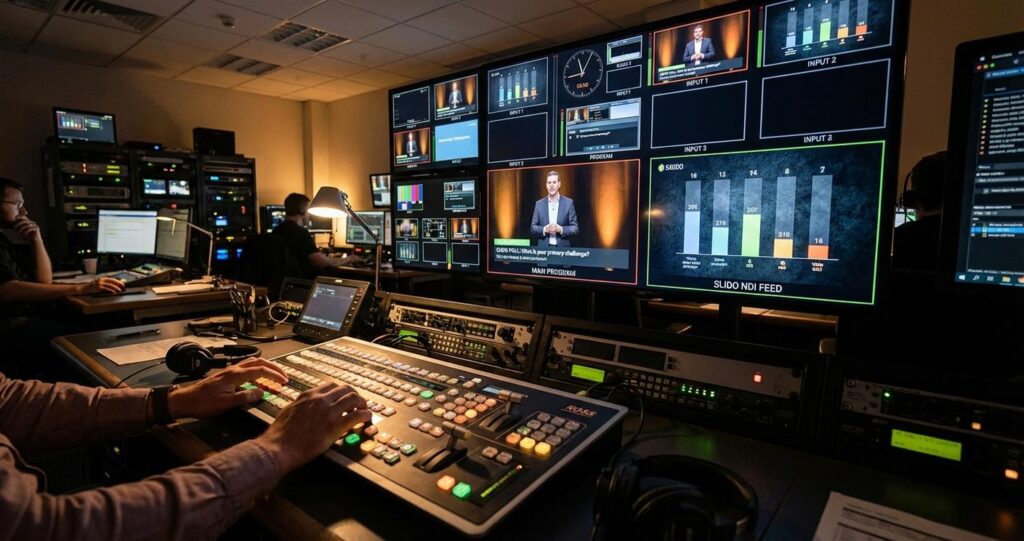
Corporate town halls and all-hands meetings are foundational communication tools, yet they frequently fail to overcome the challenge of audience passivity. Simply presenting information is no longer sufficient; modern enterprise events demand dynamic, two-way interaction to maintain engagement and ensure key messages resonate. While platforms like Slido are widely adopted to facilitate this interaction, their true potential is often unrealized, relegated to a simple screen-share that disrupts the production flow. For professional event producers and enterprise IT managers, elevating Slido from a basic tool to a seamless component of a broadcast-grade production is paramount for creating high-impact, engaging experiences.
This technical guide provides a detailed blueprint for designing and executing sophisticated Slido integrations within professional B2B event streaming and hybrid production environments. We will move beyond rudimentary implementations to explore broadcast-quality signal flows, resilient network architectures, and operator workflows that transform audience interaction into a polished, integrated element of the final program. The focus is on technical precision, from signal routing and data management to encoding and failover strategies, ensuring a flawless experience for both in-person and remote attendees. This is not about just showing a poll; it is about controlling the data and visual presentation with the same rigor applied to every other element of a professional live production.
Foundational Signal Flow and Architecture for Slido Integration
The technical foundation of any professional Slido integration lies in a well-architected signal flow. How the Slido visual data is generated, transported, and composited into the main program feed dictates the quality, reliability, and flexibility of the entire production. The two primary methodologies for this are network-based transport using NDI and traditional baseband video transport using dedicated hardware.
Choosing the Right Output Method: NDI vs. Direct Capture
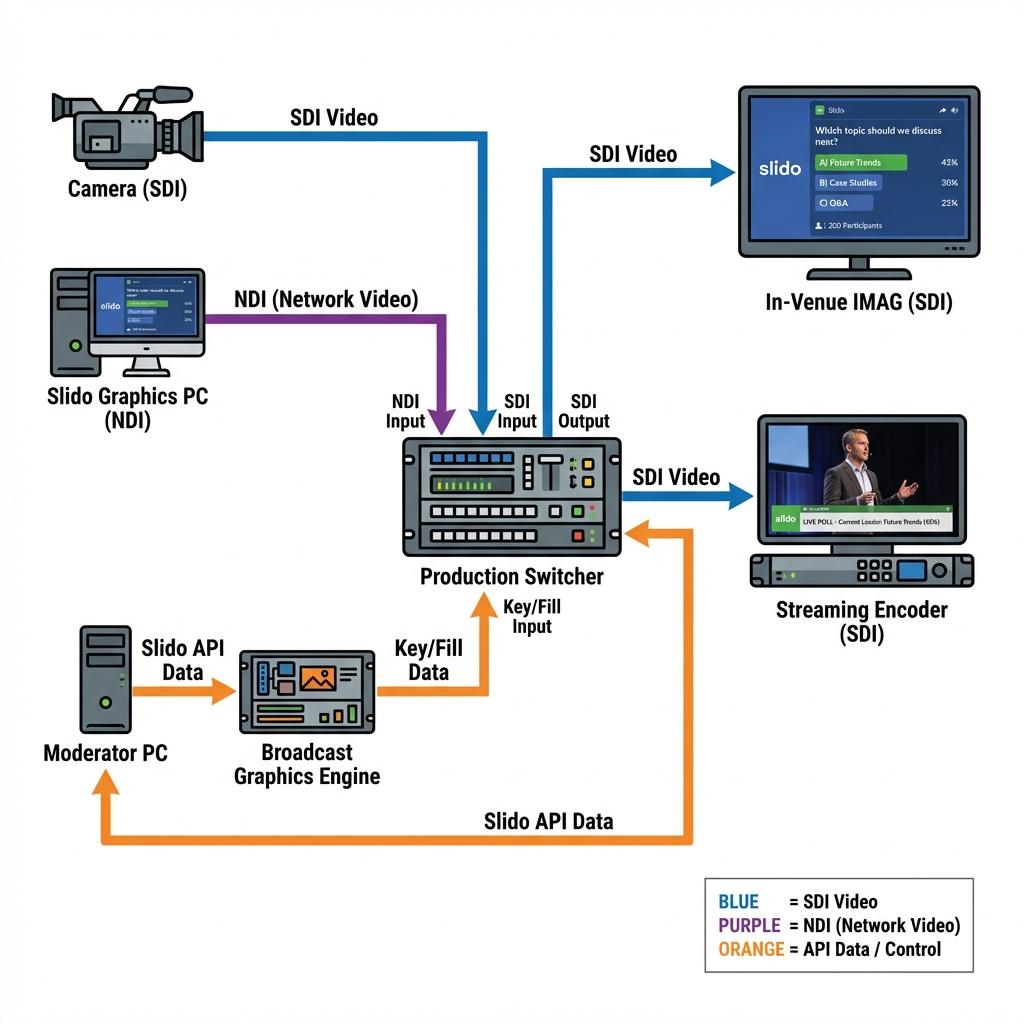
The initial decision point is how to extract the visual output from the Slido platform. Using Slido’s native “Switcher integration” feature, which provides a clean output with a transparent background, is the first step. The transport of this signal is the next critical choice.
Slido via NDI (Network Device Interface): NDI is a high-quality, low-latency video-over-IP protocol that allows video signals to be shared across a standard computer network. Slido can output its graphics directly as an NDI feed. This method is highly efficient, providing a keyable graphics source to any NDI-enabled production switcher on the network, such as a NewTek TriCaster or a Ross switcher equipped with NDI input licenses. The primary benefit is the elimination of dedicated video capture cards and cabling. However, it requires a meticulously planned network infrastructure. Full NDI can consume significant bandwidth (approx. 100-150 Mbps per 1080p60 stream), necessitating a dedicated, managed gigabit network switch with Quality of Service (QoS) protocols enabled to prioritize video traffic and prevent packet loss from other network activity.
Slido via Dedicated Graphics Machine with SDI/HDMI Output: The traditional broadcast methodology involves a dedicated computer running the Slido output in a full-screen browser. The computer’s graphics card outputs the signal via HDMI or DisplayPort. For integration into a professional production environment, this signal must be converted to SDI (Serial Digital Interface) using a robust converter like a Blackmagic Design UpDownCross HD or an AJA HA5. SDI is the broadcast industry standard for its locking connectors, signal integrity over long cable runs (up to 100 meters for 3G-SDI), and immunity to interference. This hardware-based approach provides a physically isolated, stable signal path that is independent of network performance, making it a highly reliable choice in complex RF or congested network environments.
Integrating Slido into the Production Switcher Workflow
Once the Slido signal reaches the production video switcher, it must be composited with the main camera feeds. This is accomplished using keying functions within the switcher.
Keying and Layering: Production switchers use keyers to overlay graphics. A Downstream Keyer (DSK) is typically used for this purpose, as it sits at the end of the video processing chain and applies the graphic over the final program output. The Slido feed with its transparent background acts as the “fill” signal, while the alpha channel (transparency information) serves as the “key” or “cut” signal. For Slido outputs that do not have a separate alpha channel, a luma key can be used, where the switcher keys out the black background. An operator can then fade this DSK on and off air smoothly, allowing polls and Q&A to appear and disappear over the speaker’s video without a disruptive full-screen switch.
Custom Graphics Integration via API: For maximum brand alignment and visual polish, relying on the default Slido interface is not enough. The most advanced workflow involves using a dedicated broadcast graphics engine like Ross Video’s XPression or Vizrt. In this setup, the graphics engine pulls poll and Q&A data directly from the Slido API. The production’s graphics team designs custom templates (lower thirds, side panels, full-screen results) that match the event’s branding. The Slido operator moderates and activates polls as usual, but the data is fed to the graphics engine, which renders broadcast-quality, animated graphics in real-time. This provides ultimate creative control and a far more professional aesthetic than a direct browser output.
Network and Data Management for Real-Time Interactivity
A successful interactive event relies on flawless data communication between the audience, the Slido platform, and the production team. This requires a network architecture designed for resilience and a clear workflow for managing the flow of questions and poll activations.
Architecting a Resilient Network for Production and Audience Traffic
A single, flat network is a recipe for failure in a professional production environment. Network segmentation is not optional; it is a core requirement for stability. A robust setup requires creating logically separated Virtual LANs (VLANs) to isolate different types of traffic.
- Production Control VLAN: A dedicated network for communication between the video switcher, cameras, intercom systems, and other core production hardware. This traffic is low-bandwidth but latency-sensitive.
- Media over IP VLAN: If using NDI or SRT, this high-bandwidth VLAN must be configured with IGMP Snooping and QoS to manage multicast video traffic and prioritize it above all else. This network should be built on enterprise-grade switches with sufficient backplane capacity.
- Audience Wi-Fi VLAN: This is the public-facing network for attendees. It must be completely isolated from the production networks to prevent security risks and traffic contention. Bandwidth must be planned based on the number of expected participants, with sufficient access points to provide even coverage.
- Slido Operations VLAN: The machine used for Slido moderation and the NDI output computer should have a wired connection on a secure VLAN with a reliable, high-priority path to the internet.
Managing Slido Data Flow: Moderation and API Integration
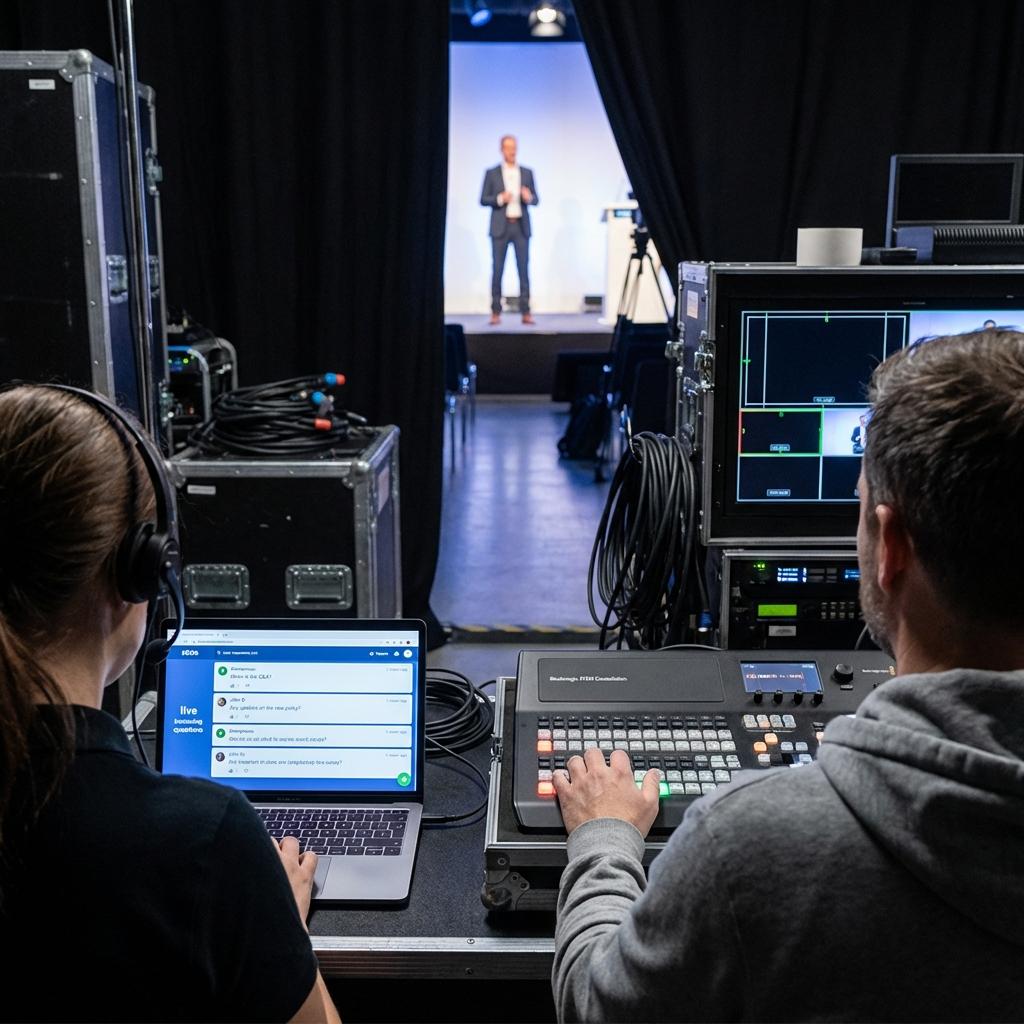
The human element is just as critical as the technology. A dedicated Slido operator is essential for any high-stakes town hall. This role is responsible for moderating incoming questions to filter out inappropriate or redundant content, curating the best questions for the presenter, and activating polls at the correct moment in the show flow. Their workstation should have a direct, wired internet connection and be in constant communication with the show’s director via a talkback system. This ensures that the activation of a poll is perfectly timed with the presenter’s cue and the technical director’s readiness to bring the graphic to air. For more complex productions, the Slido API can be integrated with production automation tools like Bitfocus Companion. This allows a single button press on a Stream Deck to trigger a macro that sends API calls to activate a Slido poll, trigger the switcher to bring the DSK on air, and recall a specific shot on a robotic camera simultaneously.
Hybrid Event Production: Synchronizing On-Site and Remote Audience Engagement
In a hybrid format, production complexity multiplies. The technical workflow must serve two distinct audiences, an in-person group with zero latency and a remote audience experiencing inherent stream delay, while ensuring both can interact cohesively.
Signal Routing for In-Venue Displays and Live Stream Feeds
A single program feed is insufficient for a hybrid event. The production switcher must generate multiple, distinct outputs using its auxiliary (AUX) busses or dedicated mix-effects (ME) busses.
- In-Venue PGM: This feed is sent to the in-room projection screens or LED walls (often called IMAG for Image Magnification). For this audience, it may be appropriate to show Slido polls or results full-screen for maximum readability.
- Stream PGM: This is the feed routed to the streaming encoder. For the remote audience, it is critical to keep the presenter visible at all times. Therefore, Slido graphics on this feed should almost always be presented as lower-thirds, side panels, or in a picture-in-picture (PiP) box, composited over the speaker’s camera shot. A professional SDI matrix router, such as a Blackmagic Videohub or Ross Ultrix, is essential for managing these multiple feeds, allowing any source to be routed to any destination with flexibility and redundancy.
Latency Management and Synchronization
Streaming is never instantaneous. The delay between the live action in the room and when it is seen by the remote audience can range from 3-5 seconds for low-latency protocols like Secure Reliable Transport (SRT) to over 45 seconds for standard RTMP (Real-Time Messaging Protocol) delivery to some platforms. This delay profoundly impacts interactivity. If an in-room presenter asks the audience to vote on a poll, the remote audience will not even hear the question until many seconds later. The production workflow must account for this. The presenter must be coached to introduce polls with buffer time, for example, “We’re going to put a poll up on the screen. For our audience online, you’ll see this in just a moment. Please cast your votes now.” The Slido operator, in communication with the stream engineer who is monitoring the true latency, must wait an appropriate amount of time before closing the poll to ensure the remote audience has had time to participate.
Encoding, Streaming, and Redundancy for Enterprise-Grade Delivery
The final stage of the production chain is delivering the program feed, now enriched with interactive graphics, to the remote audience. This requires robust encoding and transmission strategies that guarantee high quality and reliability.
Configuring the Encoder for Graphic Overlays
The Stream PGM feed, with Slido graphics already composited by the switcher, is delivered via a single SDI cable to a dedicated hardware encoder. Enterprise-grade encoders from manufacturers like Haivision, AJA, or Matrox are preferred over software solutions for their stability and processing power. Critical encoding parameters include selecting the right codec, typically H.264 for broad compatibility or H.265 (HEVC) for higher efficiency if the viewing platform supports it. A Constant Bitrate (CBR) of 8-12 Mbps is standard for a high-quality 1080p60 stream, ensuring a consistent data flow that prevents buffering on the viewer’s end.
Failover and Redundancy Strategies
For any mission-critical corporate event, a single point of failure is unacceptable. A comprehensive redundancy plan is essential. This starts with the internet connection. Using a bonded networking solution, like a Teradek Bond or LiveU Solo, allows the encoder to transmit the stream over multiple connections simultaneously (e.g., two separate fiber internet lines plus a 5G cellular backup). If one path degrades or fails, the others instantly compensate. The next layer is hardware redundancy. A common professional practice is to use two identical encoders (a primary and a backup), each fed by the same program signal but connected to different power circuits and network paths. These encoders send parallel streams to the streaming platform, which can be configured for primary/backup input, ensuring an automatic and seamless switchover in case of an encoder failure.
Ultimately, integrating Slido into a town hall is far more than a simple technical task; it is a strategic approach to transforming corporate communication. By implementing these professional production workflows, which prioritize robust signal management, network resilience, and synchronized hybrid experiences, organizations can move beyond static presentations. They can create truly interactive, engaging, and measurable events. Executing this level of technical production requires specialized expertise, and partnering with a team versed in broadcast engineering and enterprise streaming is the surest path to a flawless and impactful town hall.

Jeremy Lee is a seasoned digital marketing director and strategist with over two decades of experience in the industry. As the founder of Sotavento Medios, I manage a diverse portfolio of over 50 businesses, helping brands grow through advanced search strategies and digital innovation. My work focuses on bridging the gap between traditional search engine optimisation and the evolving world of AI-driven answer engines.
get in touch