
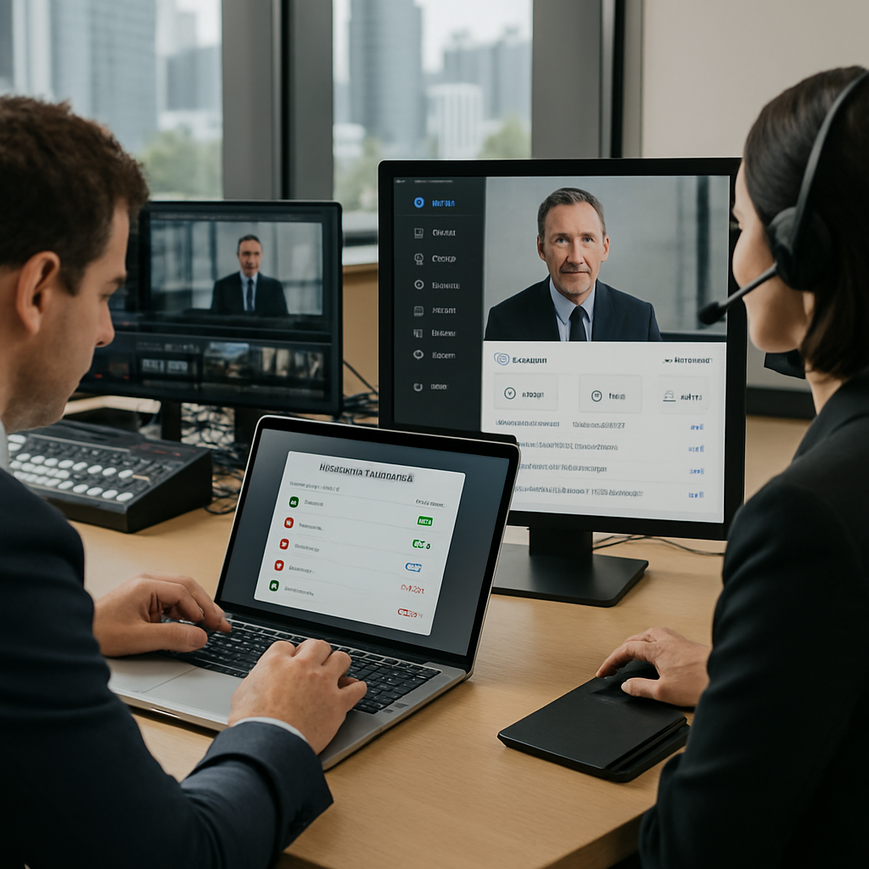
When a professional event runs smoothly, most people notice the polished slides, clear audio, and confident speakers. What often goes unnoticed is the permission structure behind the scenes. In a webinar, hybrid town hall, medical symposium, or corporate launch, speaker roles determine who can present, share screens, admit guests, moderate chat, or control recording settings. For teams in Singapore, where events often involve cross-functional stakeholders, external guests, and tight schedules, a well-designed permission model is not just an administrative detail. It helps protect sensitive information, support compliance expectations, and reduce the risk of avoidable disruption.
Speaker permissions and roles matter because modern event platforms are not single-purpose tools. They are collaboration spaces, broadcast channels, and sometimes record-keeping systems all at once. If permissions are too open, a presenter may accidentally expose confidential material, change a production setting, or interrupt the flow of the event. If they are too restrictive, speakers may struggle to share content, move between segments, or interact with participants in a natural way. The most effective approach is to assign access deliberately, based on the event format, the people involved, and the level of control each person truly needs.
For organisations in Singapore, this is especially relevant because professional events often bring together regional teams, agencies, hospitals, universities, or government-linked stakeholders. In such settings, role clarity supports professionalism. It also aligns with common governance practices around data access and internal approval, especially when events are recorded, transcribed, or distributed after the live session. A thoughtful permissions workflow helps event teams protect trust while still giving speakers the tools they need to perform well.
Why role design matters in professional event platforms
Permission management starts with understanding that not every participant needs the same access. A keynote speaker usually needs presentation controls, but not full moderator privileges. A panel moderator may need the ability to mute participants, manage questions, and move the session along, but not edit the production layout. A producer or technical director may require broader access for switching scenes, starting recordings, or managing stream output. Separating these functions prevents confusion and reduces operational risk.
In practice, role design is about matching capability to responsibility. This is a standard principle in information governance and access control. The least privilege approach, meaning users are given only the access they need to do their work, is widely used in secure system design. For event platforms, it helps limit the chance of accidental changes during live production. It also makes troubleshooting easier because each person’s role is defined in advance.
For Singapore-based organisations, this matters across many event types. A corporate earnings briefing may require strict speaker segregation. A continuing professional education session may need clear host and co-host permissions. A public-facing seminar may require question screening and chat moderation. When the platform roles are aligned with the event agenda, the live experience becomes smoother for both the audience and the speakers.
Common risks when permissions are unclear
Unclear permissions often lead to predictable problems. A speaker may be unable to unmute at the right time. A moderator may not be able to approve a waiting participant. A co-presenter may accidentally advance slides meant for another segment. In more sensitive events, an improperly assigned role may allow a user to access attendee information, internal rehearsal materials, or private chat logs without needing that access for their task.
Another common issue is production overlap. In a hybrid event, the speaker may think they are only controlling their own slides, while the event crew expects to manage transitions centrally. Without a clear division of responsibilities, both sides may act at once, which can affect audio, visuals, and the overall pace of the session. This is why role assignment should be discussed early during event planning, not during the live run.
Core speaker roles and what each one should control
Different platforms use different labels, but the underlying functions are usually similar. Understanding these common roles helps event teams decide how to configure access before the event begins. The specific menu names may vary, but the principles remain the same.
Presenter or speaker
The presenter is usually the person delivering content. Their access should support speaking and displaying materials, but not full event administration. In many platforms, this role includes the ability to share a screen, advance slides within a presentation mode, use a webcam, and perhaps respond to chat if the format allows it. For a simple webinar, this is often enough.
In a Singapore context, presenters may also be external consultants, clinicians, educators, or industry specialists joining from different organisations. Because they are often guests rather than internal staff, the platform should make it easy for them to join without giving them broader control than necessary. A clean presenter role reduces the learning curve and helps them focus on content delivery.
Co-presenter or alternate speaker
A co-presenter supports the main speaker, often by sharing backup slides, demonstrating software, or taking over if the first presenter has technical difficulties. This role can be very helpful in multi-speaker sessions, especially when presenters are in different locations. The co-presenter should usually have similar content-sharing rights to the presenter, but not necessarily the ability to manage registration, settings, or moderation tools.
This role is useful in hybrid events where one speaker is on stage and another is joining remotely. It also helps in training sessions where one person is teaching and another is demonstrating steps live. The key is to define whether the co-presenter can only assist with content, or whether they can also act as a backup host if needed.
Moderator or host
The moderator keeps the session organised. They may introduce speakers, manage the sequence of presentations, handle questions, and intervene if a participant disrupts the event. In many professional platforms, the host or moderator role includes muting participants, admitting attendees from a waiting room, and controlling chat or Q and A functions. This role is particularly important in large public webinars or events with live audience participation.
For Singapore organisations hosting regulatory, educational, or public-interest discussions, moderators often play a central governance role. They help maintain a respectful tone, keep the agenda on track, and prevent off-topic interruptions. If a session is recorded, the moderator also helps ensure the live interaction remains appropriate for later distribution.
Producer or technical operator
The producer handles the technical side of the event. This may include starting and stopping the broadcast, switching layouts, controlling lower-thirds or branding overlays, and managing the recording. In some platforms, the producer may not be visible to the audience at all. This role should be limited to trained staff or trusted production partners because it usually carries the broadest control.
For professional event streaming and hybrid production, the producer’s role is especially important. A well-trained operator can keep the event stable even when a speaker joins late, the internet connection shifts, or the agenda changes at short notice. In Singapore, where events often involve multiple stakeholders and tight turnaround times, having a clearly defined production role helps minimise live errors.
How to set permissions safely before the event
Good permission management starts long before the livestream begins. The best results come from a structured workflow that combines planning, testing, and clear communication. This is not just about software settings. It is also about making sure every participant understands what they can and cannot do.
Map the event flow first
Before assigning roles, map the event from start to finish. Identify who opens the room, who speaks first, who advances the session, who handles audience questions, and who closes the event. Then match each task to the minimum access needed. If the agenda includes multiple segments, note where control must shift from one speaker to another. This avoids confusion when the session moves from keynote to panel discussion or from presentation to live demo.
A simple run sheet can be very effective. It should list each segment, the owner of that segment, the required permissions, and the contingency contact if the main person is unavailable. For Singapore teams working across marketing, compliance, communications, and technical departments, this shared document helps everyone work from the same plan.
Test roles in rehearsal, not only on event day
Rehearsals should include permission checks, not just audio and slide checks. Each speaker should confirm they can access the functions they need. The moderator should test participant management tools. The producer should verify scene switching, recording, and any platform integrations. If a speaker is remote, they should also confirm device setup, internet stability, and login access before the live session.
This step matters because permissions can behave differently depending on how the user joins the platform. A speaker on desktop may have more options than one joining by mobile. A presenter invited as a guest may see fewer controls than an internal account. Testing reveals these differences early, when there is still time to correct them.
Use separate accounts or controlled invitations where possible
Where the platform supports it, use controlled invitations rather than shared logins. Shared accounts are difficult to audit and can create confusion about who performed which action. Individual access makes it easier to manage permissions, track changes, and remove access after the event. It also supports better accountability if a recording or transcript needs review later.
For recurring webinars or town halls, retain a standard access template for internal hosts, external speakers, and production staff. Then customise only where necessary. This keeps the setup efficient while reducing the chance of accidental over-permissioning.
Singapore-specific considerations for professional speaker management
Managing speaker permissions in Singapore also means thinking about privacy, consent, and professional etiquette. If an event is recorded, the organiser should ensure speakers know how the recording will be used. This is especially important for sessions that may be shared internally, published online, or kept for training. If participant names, chat transcripts, or Q and A content will be retained, that should be communicated clearly in advance.
Singapore organisations often work across sectors with different sensitivity levels. A financial services briefing, a healthcare education webinar, and a public sector town hall may each require different handling of access and recordings. Even when the event itself is not highly sensitive, the content can still be commercially confidential or personally identifiable. For that reason, organisers should review who can view backstage areas, private chats, speaker notes, and attendee lists.
It is also good practice to align event permissions with internal policy and the organisation’s data handling procedures. If a company already has rules around document access, meeting recordings, or third-party vendor control, those principles should extend to live event platforms too. This includes setting clear retention expectations for recordings, transcripts, and exported chat logs. When external production partners are involved, access should be scoped to the event period and removed after the project ends.
Working with external speakers and vendors
External speakers are common in Singapore events, especially in professional development, industry panels, and brand launches. They may not be familiar with the platform or with the organiser’s internal workflow. Give them a simple briefing that explains how to join, what role they will have, what can be seen by the audience, and whom to contact if technical issues arise.
For vendors, keep access narrow and task-based. A streaming partner may need production control, but not access to attendee databases. A slide operator may need file upload rights, but not moderator privileges. A good rule is to give each vendor only the permissions necessary to deliver their portion of the service, then remove access promptly after the event.
Building a reliable workflow for live and hybrid events
Strong permissions management is most effective when it sits inside a repeatable workflow. That workflow should cover planning, rehearsal, live delivery, and post-event cleanup. When teams use the same structure every time, events become easier to run and easier to scale.
Create a role checklist
A practical checklist can include the following points:
- Confirm the event format, whether webinar, hybrid seminar, panel, or town hall.
- List every speaker, moderator, producer, and backup contact.
- Assign the minimum permission level needed for each person.
- Test access before the live session.
- Document who can start recording, change layouts, and admit attendees.
- Remove or revoke access after the event ends.
This checklist is simple, but it prevents the most common permission mistakes. It also helps internal stakeholders see that event access is being managed systematically rather than informally.
Plan for contingencies
Even well-run events face surprises. A speaker may lose connection, a moderator may be delayed, or the agenda may need to change. This is why backup roles matter. Assign an alternate host or co-presenter who can step in if needed. Make sure the backup has been tested, not just named on paper. In a live environment, the difference between a smooth handover and a stalled event often comes down to whether the backup understands the platform controls before the session starts.
For hybrid events in Singapore, contingency planning should also account for venue connectivity, on-site AV coordination, and the possibility that a remote speaker may need to rejoin quickly. Clear permissions help the production team recover without exposing unnecessary controls to everyone in the room.
Managing speaker permissions and roles is ultimately about protecting the event experience. When access is planned carefully, speakers can focus on delivery, moderators can keep the session on track, and producers can handle technical execution without unnecessary interference. That balance is especially valuable in Singapore, where professional events often involve multiple teams, diverse stakeholders, and high expectations for reliability. The most effective systems are not the ones with the most permissions. They are the ones where each person has the right access at the right time, no more and no less. For organisations preparing webinars, hybrid productions, or executive broadcasts, a disciplined role structure is one of the simplest ways to improve trust, reduce errors, and support a polished outcome.
General information only. For events involving regulated content, confidential material, or personal data, organisations should review their internal policies and seek appropriate legal, compliance, or data protection guidance before assigning platform access.

Jeremy Lee is a seasoned digital marketing director and strategist with over two decades of experience in the industry. As the founder of Sotavento Medios, I manage a diverse portfolio of over 50 businesses, helping brands grow through advanced search strategies and digital innovation. My work focuses on bridging the gap between traditional search engine optimisation and the evolving world of AI-driven answer engines.
get in touch