
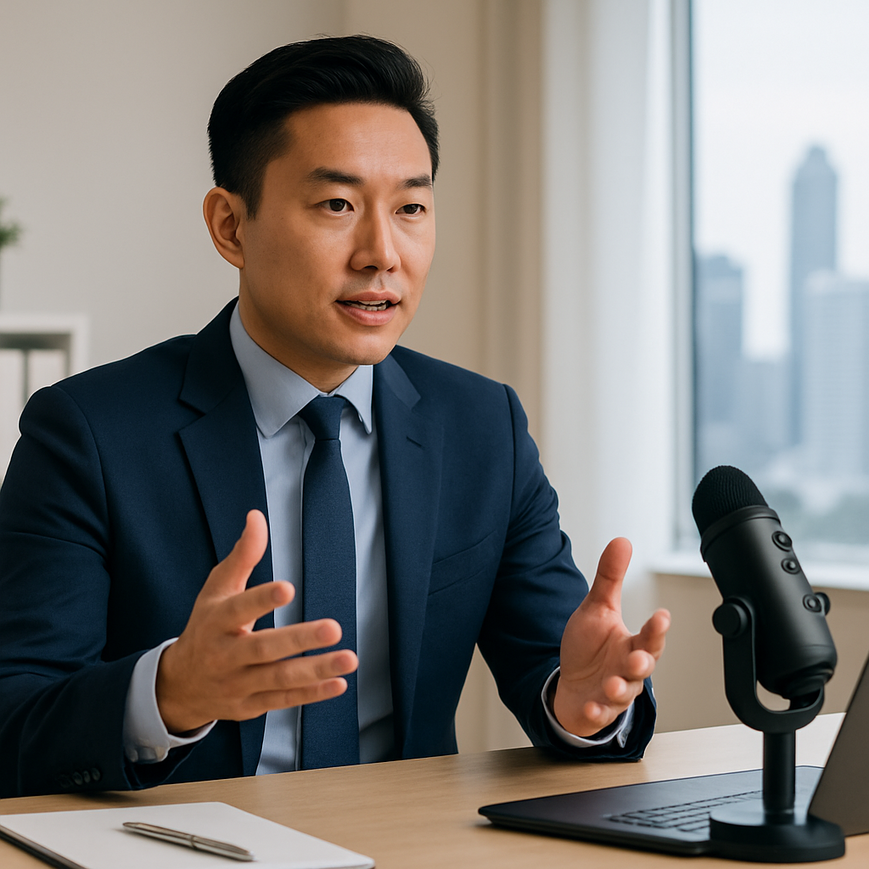
When you speak online, people do not only judge what you say. They also judge how clearly, confidently, and comfortably they can hear you. For executives, senior managers, founders, and professionals in Singapore who join Zoom meetings, virtual town halls, investor calls, webinars, and hybrid events, audio quality is a direct part of executive presence. A professional microphone does not make a person more authoritative by itself, but it removes distractions that can weaken credibility, such as hollow sound, room echo, clipping, background noise, or inconsistent volume.
In Singapore’s working environment, where many teams operate across offices, home setups, co-working spaces, and event venues, good sound matters even more. Meetings can involve multilingual discussion, busy urban surroundings, and compressed schedules. If your voice is hard to hear, listeners work harder to follow you, and that can reduce the impact of your message. A well-chosen microphone, set up correctly, helps your voice sound more natural, more stable, and more present, which supports stronger communication in leadership settings.
Executive presence online is not about sounding theatrical. It is about projecting clarity, composure, and ease. The right microphone, used with sound-aware speaking habits, helps you achieve that in a practical way. The goal is simple, your audience should hear your words without strain, distraction, or the need to ask you to repeat yourself.
Why microphone quality affects executive presence
Executive presence is often described as the ability to project confidence, credibility, and calm under pressure. Online, audio quality becomes part of that impression because voice is the main channel through which your presence is experienced. If your microphone picks up too much room noise, or if your speech sounds thin and distant, even a strong message can feel less persuasive. On the other hand, clear and balanced audio allows your ideas to land cleanly and helps listeners stay engaged.
For Singapore-based professionals, this is especially relevant in hybrid work. You may move between a home office in an HDB flat, a private office in the CBD, a serviced office in one-north, or a live event space at Marina Bay. Each setting creates different acoustic conditions. A laptop microphone may work for casual calls, but it often captures keyboard noise, fan noise, reverberation from hard surfaces, and room reflections. A professional microphone can reduce these problems, especially when paired with proper placement and basic acoustic awareness.
There is also a practical leadership dimension. In executive meetings, people often speak over one another, ask for quick decisions, and make sense of fast-moving information. If your voice is easy to hear, it reduces friction. Listeners spend less energy decoding sound and more energy understanding your message. That supports faster, cleaner communication.
What “professional” means in this context
A professional microphone is not defined only by price. It is a microphone designed to capture speech with more consistency and better control than a basic built-in device. In most online speaking situations, the important qualities are intelligibility, low noise, stable gain, and suitable pickup pattern. Intelligibility means listeners can understand the words clearly. Gain refers to the input level, which must be set carefully so your voice is neither too quiet nor distorted. The pickup pattern describes where the microphone listens most strongly, and this affects how much room noise it captures.
For executive use, the best microphone is usually the one that fits your voice, your environment, and your speaking style. A microphone that sounds excellent in a treated studio may perform poorly in a reflective meeting room if it is placed badly. Good sound is a system, not a single device.
Choosing the right microphone for your online setup
Different microphones serve different needs. For executive presence online, you do not need the most complicated equipment, but you do need the right type for your environment. The main decision usually comes down to whether you want a dynamic microphone, a condenser microphone, a lavalier microphone, or a headset microphone. Each has strengths and trade-offs.
Dynamic microphones
Dynamic microphones are often preferred in rooms with more background noise or less acoustic treatment. They are generally less sensitive to distant sound, so they capture your voice more directly and pick up less room echo. This can be helpful in Singapore homes where air-conditioning noise, corridor activity, or nearby traffic may be present. A dynamic microphone works best when you speak close to it, usually a few centimetres away, and keep the gain set properly.
For executives who want a more authoritative broadcast-style sound, a dynamic microphone can be a strong choice. It often gives speech a focused, controlled quality. The trade-off is that it usually requires more careful positioning and technique than simply relying on a laptop mic.
Condenser microphones
Condenser microphones are more sensitive and can capture more detail in the voice. They are useful in quieter, more controlled spaces because they can sound open, natural, and polished. However, that sensitivity also means they may capture more room reflections and ambient noise if the environment is not well managed. In a typical home office with hard walls or little soft furnishings, this can become a problem.
If you choose a condenser microphone, you will need to pay extra attention to room acoustics. Curtains, carpets, bookshelves, and soft furnishings can all help reduce harsh reflections. In a professionally managed office or event space, a condenser microphone may produce excellent results for virtual panels, presentations, and media appearances.
Lavalier and headset microphones
Lavalier microphones, also called lapel microphones, clip onto clothing and are useful when mobility matters. They are commonly used in video production, presentations, and some hybrid events. They can be convenient, but they may rub against clothing or capture movement noise if not placed carefully. Because they sit farther from the mouth than a handheld or close-position desk microphone, their sound may be less full unless the model and placement are good.
Headset microphones place the capsule close to the mouth and move with the speaker, which can produce very intelligible speech. They are practical for long sessions, training, and live moderation. Some professionals hesitate to use them because they look more technical than traditional desk microphones, but for online clarity they can be highly effective. The best option depends on whether your priority is mobility, visual presentation, or maximum audio consistency.
How to set up your microphone for clear, confident speech
Good microphone choice matters, but setup matters just as much. A high-quality microphone placed poorly can sound worse than a simpler microphone used correctly. If you want your voice to project confidence online, focus on position, distance, input level, and your speaking habits.
Position and distance
Microphone distance affects tone, loudness, and the balance between direct voice and room sound. If you are too far away, your voice may sound thin, echoed, or distant. If you are too close, you may create pops from bursts of air on words with p and b sounds, a problem known as plosives. For many desktop microphones, placing the microphone slightly off to the side of your mouth, rather than directly in front of it, helps reduce air bursts while keeping the voice clear.
As a practical starting point, keep a stable speaking distance and test before important calls. Do not constantly lean in and out if you can avoid it. Consistency helps the microphone produce a steady sound, which in turn makes your delivery sound more composed.
Gain staging and clipping
Gain staging means setting the input level so the signal is strong enough without distortion. Clipping happens when the audio level is too high and the sound becomes harsh or distorted because the system cannot handle the signal cleanly. For executive communication, clipping is particularly damaging because it makes the voice sound strained and reduces listener comfort.
Set your input level so normal speech sits comfortably below overload. Speak at the loudest level you might use in a meeting, then test whether the microphone distorts. Most conferencing platforms include audio meters or test functions. If you are using external recording software or a mixer, leave a little headroom so sudden emphasis does not overload the signal.
Pop filters and wind protection
A pop filter is a screen placed between your mouth and the microphone to reduce plosives. It is useful for many desk microphone setups, especially if you speak closely. For lavalier microphones, small foam windscreens or proper positioning under clothing may help reduce breath and movement noise. In indoor settings, a pop filter is less about aesthetics and more about preserving clean speech.
These accessories are inexpensive compared with the benefit they provide. They help maintain a smooth, uninterrupted sound that supports a polished on-camera image.
Sound quality is also about the room and the speaker
Many people focus on the microphone itself and forget that the room contributes heavily to what listeners hear. In audio, the room is part of the signal. Hard surfaces, bare walls, windows, and empty meeting rooms can create reflections that make speech sound echoey or metallic. Soft furnishings, curtains, and carpeted areas can improve clarity by reducing reflections.
In Singapore, where office layouts can vary from compact home study corners to glass-walled conference rooms, this matters a great deal. If you often take meetings at home, try to avoid placing yourself between hard parallel surfaces. If possible, position yourself near a bookshelf, curtain, or other soft material. In office settings, close the door if the space is shared and reduce obvious background sources such as desk fans or unnecessary notifications.
Speaker technique also affects executive presence. Speak at a steady pace, articulate consonants clearly, and pause when making important points. A microphone does not correct rushed delivery. In fact, clear microphones expose rushed speech more clearly. Strong online presence comes from the combination of sound quality and delivery discipline.
Using voice control to sound more authoritative
Authority online does not mean speaking louder all the time. Often, it means speaking with controlled volume, a stable pace, and deliberate emphasis. If you move too close to the microphone when you become animated, your level may spike or your tone may become overly bass-heavy. If you move too far away when referencing slides or turning to a second screen, your voice may lose impact. Keep your posture steady and treat the microphone as part of your speaking routine.
Breathing also matters. Short, shallow breaths can make speech sound tense. Calm breathing before a presentation helps you maintain even phrasing and better microphone consistency. For executives presenting in high-stakes situations, such as investor updates or board-level virtual briefings, these small habits can make a noticeable difference.
Practical microphone use for Singaporean work and event settings
Singapore’s working culture is highly mobile and digitally connected, so many professionals need flexible audio setups. A senior executive may join a morning call from home, lead a lunchtime webinar from the office, and participate in an evening hybrid event at a venue. For that reason, the most useful microphone solution is often one that is reliable, portable, and simple to deploy.
For regular remote meetings, a compact USB microphone can be a practical choice because it is easy to connect and use. For higher-stakes webinars or speaking engagements, a microphone that works well with a proper audio interface or controlled production setup may provide better consistency. For live events and hybrid productions, professional audio coordination becomes even more important, because the microphone must work alongside cameras, speakers, and room sound reinforcement.
If your organisation hosts executive briefings, town halls, product launches, or panel sessions, test audio in the actual venue whenever possible. Venue acoustics in Singapore can vary significantly depending on ceiling height, surface materials, and whether the room is designed for presentations or general meetings. A microphone that sounds excellent in one room may need adjustment in another. For this reason, production teams often prepare a sound check that includes speaking at the expected volume, checking for feedback, and confirming that every speaker can be heard clearly.
When to seek professional support
Some teams can manage their own microphone setup with a little practice. Others benefit from support from an experienced event or hybrid production team, especially when the event carries brand, investor, or leadership significance. Professional support can help with microphone selection, gain structure, room arrangement, monitoring, and backup planning. This is particularly valuable when multiple speakers are involved or when the event is being streamed to remote participants who rely entirely on clean audio.
For businesses in Singapore, this is not just a technical detail. It affects how leaders are perceived by employees, customers, investors, and partners. Reliable audio helps preserve professionalism, reduce disruptions, and support better audience engagement.
Professional microphones are most effective when used as part of a thoughtful communication setup. Choose a microphone that matches your space, place it correctly, test it before important meetings, and speak with steady control. If your voice is clear and comfortable to hear, your message gains immediate credibility. In online leadership, that clarity is one of the simplest and most effective ways to strengthen executive presence.
If your organisation regularly hosts executive meetings, hybrid events, or streamed presentations in Singapore, treat audio as a strategic asset rather than an afterthought. Good microphone use supports better communication, and better communication supports better leadership.

Jeremy Lee is a seasoned digital marketing director and strategist with over two decades of experience in the industry. As the founder of Sotavento Medios, I manage a diverse portfolio of over 50 businesses, helping brands grow through advanced search strategies and digital innovation. My work focuses on bridging the gap between traditional search engine optimisation and the evolving world of AI-driven answer engines.
get in touch