
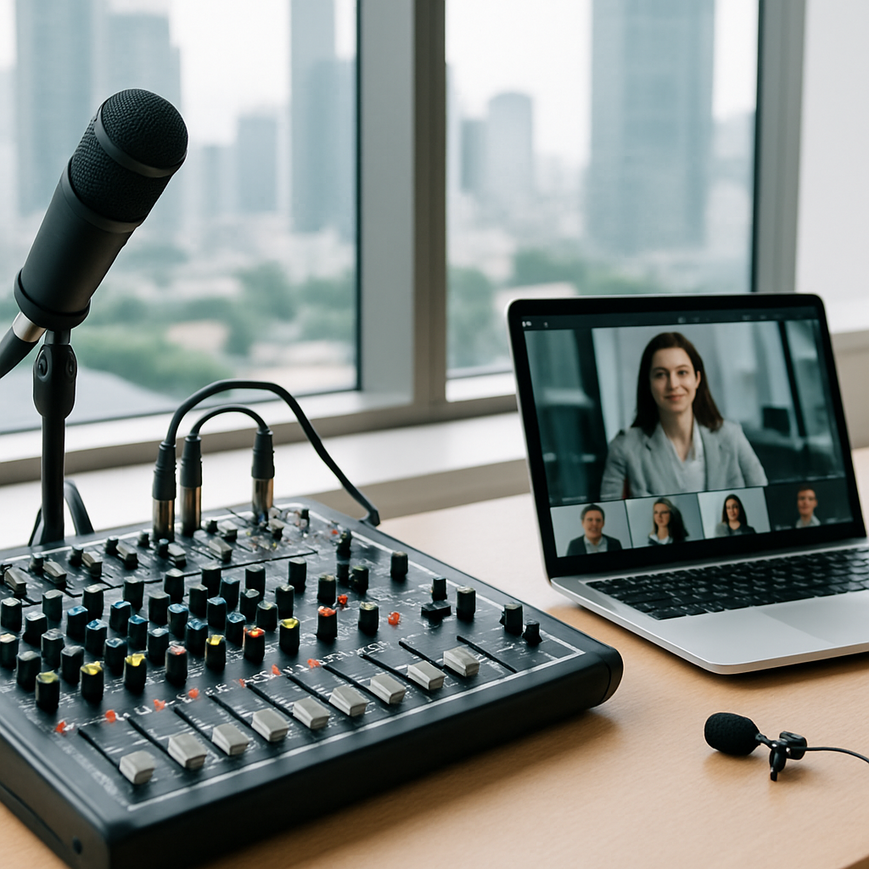
For many Singapore businesses, webinars are no longer a one-off marketing tactic. They are part of product launches, staff training, investor briefings, continuing education, and client engagement. In that setting, sound quality matters just as much as the slides or camera framing, because a webinar with unclear audio quickly loses attention, creates fatigue, and can make even strong content feel less credible. A professional audio mixer helps control that sound with far more precision than relying on a laptop microphone or a simple built-in meeting app setting.
For Singapore-based teams working across office boardrooms, co-working spaces, hotel function rooms, and hybrid event studios, the audio mixer is one of the most practical tools for improving webinar clarity. It lets you balance microphones, laptops, playback audio, and remote guest feeds so the audience hears speech at a consistent level. That consistency is especially important in busy environments where air-conditioning noise, glass-walled meeting rooms, traffic sounds, or reverberation from hard surfaces can interfere with speech intelligibility.
Using a mixer well is not about making audio complicated. It is about creating a controlled signal path, reducing avoidable noise, and making sure each speaker is heard clearly. When handled properly, the result is simple for the audience, even if the technical setup behind it is more advanced.
What a professional audio mixer actually does in a webinar setup
An audio mixer is a device that receives multiple audio inputs, adjusts their levels and tonal balance, and sends a combined output to a live-streaming platform, recording system, or sound reinforcement system. In webinar production, this usually means combining one or more microphones, a presenter laptop, remote guest audio, playback clips, and sometimes room ambience or backup recording feeds. The mixer gives the operator control over the relative volume and quality of each source before it reaches the audience.
This control matters because audio problems in webinars are often caused not by one single failure, but by a combination of small issues. A microphone may be too far from the speaker, a laptop audio feed may be too loud, or a remote presenter may join with low gain on their side. A mixer allows the operator to correct these differences in real time, rather than depending on automated platform controls alone.
Analog mixers and digital mixers
Analog mixers use physical circuitry to route and shape audio. They are often straightforward to operate and can be suitable for simple webinar setups with a small number of inputs. Digital mixers process audio digitally, which typically gives more detailed control over equalisation, compression, routing, presets, and remote management. For more advanced webinar production, digital mixers are often preferred because they can store scenes, allow quick recall between sessions, and integrate more easily with streaming workflows.
In Singapore, where companies may move between venues quickly, digital mixers are especially useful for teams that need repeatable setups. A training webinar in an office meeting room may need one microphone and one laptop feed. A hybrid town hall in a hotel ballroom may need multiple presenters, a remote panel, and recorded video playback. A digital mixer can help standardise these different configurations, reducing setup errors and saving time.
Why platform volume controls are not enough
Webinar platforms usually offer basic volume settings, but those controls are limited. They can adjust loudness after the signal has already been degraded, and they often cannot separate the issues caused by individual microphones or sources. If one speaker is too quiet and another is too loud, a platform-level adjustment may improve one while worsening the other. A mixer works earlier in the chain, before the signal is combined for streaming or recording, which gives far better control.
That distinction matters because audio quality is not only about loudness. It is also about headroom, which is the space between normal speaking volume and the point where distortion occurs. It is about noise floor, which is the background sound level when nobody is speaking. It is also about gain structure, which refers to how audio level is managed through each device in the chain. A mixer helps maintain these technical relationships so speech remains clear and natural.
Setting up the mixer for clear and stable webinar audio
Good webinar sound begins before anyone speaks. The physical placement of microphones, the room environment, and the signal routing all affect the final result. In many Singapore offices, the most common challenges are reflective rooms, compact meeting spaces, and shared environments with background noise. Addressing these issues at the setup stage produces a more reliable result than trying to fix them later.
Start with the room, not the controls
Audio mixers cannot fully solve poor acoustics. If a room has hard walls, tiled floors, or large glass panels, speech can sound echoey or distant. Wherever possible, choose a room with some soft furnishings, use curtains or acoustic panels if available, and keep unnecessary noise sources away from the recording area. Turn off loud fans, move buzzing devices out of microphone range, and close doors if external sounds are likely to interrupt the session.
For Singapore workplaces, this is often a practical rather than a perfect exercise. Many teams do not have dedicated studios, so the goal is to reduce obvious reflections and noise as much as possible. Even a small improvement in room setup can make the mixer’s job easier and the final webinar more intelligible.
Use the right microphone type for the speaker and venue
Microphone choice affects how the mixer performs. A lavalier microphone, also called a lapel mic, clips near the speaker’s clothing and works well for presenters who need to move around while speaking. A headset microphone stays close to the mouth and often offers stronger speech pickup in noisy rooms. A handheld microphone may suit panel discussions or interviews, but it requires proper handling and discipline from the speaker.
The mixer is most effective when the microphone is positioned to capture clear speech at the source. If the speaker is too far from the mic, the operator may need to raise gain, which also raises background noise. If the microphone is too close or too sensitive, plosive sounds, breath noise, or clipping may occur. Proper input selection and placement reduce the need for aggressive correction at the mixer.
Set input gain before touching the fader
One of the most important steps in mixer setup is setting input gain correctly. Gain is the amount of amplification applied to a signal as it enters the mixer. If gain is too low, speech may be quiet and noisy. If it is too high, the signal can distort, especially when the speaker raises their voice or laughs. The correct approach is to have the speaker talk at their normal webinar volume while adjusting the preamp or input trim so the signal is strong but not clipping.
After setting gain, use the channel fader or output level to fine-tune the balance in the mix. This separation between gain and fader control helps maintain clean audio. It also makes it easier to keep levels stable when multiple presenters join the same webinar.
Using mixer tools to improve speech clarity
Modern mixers offer processing tools that can significantly improve spoken-word audio when used carefully. The aim is not to make voices sound artificial. It is to reduce problems, preserve intelligibility, and keep listeners comfortable over a long webinar.
Equalisation for speech intelligibility
Equalisation, often shortened to EQ, is the adjustment of bass, midrange, and treble frequencies. In webinar work, EQ is commonly used to reduce muddiness, remove low-frequency rumble, and enhance clarity in the frequencies where speech is most understandable. Excess low end can make speech sound thick or boomy, especially in small rooms. A gentle reduction in low frequencies can often improve clarity.
EQ should be applied conservatively. Over-processing can make a voice sound thin, harsh, or unnatural. The goal is usually to make the voice easier to understand, not to create a broadcast-style effect. For Singapore audiences listening on laptops, office monitors, or mobile devices, speech intelligibility is more valuable than dramatic tonal shaping.
Compression for even loudness
Compression reduces the dynamic range of a voice, meaning it lowers the difference between quieter and louder moments. In webinar settings, this helps prevent one speaker from sounding too soft and then suddenly too loud. A compressor can make speech more even, which is helpful for presenters who naturally vary their speaking volume or for panel discussions where several voices need to sit at a similar level.
Compression should be used carefully. Too much compression can make speech sound flat, strained, or fatiguing over time. A light to moderate setting is often enough for webinars. The operator should listen for naturalness and intelligibility, not just loudness.
Noise gates and when to use them
A noise gate reduces or mutes a channel when the speaker is not talking. In a webinar, this can help reduce background noise from paper rustling, chair movement, or air-conditioning hum. However, gates must be set cautiously. If the threshold is too high, the speaker’s first syllables may be cut off, or quieter speech may disappear altogether.
In practice, gates are best used only when needed and only after the room and microphone setup are already optimised. They are a supporting tool, not a substitute for proper microphone technique. For many spoken-word webinars, gentle expansion or simple manual muting may be safer than aggressive gating.
Managing multiple sources in hybrid and panel webinars
Many Singapore webinars now include a hybrid component, where some speakers are in the room and others join remotely. This creates additional audio challenges because every source arrives with different hardware, internet conditions, and speaking environments. A mixer becomes especially useful in these situations because it allows the operator to normalise levels and maintain a coherent listening experience.
Balancing local presenters and remote guests
Remote guests often sound different from in-room presenters because their microphones, internet connections, and room acoustics vary. Some may join from a quiet home office, while others may call in from a less controlled environment. The mixer helps bridge those differences by allowing the operator to adjust each source independently. This may include lowering a loud remote feed, raising a soft local mic, or applying light processing to keep all voices consistent.
For panel discussions, it helps to assign each speaker their own channel whenever possible. Separate channels make it easier to control levels and reduce the risk that one person dominates the conversation. They also make troubleshooting simpler if one microphone develops an issue during the live session.
Using aux sends, monitor mixes, and return audio
Auxiliary sends, often called aux sends, allow the mixer to create separate audio feeds for different purposes. For example, one feed may go to the livestream platform, another to a recording device, and another to stage monitors or in-ear monitoring for presenters. This separation can be useful when the webinar also includes a live audience or a rehearsal room where speakers need to hear themselves clearly.
Return audio, which is audio sent back into the venue from the platform or remote guests, should also be managed carefully to avoid echo and feedback. If the same signal is routed into speakers and back into microphones, the result can be distracting and unprofessional. Proper routing and monitoring are essential in hybrid webinars.
Practical workflow tips for Singapore teams and event organisers
Many webinar teams in Singapore work under time pressure, with limited setup windows and shared venues. A reliable mixer workflow helps reduce stress and makes the live session more predictable. The best approach is to build repeatable habits rather than improvising each time.
Create a pre-event sound check routine
Before the webinar begins, test every input one by one. Ask each speaker to speak at normal volume, then check gain, EQ, and any processing. Confirm that background music, video playback, and remote guest audio do not overpower the main speaker. If the event platform supports it, monitor both the livestream and the recording path, because the live output and the recorded file may not sound identical.
It also helps to prepare a short reference script with a few representative phrases. That makes it easier to judge speech clarity consistently during sound check. Keep a note of the correct settings for recurring events, especially if the same boardroom or hotel venue is used regularly.
Label everything and keep routing simple
Clear labelling on the mixer, cables, and input channels reduces mistakes during fast-paced setups. Use straightforward names such as Presenter 1, Presenter 2, Laptop Playback, and Remote Guest. If the mixer supports scene recall or presets, save them with descriptive names so the next operator can load the correct configuration quickly.
Simple routing is usually safer than overly complex setups. Every extra layer in the signal path creates another point of failure. For webinar work, the cleanest signal chain is often the most dependable one.
Know when to bring in professional support
Some webinar setups are simple enough for in-house staff to manage after training. Others, especially hybrid conferences, product launches, and executive town halls, benefit from experienced event audio support. A professional audio team can set gain structure correctly, manage monitor paths, troubleshoot feedback, and adapt to venue conditions more quickly. That is particularly valuable when the event has important stakeholders, strict timing, or multiple speakers.
In Singapore’s business environment, where many events must run on schedule and communicate clearly to both local and regional audiences, professional support can reduce risk and protect the quality of the message. This is less about luxury and more about reliability.
Webinar sound improves most when the mixer is treated as part of a complete audio strategy, not as a last-minute volume knob. Start with the room, choose the right microphones, set clean gain structure, and use EQ and compression sparingly. Keep routing simple, test every source, and match the setup to the complexity of the event. When those basics are done well, the audience can focus on the message instead of struggling to hear it.
For Singapore organisers, the practical takeaway is straightforward. A professional audio mixer helps turn a fragile webinar setup into a controlled and repeatable production workflow. If your team runs regular webinars, hybrid briefings, or virtual training sessions, investing time in proper mixer technique can make each session sound clearer, more credible, and easier to follow. For events with multiple speakers or critical delivery requirements, working with an experienced event production team is often the most efficient way to ensure the audio performs well from start to finish.
General information only: This article is intended to support awareness and planning for webinar audio. It is not medical advice or a substitute for professional consultation on specialised technical or health-related concerns.

Jeremy Lee is a seasoned digital marketing director and strategist with over two decades of experience in the industry. As the founder of Sotavento Medios, I manage a diverse portfolio of over 50 businesses, helping brands grow through advanced search strategies and digital innovation. My work focuses on bridging the gap between traditional search engine optimisation and the evolving world of AI-driven answer engines.
get in touch