
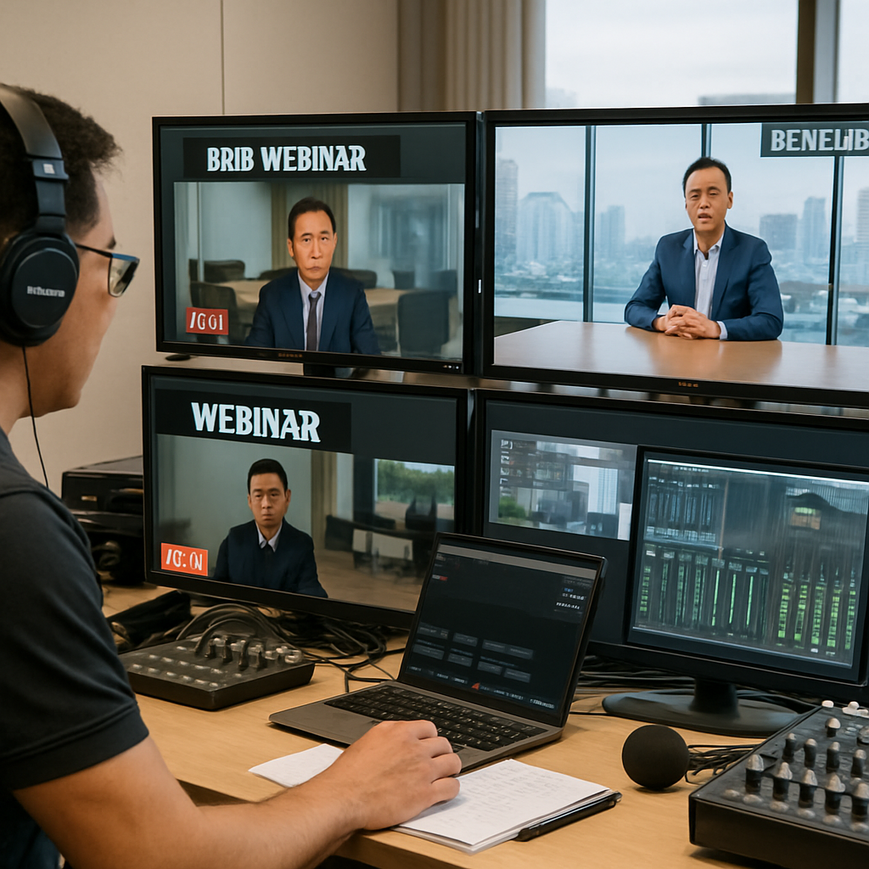
For many Singapore businesses, a B2B event is no longer just a presentation room, a projector, and a few microphones. Hybrid town halls, product launches, partner briefings, investor updates, virtual training sessions, and multi-location panel discussions all depend on platform reliability, clear communication, and precise coordination. A professional rehearsal is the safest way to reduce avoidable errors before the event goes live. It helps organisers test technology, align speakers, confirm timing, and identify issues that would otherwise affect credibility in front of clients, colleagues, regulators, or regional partners.
In Singapore, where many business events involve cross-border teams, tight schedules, and multilingual audiences, rehearsal discipline matters even more. A smooth livestream or virtual meeting does not happen by chance. It comes from structured preparation, realistic testing, and a clear understanding of how the chosen B2B platform behaves under actual event conditions. Whether your team uses Zoom, Microsoft Teams, Webex, Hopin-style platforms, or a customised broadcast workflow, the principles of rehearsal remain the same: test early, verify every critical function, and make sure every participant knows what to do when the camera turns on.
This article explains how to conduct professional rehearsals on B2B platforms with practical guidance tailored to the Singapore context. The focus is on reliable execution, not theatrics. The goal is to help event teams, corporate communications departments, training providers, and agency partners run better sessions with fewer surprises.
Why rehearsals matter for B2B events
A rehearsal is not simply a dry run of the script. It is a controlled test of the full event system, including people, technology, timing, and escalation processes. For B2B platforms, this matters because a single issue, such as poor audio routing, an incorrectly shared screen, or an untested breakout room sequence, can affect the perceived professionalism of the entire organisation. In corporate environments, that perception has direct business consequences.
Singapore-based teams often manage events across multiple functions, including marketing, sales, legal, HR, and technical operations. Each group may assume another team has handled a particular step, which is why rehearsals are valuable. They create one shared environment where expectations can be confirmed and responsibilities can be observed in real time. This is especially important for regional events involving participants from different time zones, because a missed instruction can be costly when the next live slot is hours away.
Rehearsals also reduce cognitive load for speakers. Many executives and subject-matter experts are comfortable with their topic but unfamiliar with platform controls, virtual cues, or hybrid camera behaviour. A structured rehearsal gives them a chance to practise transitions, answer timing, and interaction with moderators. This lowers anxiety and usually improves delivery quality.
What a professional rehearsal should achieve
A good rehearsal should verify that the event can run safely and coherently under live conditions. That means confirming device compatibility, audio levels, visuals, content order, attendee access, moderation workflows, and backup plans. It should also surface risks that are easy to miss during planning, such as forgotten permissions, unstable internet connections, delayed slide changes, or the need for a second presenter in case someone loses connection.
In practical terms, the rehearsal should leave the team with three outcomes. First, everyone should know the event sequence. Second, the technical setup should be validated. Third, the team should know exactly what to do if something fails. If those three outcomes are achieved, the event is far more likely to feel polished and controlled.
Build the rehearsal plan before the session begins
Professional rehearsals start with planning, not with people joining a call. The event producer or lead coordinator should prepare a written rehearsal agenda that mirrors the actual run-of-show. This agenda should state the objective of the rehearsal, the exact start time, the expected duration, the names and roles of attendees, and the specific items that must be tested. A rehearsal without a plan often turns into a vague discussion rather than a useful operational check.
For Singapore events, it is also sensible to account for hybrid working patterns. Some contributors may join from office boardrooms in the CBD, while others log in from home offices in different parts of the island or from overseas. A rehearsal plan should therefore be circulated early, with clear instructions on the platform link, device requirements, required files, and the time zone being used. If participants are joining from different regions, state the time in Singapore time, also known as SGT, to avoid confusion.
Clarify the event format and platform flow
Before the rehearsal, define the event format in operational terms. Is it a webinar, a moderated panel, a town hall, a livestream, a breakout training session, or a client presentation with screen sharing? Each format places different demands on the platform. For example, a product launch with live demos needs more visual testing than a speaker-only webinar. A panel discussion requires speaker handover discipline, while an internal town hall may need Q and A moderation and chat filtering.
The run sheet should describe what happens at each stage, including waiting room admission, opening remarks, speaker transitions, screen-sharing permissions, audience questions, poll launches, and closing procedures. This gives everyone a common reference point and helps prevent confusion during the rehearsal.
Assign clear responsibilities
Every rehearsal works better when roles are defined in advance. At minimum, identify the event host or chairperson, the technical director or platform operator, the moderator, the speaker support contact, and the backup contact for urgent issues. On larger productions, there may also be a floor manager, graphics operator, captioning vendor, or interpretation support team.
In Singapore, where many corporate events involve collaboration between internal staff and external production vendors, role clarity is especially important. A vendor may know the platform deeply, but only the client team understands business priorities, compliance concerns, and speaker sensitivities. Both sides should know who has final approval on content, who can make live decisions, and who will handle escalation if a problem arises.
Test the technology as if the event were live
Technology testing is the most visible part of a rehearsal, but it is only effective when it reflects real usage. It is not enough to confirm that the platform opens. The team should test the exact devices, cameras, microphones, slide decks, video clips, and internet connections that will be used on the day. Many event failures happen because something was tested in a simplified environment and then changed at the last minute.
For a Singapore business event, this often means checking whether the office network, home broadband connection, or mobile hotspot can support the required stream quality. Corporate teams should remember that internet stability matters more than speed alone. A wired connection is usually more reliable than Wi-Fi for critical presentations. If the presenter must join remotely, the rehearsal should include the same device, browser, and login method planned for the live event.
Audio is usually the first point of failure
Audio quality can make or break a professional event. If participants cannot hear clearly, they quickly lose confidence in the production. During rehearsal, test each microphone individually and confirm that the platform is capturing clean voice levels without clipping, echo, or background noise. Clipping means the sound is too loud and becomes distorted. Echo often happens when multiple microphones or speakers create feedback loops, or when someone joins with both laptop speakers and a live microphone active.
Speakers should be asked to talk at their normal volume, not at an exaggerated rehearsal voice. If there will be a panel, each speaker should be tested one by one and then together, because overlapping audio creates different problems. For hybrid rooms, confirm that in-room microphones do not pick up remote audio, and that remote participants can be heard through the room system if required.
Video, slides, and layouts need specific checks
Many B2B events rely heavily on visual clarity. Rehearsal should confirm that the camera angle is flattering and stable, the background is suitable for a corporate audience, and the lighting is adequate. If the event includes branded slides, check that fonts are readable on different screen sizes and that animations or embedded media function properly within the chosen platform. Not every platform handles file formats or video playback in the same way, so it is safer to test the actual content rather than assume compatibility.
Hybrid events also benefit from rehearsing the layout that the audience will see. If the platform uses speaker view, gallery view, shared screen mode, or a custom studio layout, each scene should be checked for framing and readability. On smaller screens, too many visual elements can become cluttered very quickly.
Practice every interactive feature
If your event includes polls, Q and A, chat moderation, breakout rooms, hand-raising, captioning, or interpreter channels, rehearse those functions explicitly. Interactive tools are useful only if the team knows how to trigger them and what the audience experience will be. For example, poll timing should fit naturally into the speaker script, and Q and A questions should be queued in a way that does not interrupt key messages.
For internal corporate events in Singapore, especially those with leadership involvement, chat and Q and A settings should be checked carefully so that only appropriate comments are displayed publicly. If the platform allows anonymous questions, decide in advance whether that feature is useful for the event objectives or whether moderated submission is better.
Rehearse the human side, not just the platform
Professional rehearsals are about people as much as technology. A polished event depends on confident speakers, a calm moderator, and a production team that can communicate quickly and discreetly. In many cases, the most important rehearsal outcome is not perfect timing, but better coordination between the people involved.
Speakers should practise opening, transitioning between sections, and closing with concise language. They should also know where to look, when to pause, and how to recover if interrupted. In a live event, a speaker who loses their place or rushes through content can create the impression that the entire session is poorly managed. Rehearsal helps build muscle memory for these moments.
Coach speakers with practical feedback
Feedback should be specific, observable, and useful. Instead of saying a speaker sounds nervous, explain that the first slide introduction was rushed, the microphone was held too far away, or the transition to the next segment was unclear. This kind of feedback is easier to act on and produces better results. If the speaker is senior, keep the tone respectful and efficient. Many corporate speakers respond well when coaching is framed around audience clarity and event outcomes.
In Singapore’s business culture, time is often limited and expectations are high. A rehearsal should therefore respect the speaker’s schedule while still covering the essentials. A focused 15 to 20 minute segment of performance coaching can be more valuable than an unstructured hour-long practice.
Train moderators and technical support together
The moderator is the link between content and control. During rehearsal, the moderator should practise introducing speakers, managing audience questions, and handling unexpected pauses. Technical support should be present so that any issue, such as a late speaker entry or a failed screen share, can be handled in context rather than as a separate technical problem.
It is useful to script handover phrases in advance. For example, the moderator may need a short phrase to introduce a break, request patience during a platform switch, or move the session into Q and A. These phrases should sound natural and professional, not robotic.
Prepare for failure with backup plans and escalation paths
No rehearsal is complete unless it includes contingency planning. Even well-run B2B events can face audio dropout, power interruption, software glitches, presenter delays, or connectivity issues. A professional team does not assume problems will never happen. Instead, it decides in advance how to respond when they do.
Singapore organisations often place strong emphasis on business continuity, and that mindset applies well to event production. Backup plans should be realistic and easy to execute. A second laptop, a backup microphone, a preloaded slide deck, an alternate internet connection, and a designated support contact can make a significant difference. If a critical presenter drops out, the team should already know whether a co-host, substitute speaker, or prerecorded segment can take over.
Document escalation steps clearly
Escalation is the process of moving a problem to the person who can solve it. The rehearsal should define who makes the call to pause, restart, switch sources, or notify participants. It should also define how the event team communicates internally during the live session. Many teams use private chat channels or separate coordination calls so the audience never sees the troubleshooting process.
A good escalation plan includes thresholds. For instance, if audio remains unusable after a short troubleshooting attempt, the team may switch to a backup device. If a presenter cannot reconnect within a defined window, the moderator may move to the next section. This keeps the event moving and prevents uncertainty from spreading through the audience.
How to run the rehearsal efficiently on the day
On the day of rehearsal, start with a brief briefing. Confirm the event objective, the order of operations, and the time available. Ask participants to mute notifications, close unnecessary apps, and keep phones available for coordination if required. Then move through the agenda in a controlled sequence, beginning with login and access checks, followed by audio, video, visual content, interactive features, and transition practice.
As the rehearsal proceeds, someone should capture issues, decisions, and action items in real time. This avoids relying on memory later. It is also helpful to note what worked well, because those successful steps should be repeated exactly during the live event. If the rehearsal identifies changes, update the run sheet immediately and recirculate the final version so nobody works from outdated instructions.
After the rehearsal, send a short recap to all participants. The recap should list the confirmed setup, outstanding action items, final timing, and emergency contacts. If there are still unresolved risks, be honest about them and describe how they will be managed. Clarity builds trust among all stakeholders.
Singapore-specific considerations for B2B platform rehearsals
Singapore’s business environment creates a few practical considerations that are easy to overlook. First, hybrid events often involve participants joining from offices, co-working spaces, or home setups with varying acoustics. A speaker who sounds clear in a meeting room may sound different from a living room or a glass-walled office. Rehearsals should therefore happen in the actual environment whenever possible.
Second, many Singapore B2B events involve regional audiences across Southeast Asia, Greater China, Australia, or Europe. This means rehearsal schedules should respect time zones and approval workflows. A late change to a deck or script may require sign-off from multiple stakeholders, so it is wise to lock key materials earlier than you would for a local-only meeting.
Third, professional events often use vendors, interpreters, captioning services, or venue AV teams. Rehearsals should include every party who will materially affect the live outcome. If one group is absent, you are not rehearsing the real event. This principle is especially important for high-visibility executive briefings, product announcements, and training programmes where consistency matters.
Finally, in Singapore’s corporate context, polished delivery supports brand credibility. A rehearsed event tells clients, partners, and staff that the organisation respects their time and can manage detail. That impression is often as important as the content itself.
Professional rehearsals on B2B platforms are not an optional extra. They are part of responsible event management. When they are done properly, they protect the audience experience, support speaker confidence, and reduce technical risk. They also save time on the live day, because fewer decisions have to be made under pressure. For Singapore businesses that rely on precise communication and high standards, the rehearsal is one of the most valuable steps in the entire production process.
If your team is preparing a webinar, hybrid conference, or executive livestream, treat rehearsal as a controlled operational test. Plan it carefully, test it realistically, coach the human side, and prepare for contingencies. That approach gives you the best chance of delivering a smooth, professional event that reflects well on your organisation.
General information only: This article is intended to support event planning and communication practice. For platform-specific configuration, accessibility requirements, or enterprise security decisions, consult your internal IT, compliance, or production specialists.

Jeremy Lee is a seasoned digital marketing director and strategist with over two decades of experience in the industry. As the founder of Sotavento Medios, I manage a diverse portfolio of over 50 businesses, helping brands grow through advanced search strategies and digital innovation. My work focuses on bridging the gap between traditional search engine optimisation and the evolving world of AI-driven answer engines.
get in touch